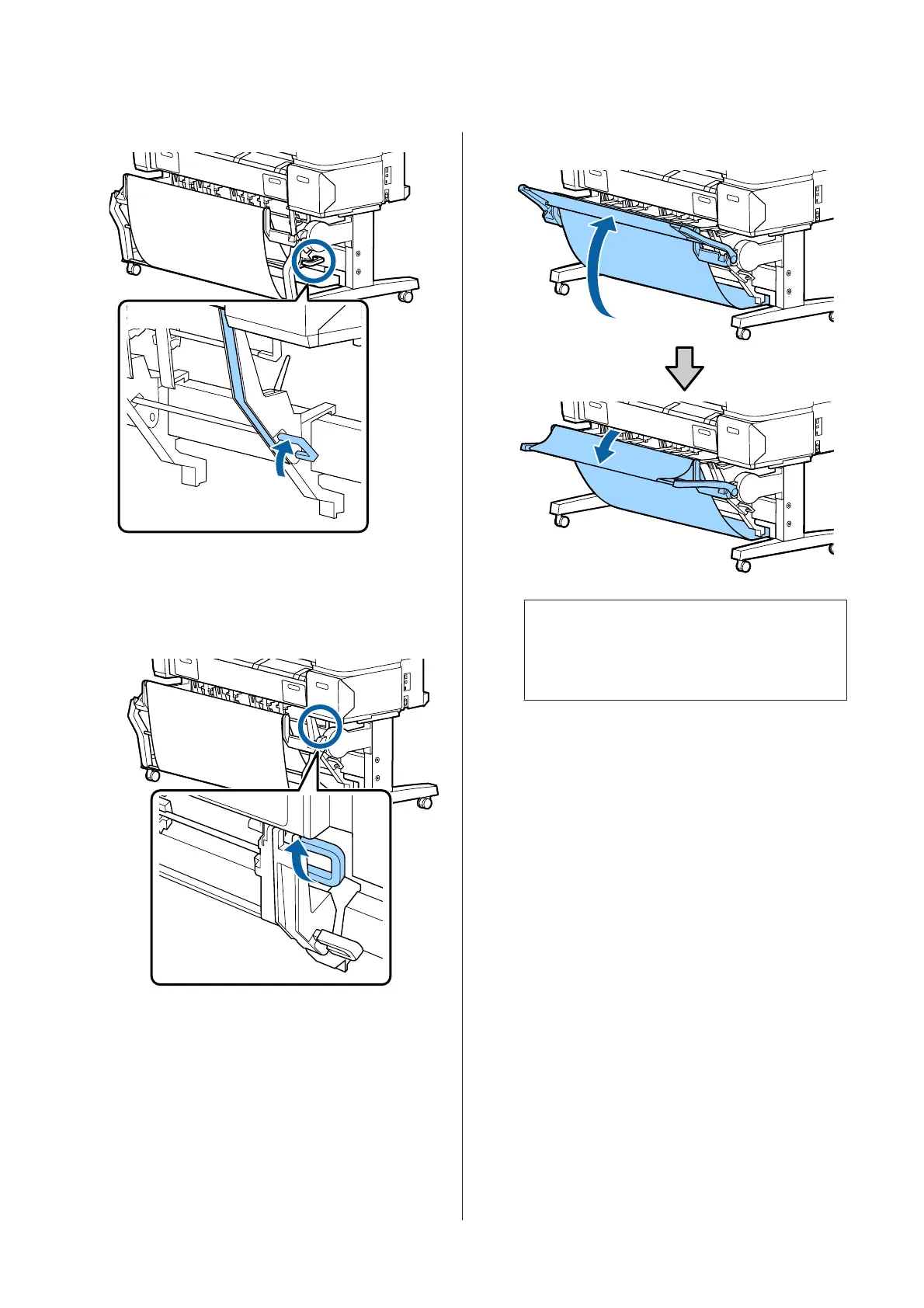
Guide positioned for other sizes of paper
Horizontal position
A
Use the top stack guide switch lever to raise the
top stack guide.
B
Lift the guide up, and then lower it lightly.
Note:
If the standard position is erroneously set instead of
the horizontal position, lift the guide up, and then
lower it while pushing lightly.
SC-T7200 Series/SC-T5200 Series/SC-T3200 Series/SC-T7200D Series/SC-T5200D Series User's Guide
Basic Operations
48


 To Next Page
 Loading...