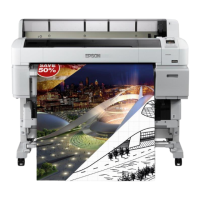
Buttons that are used in the following settings
A
Set the auto take-up reel unit Auto switch to Off.
Plug the power cord into an outlet and confirm
that the power lamp lights.
B
Turn on the printer by pressing the P button.
C
Check that the roll paper is correctly loaded in the
printer.
D
Press the ) button on the control panel. Keep
the d button pressed until the end of the roll
reaches the roll core.
E
Tape the end to the roll core.
Place tape (available from third-party suppliers)
at the center and then at the left and right ends.
F
Keep the d button in the control panel pressed
until you have fed enough paper for about three
wraps around the roll core.
G
Keep the Manual switch pressed to Backward to
wrap the paper three times around the core.
SC-T7200 Series/SC-T5200 Series/SC-T3200 Series/SC-T7200D Series/SC-T5200D Series User's Guide
Basic Operations
54


 To Next Page
 Loading...