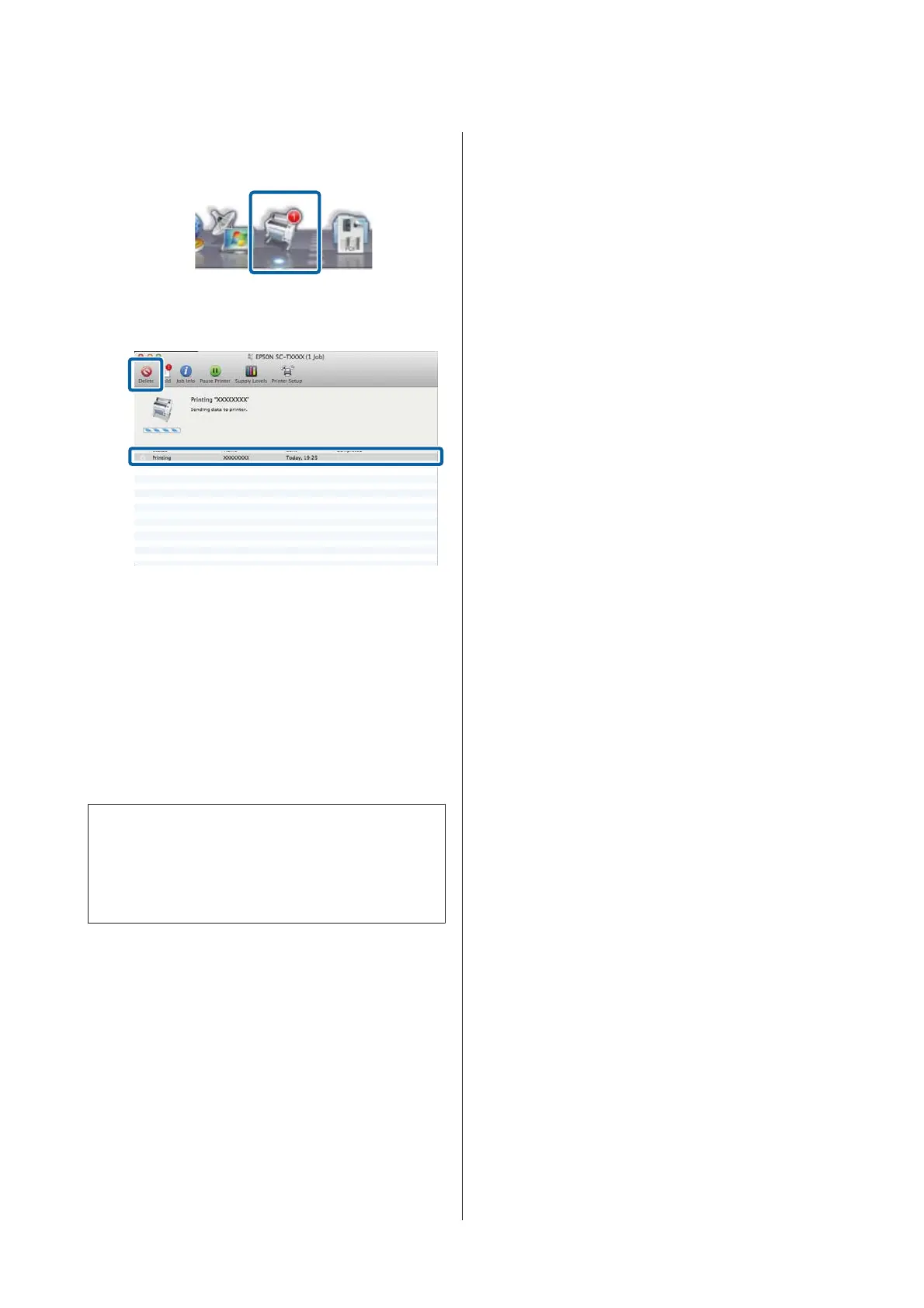
Canceling from the computer (Mac OS X)
A
Click the printer icon in the Dock.
B
Select the job you want to cancel, and then click
Delete.
If the job has been sent to the printer, print data is
not displayed on the above screen.
Canceling on the printer
Press the W button, select Job Cancel on the screen,
and then press the Z button.
The print job is canceled even in the middle of printing.
It may take a while before the printer returns to ready
status after canceling a job.
Note:
You cannot delete print jobs which are in the print queue
on the computer using the above operation. See
"Canceling from the computer" to delete print jobs in the
print queue.
SC-T7200 Series/SC-T5200 Series/SC-T3200 Series/SC-T7200D Series/SC-T5200D Series User's Guide
Basic Operations
66


 To Next Page
 Loading...