Settings on Windows
A
Using the control panel of the printer, confirm
Best Fit is set in Setup menu > Printer Setup >
Roll Paper Setup > Roll Switch Condition >
Paper Width.
The default Paper Width setting is Best Fit. If the
setting has not been changed, the setting is Best
Fit.
U “Setup menu” on page 146
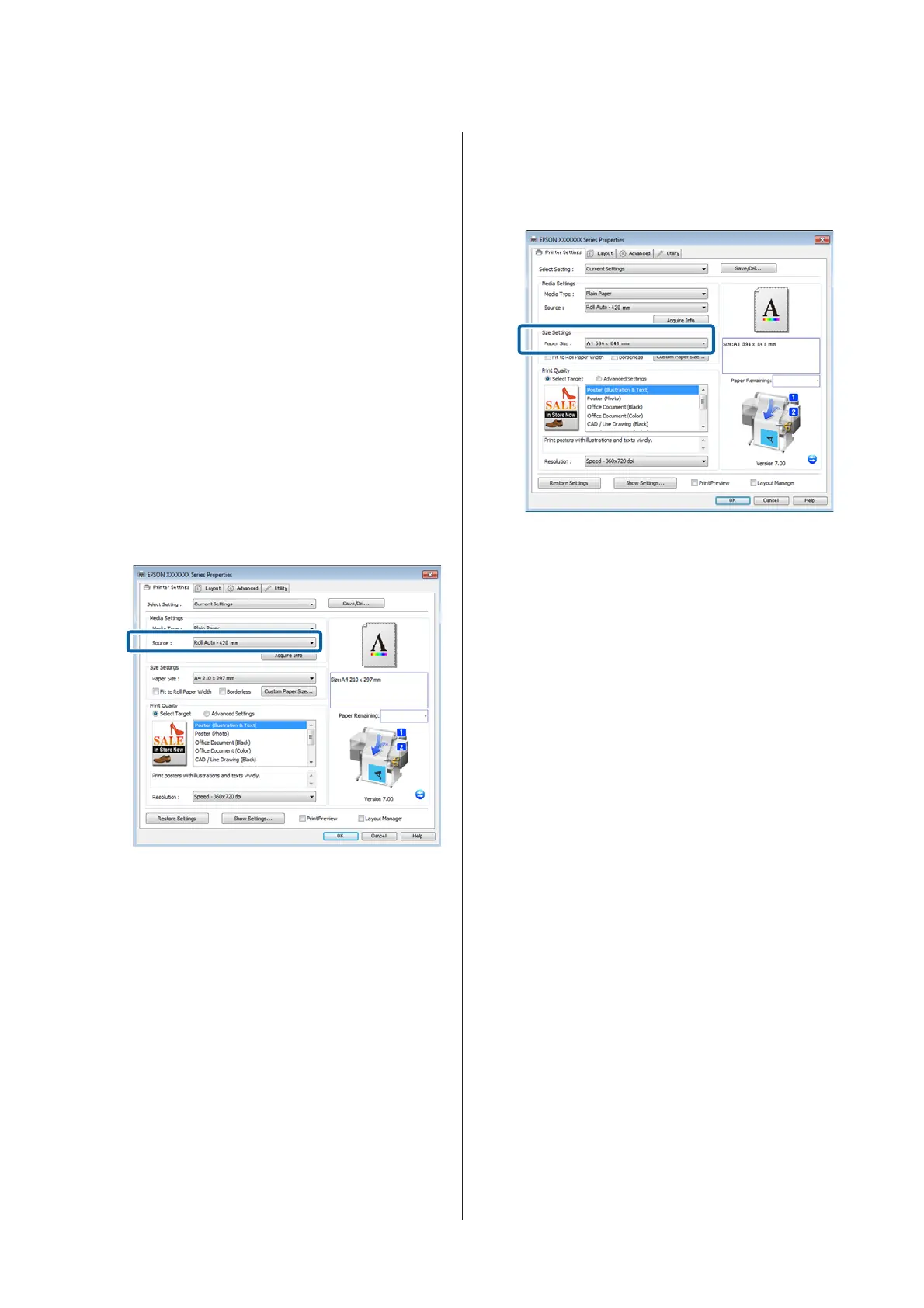
B
Open the Printer Settings tab of the printer driver
and confirm that Source is Roll Auto -
XXXXX.
XXXXX indicates the width of the roll paper
currently in use.
If the setting is not Roll Auto - XXXXX, click it
and select Roll Auto - XXXXX.
C
For Paper Size, select the Paper Size set in the
application.
In this example, select A1 594 x 841 mm.
D
Set Print Quality and other necessary settings,
and then print.
The printer prints to the roll paper of Roll 2 (A0
Width).
If A3 or A2 is selected in Step 3, the printer prints
to the roll paper of Roll 1 (A2 Width).
Making Settings for Mac OS X
A
Using the control panel of the printer, confirm
Best Fit is set in Setup menu > Printer Setup >
Roll Paper Setup > Roll Switch Condition >
Paper Width.
The default Paper Width setting is Best Fit. If the
setting has not been changed, the setting is Best
Fit.
U “Setup menu” on page 146
B
On the computer, open the Print screen, confirm
that Paper size is Roll Paper.
In this example, select A1.
SC-T7200 Series/SC-T5200 Series/SC-T3200 Series/SC-T7200D Series/SC-T5200D Series User's Guide
More Ways to Print
93


 To Next Page
 Loading...