Running the self test
1.
Make sure the printer is turned off.
2.
While holding down the
FONT
button, turn on the printer. It
loads a sheet of paper automatically from the paper feeder
and begins the self test.
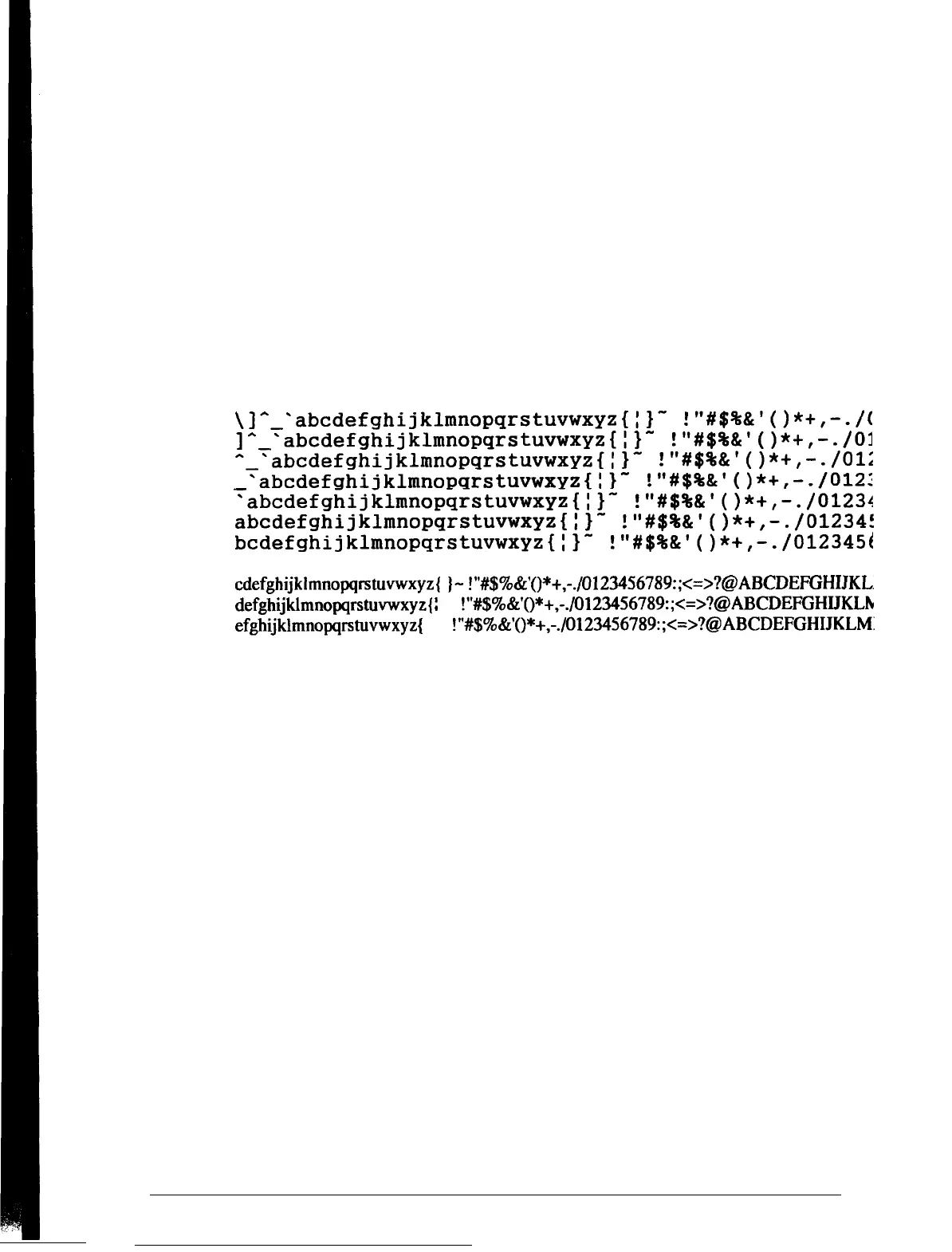
The printer prints characters in each font. Here is part of a
typical self test:
Courier
\I^-
'abcdefghijklmnopqrstuvwxyz{i}-
!"#$%a'()*+,-./(
y-
'abcdefghijklmnopqrstuvwxyz{:}-
!'#$%&'()*+,-./03
'abcdefghijklmnopqrstuvwxyz{i}-
!'#$%&'()*+,-./OlZ
'abcdefghijklmnopqrstuvwxyz(:)"
"#$%&'()*+,-./0121
'abcdefghijklmnopqrstuvwxyz{:}-
!'#$%&I()*+,-./01231
abcdefghijklmnopqrstuvwxyz{:}-
!I#$%&'()*+,-./012341
bcdefghijklmnopqrstuvwxyz{:}-
!'#$%&I()*+,-./012345t
Roman
T
cdefghijklmnopqrstuvwxyz{
I
)-
!"#$%&'()*+,-./0123456789:;<=>?@ABCDEFGHIJKL
defghijklmnopqrstuvwxyz{
:
} -
!"#$%&'()*+,-./0123456789:;<=>?@ABCDEFGHIJKLh
efghijklmnopqrstuvwxyz
{
I } -
!"#$%&'()*+,-./012356789:;<=>?@ABCDEFGHIJKLM:
3.
The self test continues until the paper in the paper feeder runs
out or you press the
PAUSE
button. To stop the test, press
the
PAUSE
button. To resume the test, press the
PAUSE
button again.
4.
To end the self test, press the
PAUSE
button to stop printing
and then press the
LOAD/EJECT
button to eject the paper.
5.
Turn off the printer.
1-16
Setting Up Your Printer





 To Next Page