Note:
If
the ink does
not,dry
fast enough, try removing sheets one
at
a time
as they finish printing.
Printing on
envelopes
You can also use the manual feed slot to print on individual
envelopes.
1.
Turn on the printer and open the printer cover.
2.
Press the
PAUSE
button to set the
PAUSE
light on.
3.
Hold down the
REPLACE INK
(ALT)
button for several
secor
and release the button when the carriage moves to the
middle position. The
PAUSE
light begins blinking.
4.
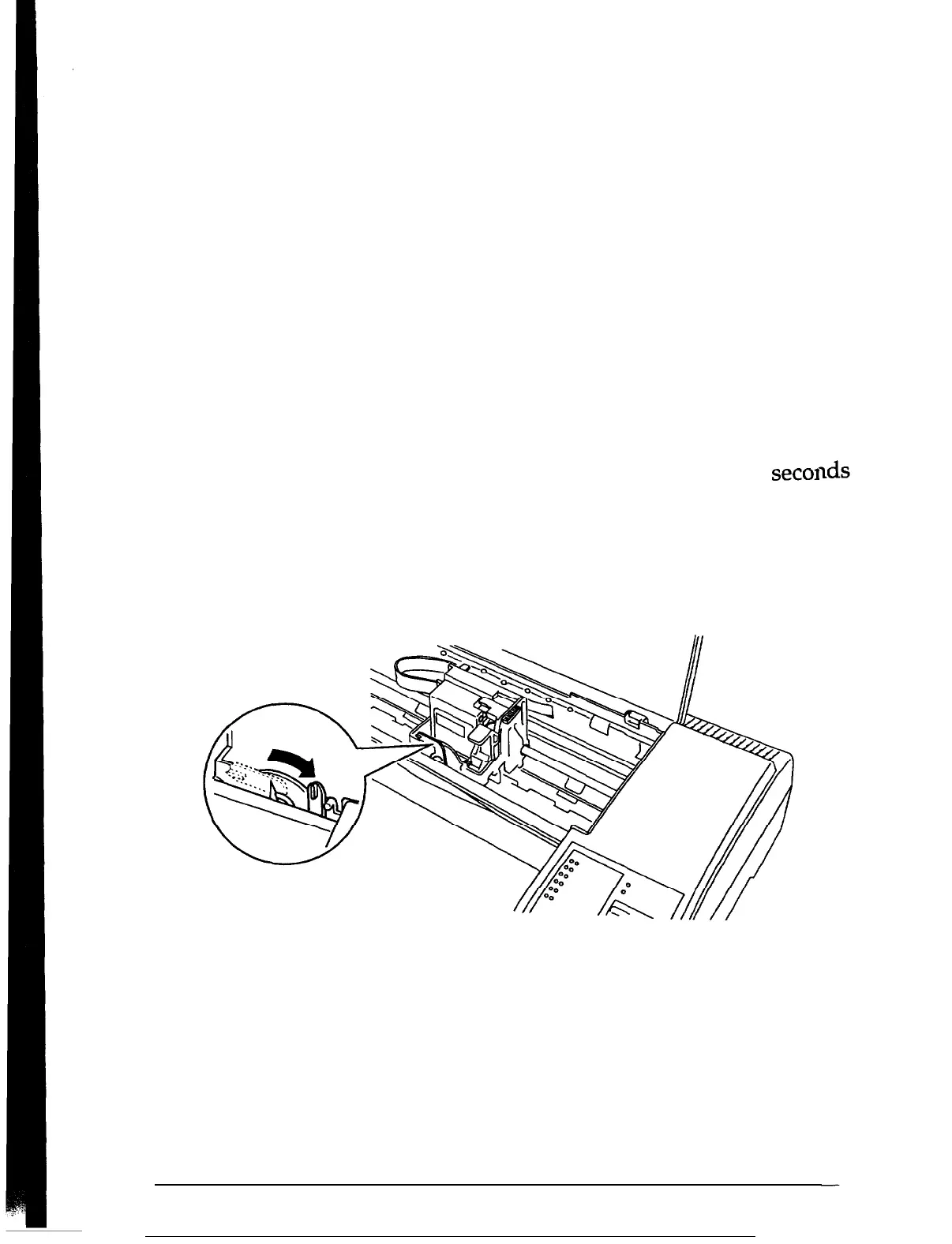
Turn the paper-thickness lever clockwise as far as it will go
5.
Press the
REPLACE INK
button to return the carriage to the
far right position. The
PAUSE
light comes on.
6.
Press the
PAUSE
button to turn the
PAUSE
light off.
2-4
Using
Other
Printer Functions





 To Next Page