20
Status and Errors
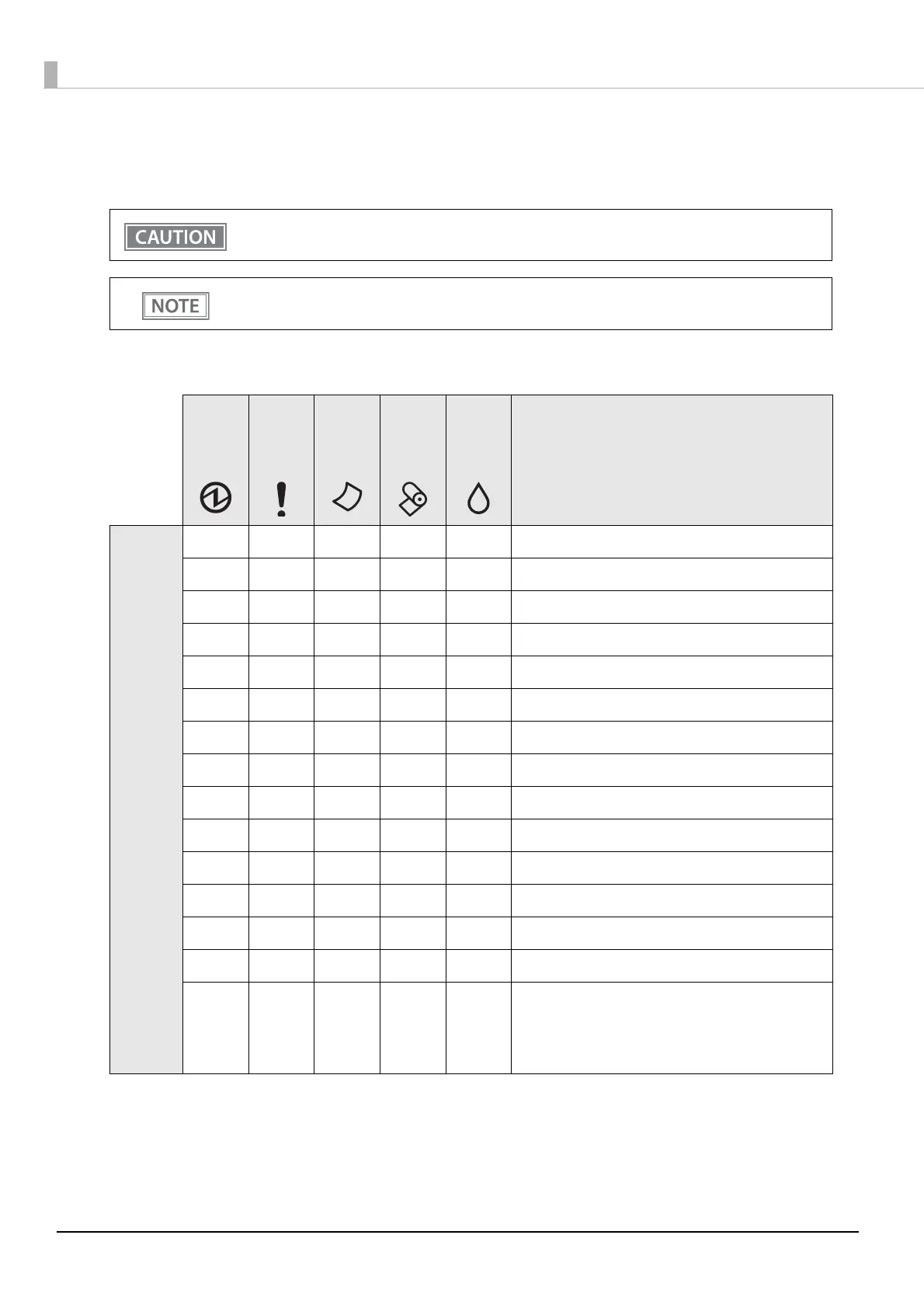
The status of the printer is indicated by lit and flashing LEDs.
N: OFF O: ON F: Flashing (x): Flashing x times
-: Changes depending on whether or not paper is detected.
You cannot print when an error has occurred.
You cannot identify the error by the flashing patterns of the LEDs. Develop the application so that
users can identify the error description and check the solutions.
Power
LED
Error
LED
Cut
sheet
LED
Paper
LED
Ink
LED
Printer Status
Non-
Error
O N ---Online
F O N NNDuring Power Off Sequence
F - N - - While initializing after turning on the power
O N - - - Pushed for feeding
O O - O - Roll paper cover open while not printing
O O - - - Front cover open while not printing
O N - O - Roll paper near-end
O O - O - No roll paper
O N O - - Printing on Slip
O N F - - Waiting for Slip insertion
O - F (2) - - Removal for Slip ejection
O ---F Ink Status: Ink low
O O --O Ink Status: Ink replace
F N - - - During Ink Cleaning
F ----
During network startup when the power is turned
on.
*When LED indicator when I/F starting is enabled,
it links to printer status.


 To Next Page