36
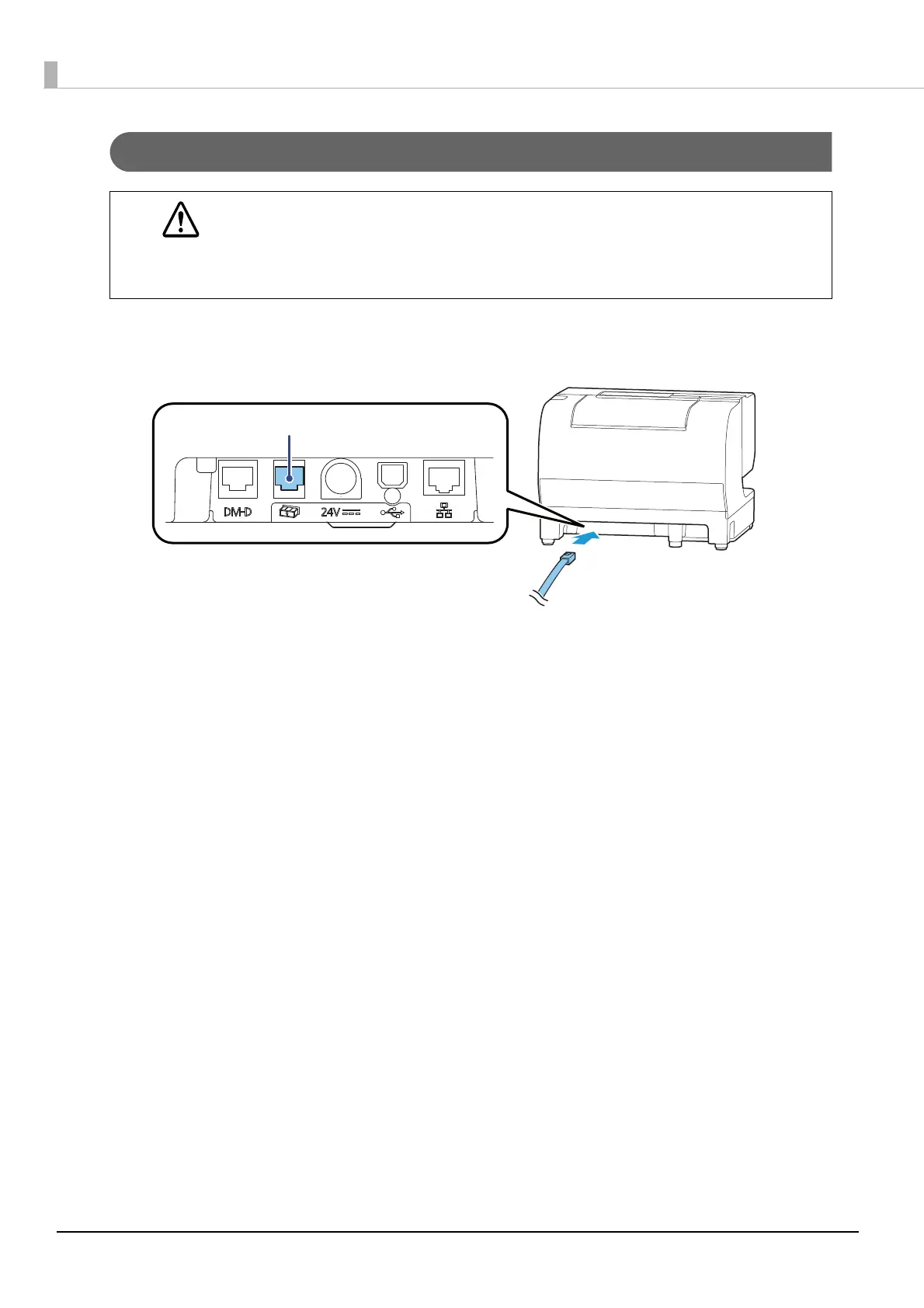
Connecting the drawer kick cable
Connect the drawer kick cable to the drawer kick connector by pressing firmly until the connector clicks into
place.
WARNING
Use a shielded cable for the drawer kick cable.
When using cash drawer, make sure to use the correct connector pin (pin 4) for powering
the cash drawer. Please see the
"Drawer Connection Diagram" on page 35.
Do not insert a telephone line into the drawer kick connector.
Doing so may damage the telephone line or printer.


 To Next Page