Buttons/Lights/Icons Function
-
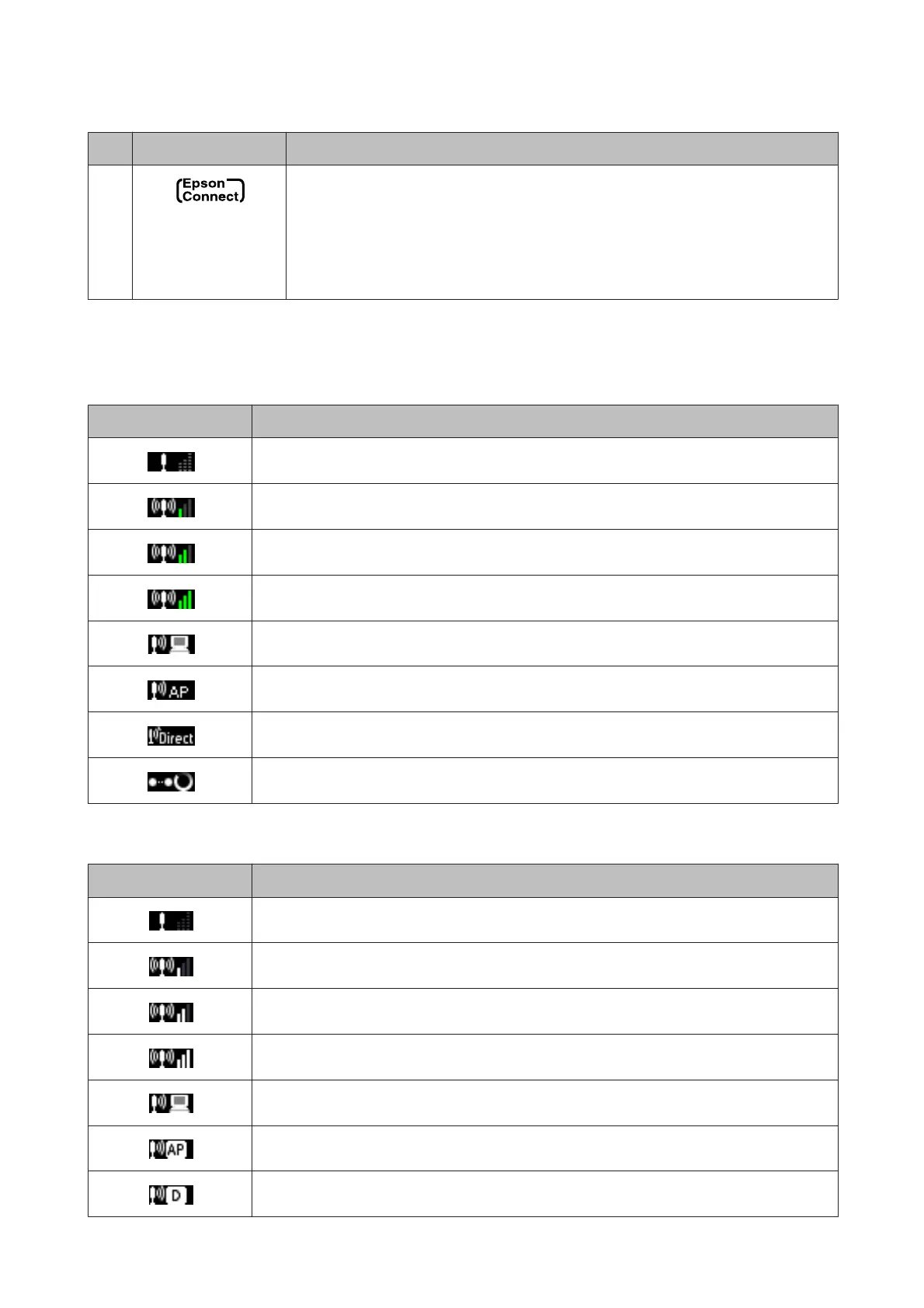
An icon displayed only on the 2.5-inch LCD screen. Indicates the status as follows.
Green: Epson Connect services are online.
Orange: Epson Connect services are suspended.
Gray: Epson Connect services are unavailable.
& “Using Epson Connect Service” on page 8
Network status icon:
XP-410 Series
Icons Status
Wi-Fi network error/searching
Connected to a Wi-Fi network (signal strength: Fair)
Connected to a Wi-Fi network (signal strength: Good)
Connected to a Wi-Fi network (signal strength: Excellent)
Indicates Ad Hoc Connection is on
Displays the printer is connected via Simple AP mode
Displays the printer is connected via Wi-Fi Direct mode
Processing a Wi-Fi connection
XP-310 Series
Icons Status
Wi-Fi network error/searching
Connected to a Wi-Fi network (signal strength: Fair)
Connected to a Wi-Fi network (signal strength: Good)
Connected to a Wi-Fi network (signal strength: Excellent)
Indicates Ad Hoc Connection is on
Displays the printer is connected via Simple AP mode
Displays the printer is connected via Wi-Fi Direct mode
User’s Guide
Getting to Know Your Product
18



 To Next Page
 Loading...









