Using the control panel (XP-210 Series)
A
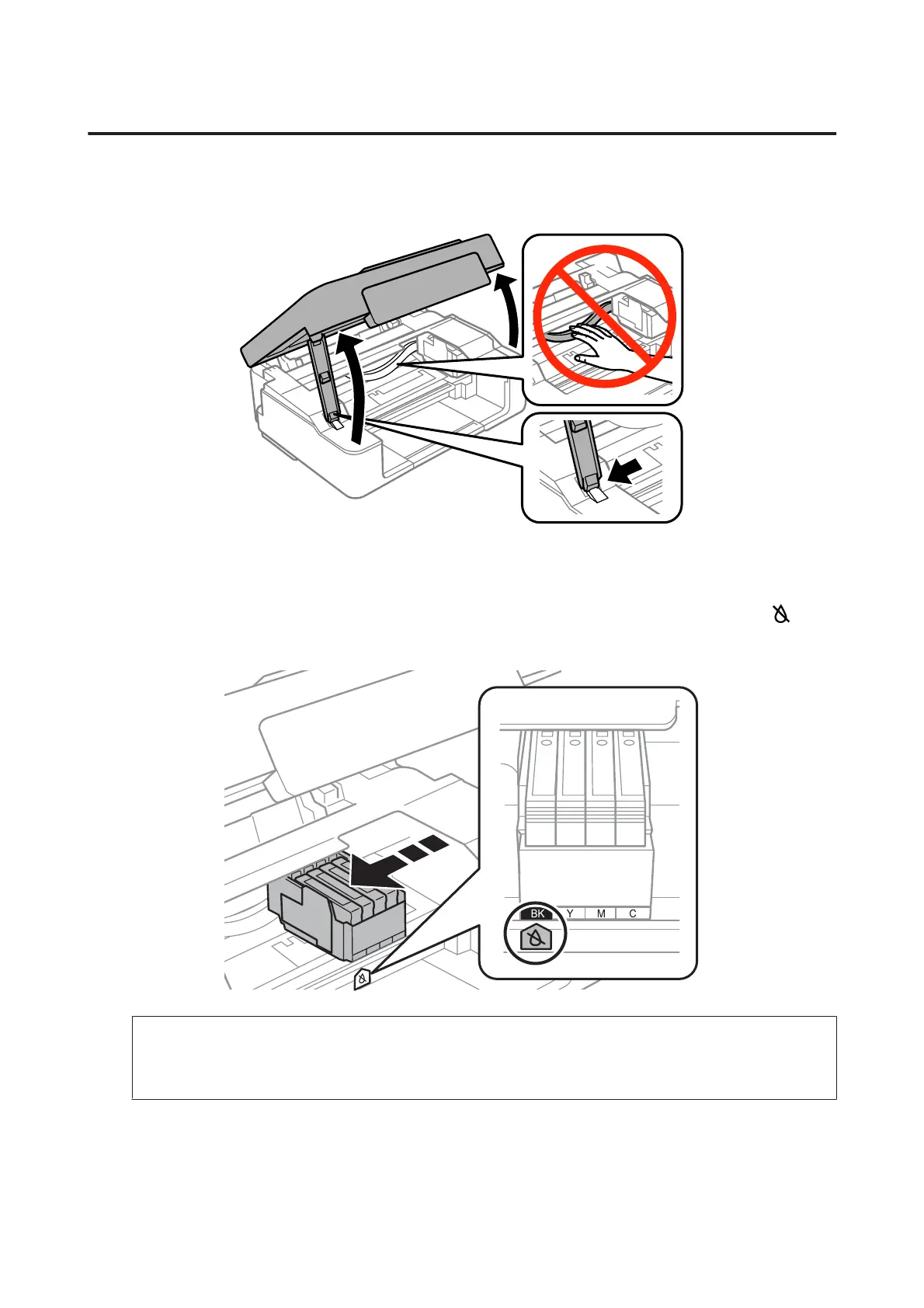
Open the scanner unit.
B
If the B light is on, press the y button.
If the B light is flashing or off, press the y button for six seconds until the ink cartridge holder moves.
The ink cartridge holder moves to the ink cartridge check position. The cartridge indicated by the
icon is
expended or low.
c
Important:
Do not move the ink cartridge holder by hand; otherwise, you may damage the product. Always press the
y button to move it.
User’s Guide
Replacing Ink Cartridges
89



 To Next Page
 Loading...









