Operation
10/2013 1014906-00 Operating instructions – 25/76
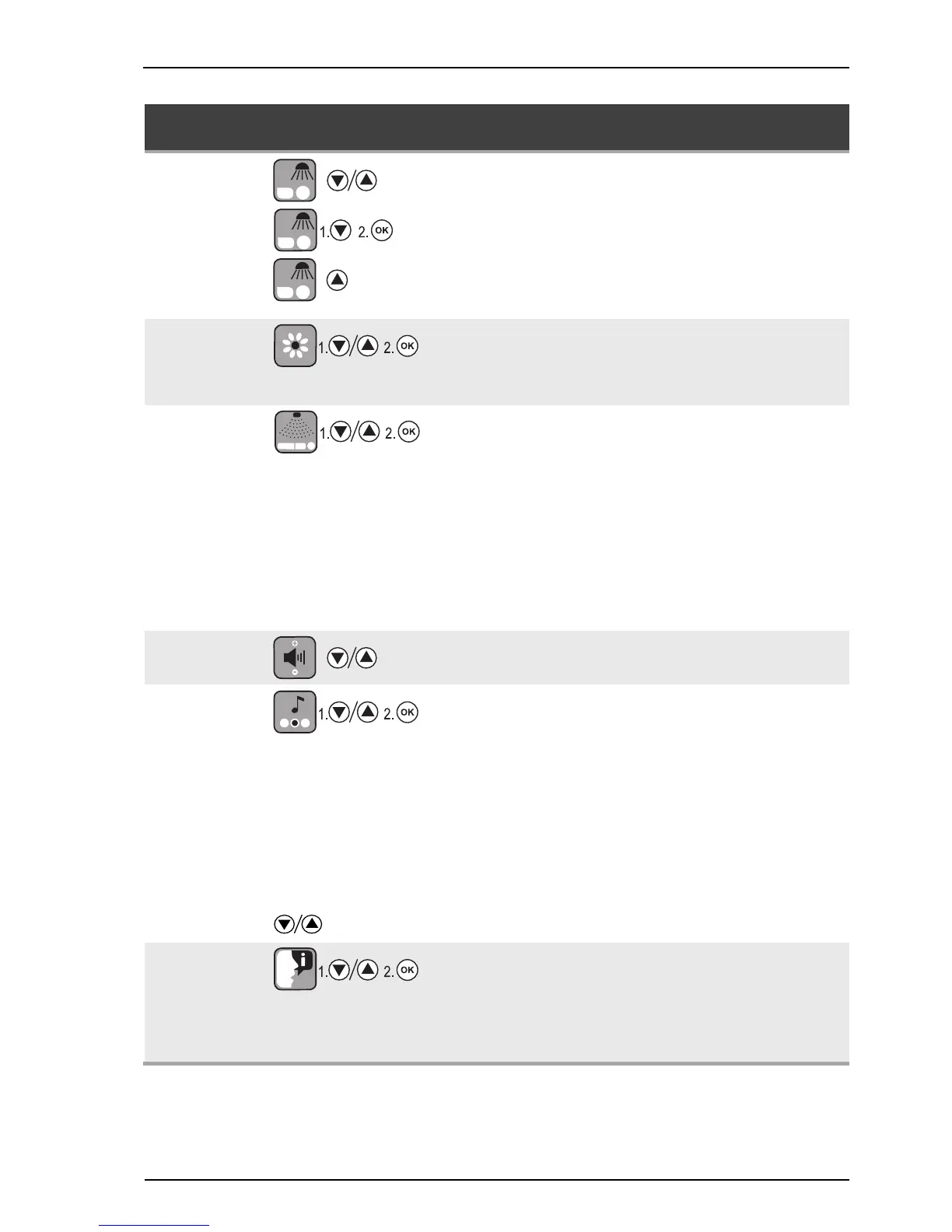
Function Indicator selection /
key sequence
Description / Display Information
7. Facial tanner
Regulate the facial tanner,
levels 1 - 4
Switch the facial tanner off,
hold button down:
'Facial tanner off? OK'
Switch the facial tanner on
1 minute until up to maximum power,
then return to the previous setting
before switching off.
8. AROMA
Switch the AROMA on:
'Aroma on? OK'
Switch the AROMA off:
'Aroma off? OK'
9. AQUA
SYSTEM
Switch the AQUA SYSTEM
head nozzle on:
'Head on? OK'
Switch the AQUA SYSTEM
body nozzle on:
'Body on? OK'
Switch the AQUA SYSTEM
head and body nozzles on:
'Head + Body? OK'
Switch the AQUA SYSTEM off:
Off? OK'
With 'Switch AQUA SYSTEM off', the
individual program points can be
deactivated.
The AQUA SYSTEM head and body
nozzles can be switched on individu-
ally one after another or both at the
same time with 'Head + Body'.
10. Volume
Volume control
11. Audio system
Select audio system:
A: Own music, MP3 player
B: Track selection,
'Music' SD-card
C: Studio channels,
externally connected system
(e.g. CD/DVD player)
Example:
Select the studio channel as
the audio system
'Studio channel on? OK'
Changing the music track or
studio music channel
Selecting a specific audio system
automatically deactivates the
others.
12. Voice Guide
Switch the Voice Guide off:
'Voice Guide off? OK'
Switch the Voice Guide on:
'Voice Guide on? OK'
The Voice Guide provides acoustic
device operating help and is only
available if an audio system is fitted.
Voice Guide is switched on as a
standard item during stand-by and
tanning.





 To Next Page