Operation
10/2013 1014906-00 Operating instructions – 27/76
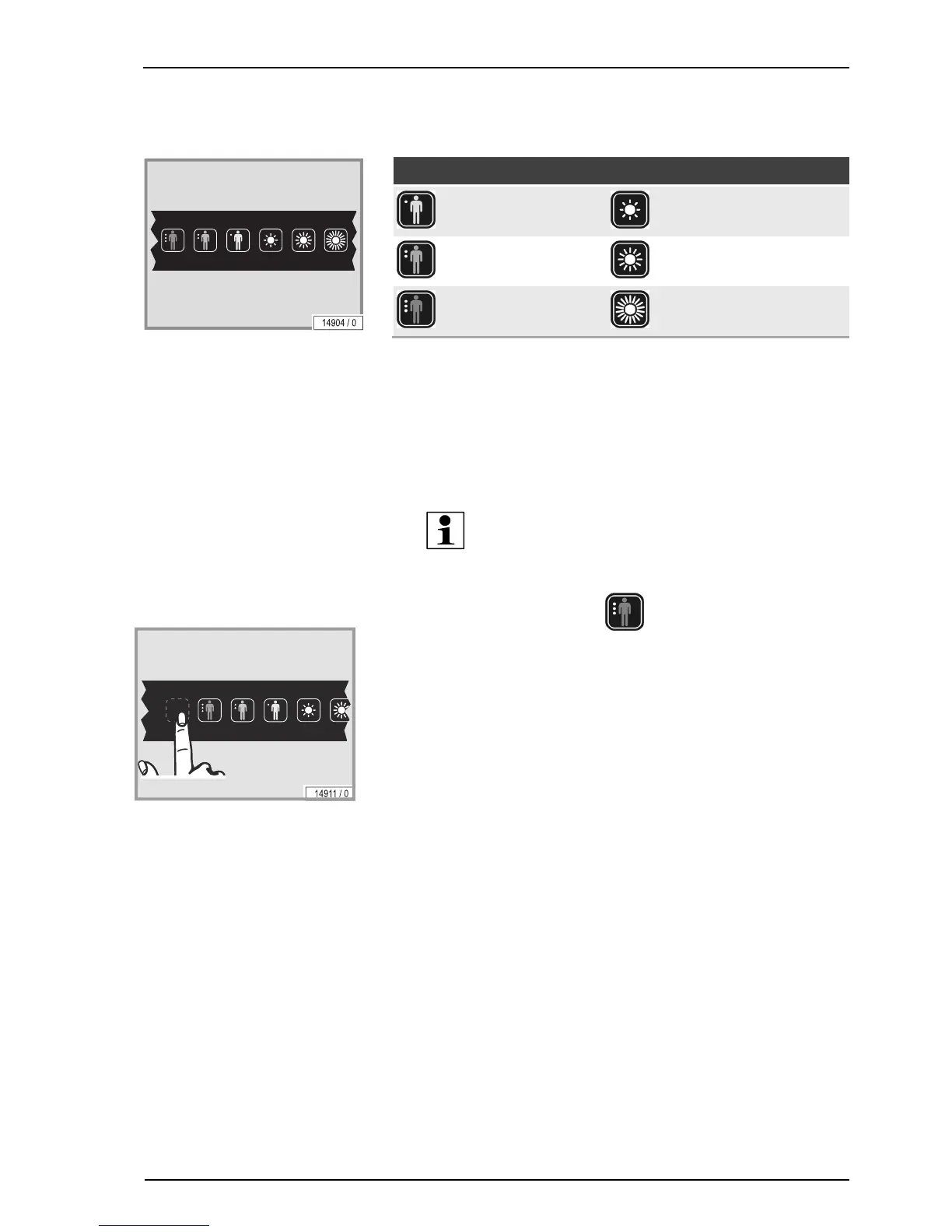
6.5.3 SUNSELECT setting with the outer interface
Skin type Tanning level
fair tanning level 1
average tanning level 2
brown tanning level 3
– Choose your skin type by pressing the button.
– Select the desired tanning level by pressing the button.
Example:
A person with average skin type but without existing tan chooses skin
type average and tanning level 1 to minimize the risk of sunburns.
After several tanning sessions the person may choose tanning level 3.
NOTE:
This unit is equipped with 'soft touch buttons'.
Reset SUNSELECT
– Press the hidden button next to
for more than 3 seconds.




 To Next Page