Cleaning and maintenance
40/76
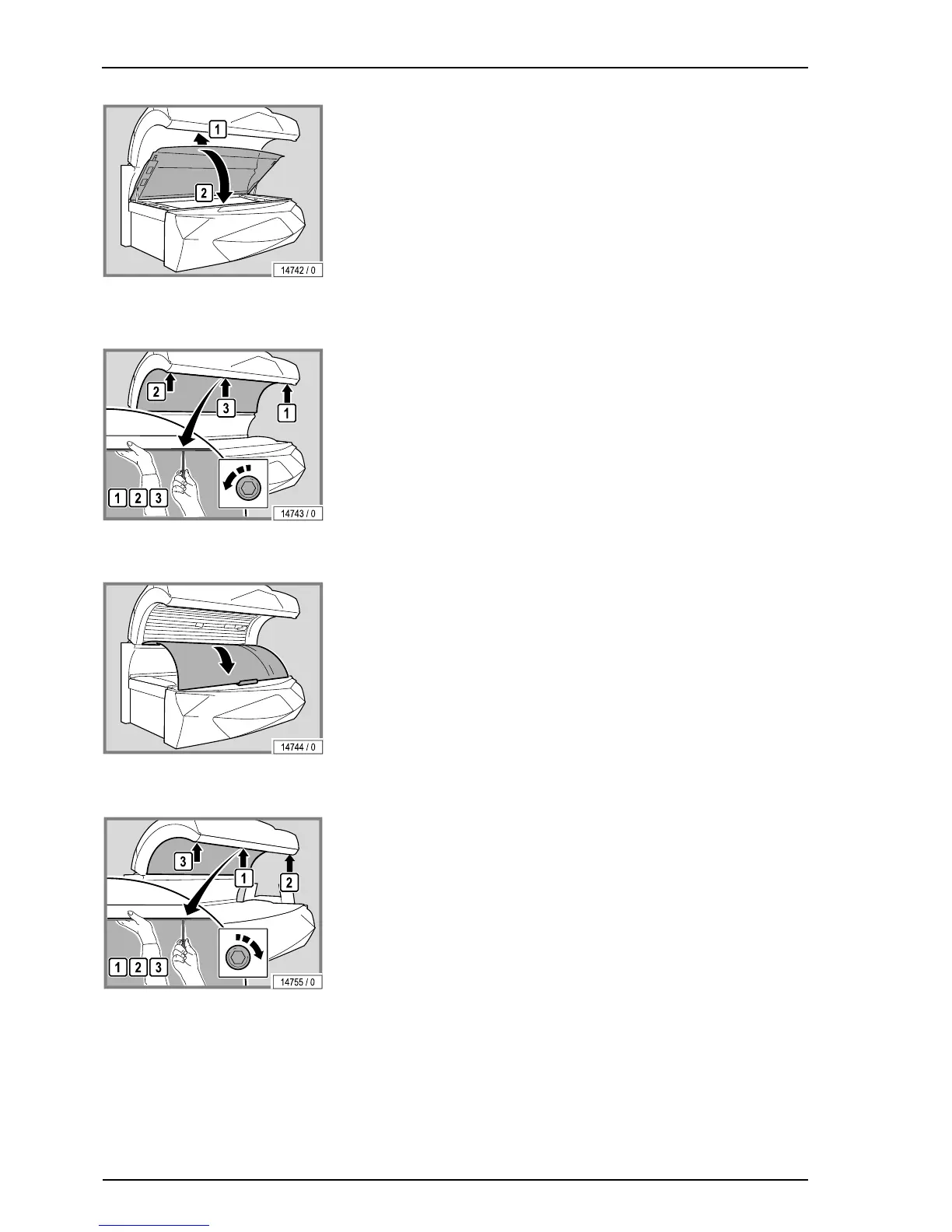
– Lift the acrylic up slightly and then close it.
7.7.3 Remove the canopy panel
– Loosen the screws. Remove the outside screws first and then remove the
screw in the middle.
– Support the canopy panel with one hand so that it does not fall down.
– Carefully lower the canopy panel. Use foam or something similar to pro-
tect the base acrylic, see (1).
The assembly is the same process in reverse order.
When assembling the device please note:
– Support the canopy panel with one hand so that it does not fall down.
– Replace and retighten the screws. Replace the middle screw first and
then the outer screws.
– Remove fingerprints and other soiling carefully.



 To Next Page