7.4 Switching on the strapping system
Instructions:
Charge the battery pack as described under 7.2.
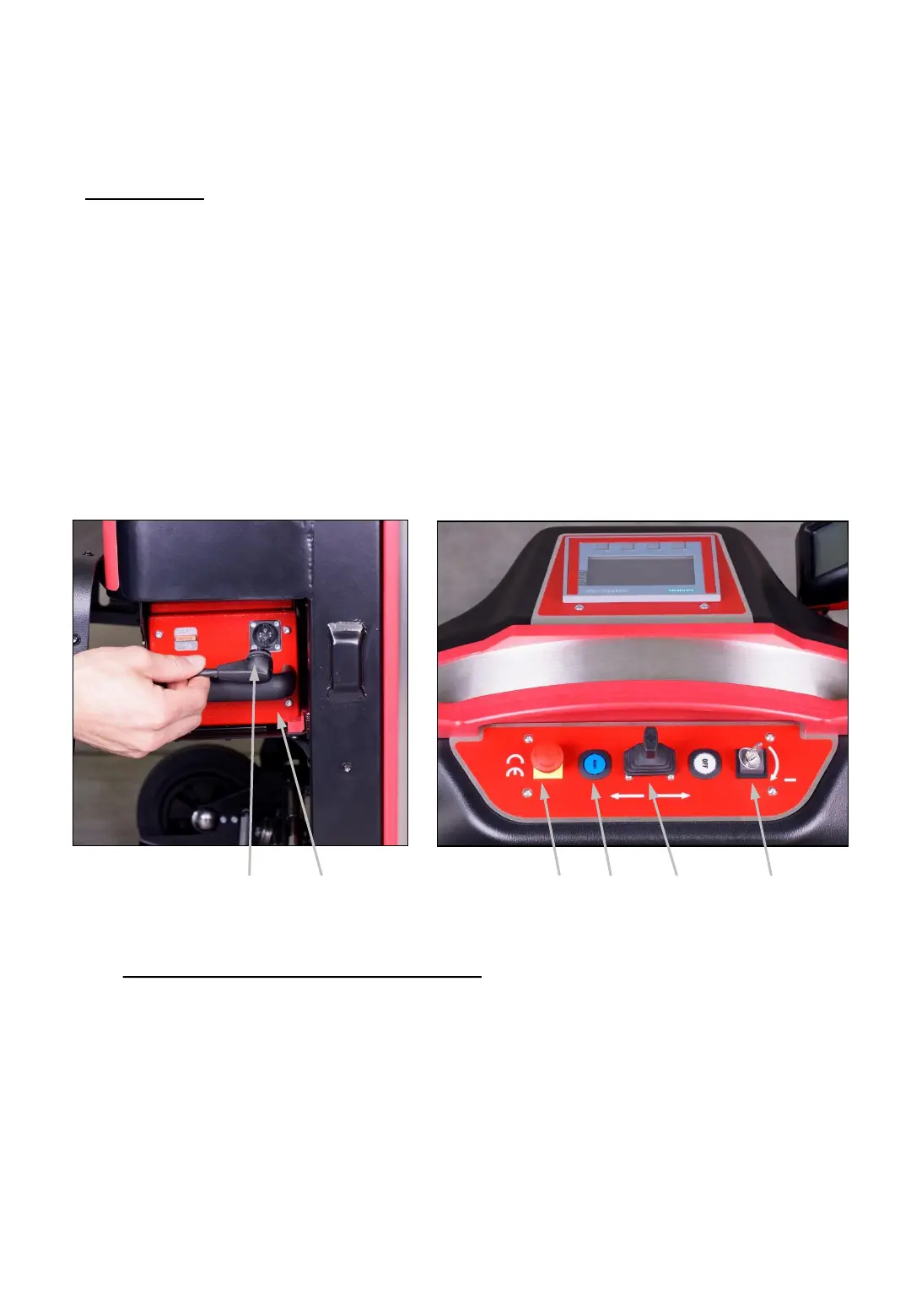
Plug in the connector of the power cable (24a) into the socket of the
battery pack (24b).
Close the cover of the battery case.
Make sure that the EMERGENCY STOP switch (25a) is not pressed. If
necessary, unlock it by turning.
Turn the main switch (25d) to the right to operating mode “1" and hold it
in this position for approximately 2 seconds.
24a 24b
25b 25c
25d
Follow the instructions on the display after the “ErgoPack” logo
disappeared (after approx. 45 seconds).
Fig. 24 Fig. 25
-27-
25a



 To Next Page