7.6 Setting strap tension at the sealing head
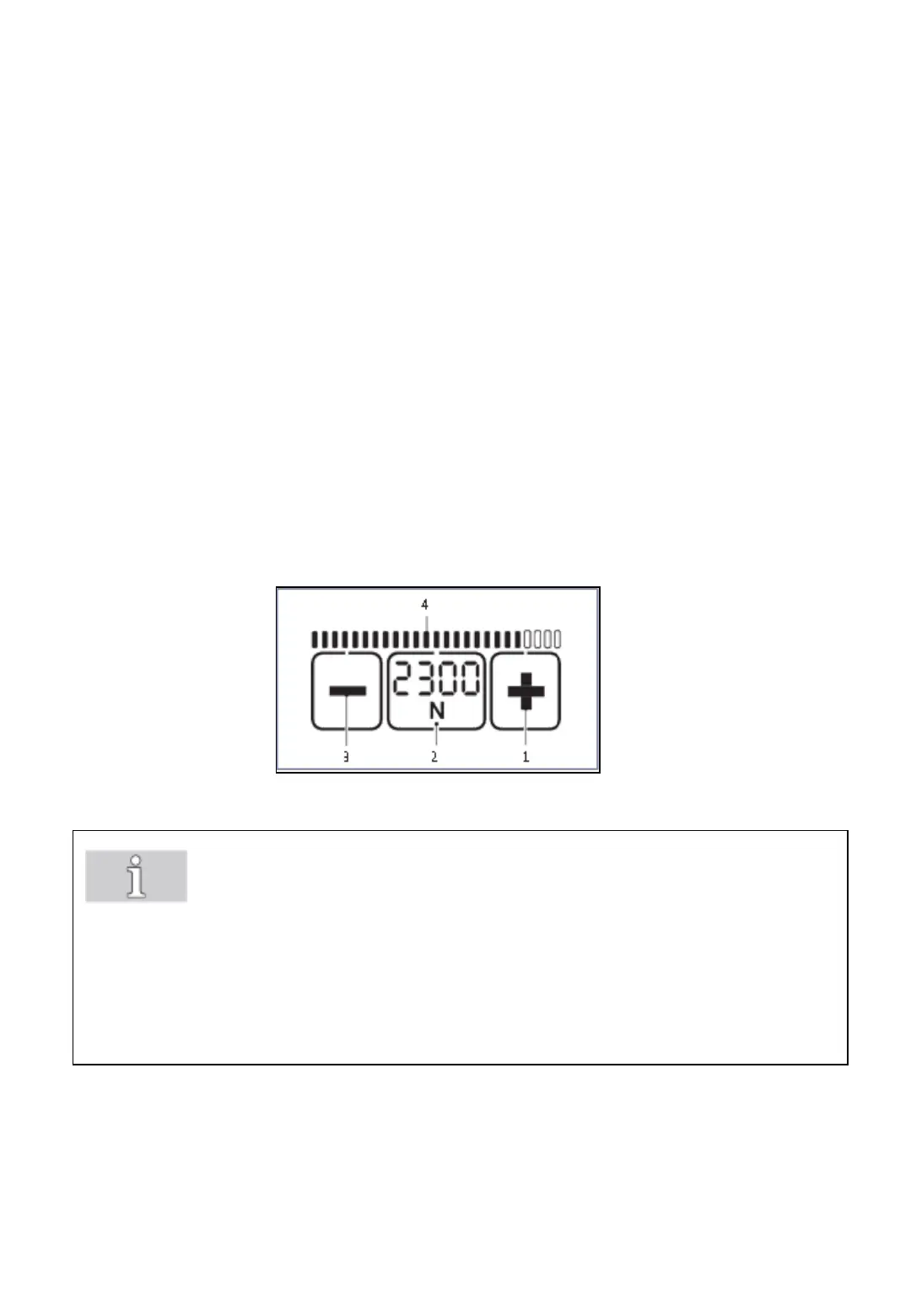
Fig. 27
The set tension force is displayed continuously when the tool is ready for
operation.
Press „tension force“ button (2).
• The set tension force flashes for 5 seconds.
• The buttons + (1) and – (3) appear.
• Unused displays disappear.
Press + (1) or – (3) button until the required tension force is displayed.
• The status indicator bar (4) shows the set tension force in relation to
the possible maximum value.
Save: Press „tension force“ button (2) or wait for 5 seconds.
-29-
Note!
• Switch between display in „N“ or „lbf“: Press the flashing „tension force“
button (2) for two seconds.
• Every time the button is pressed an acoustic signal confirms the action.
• The tension force is displayed continuously when the tool is operational.
• Setting soft tension (section 7.5).



 To Next Page