-86-
3. Step
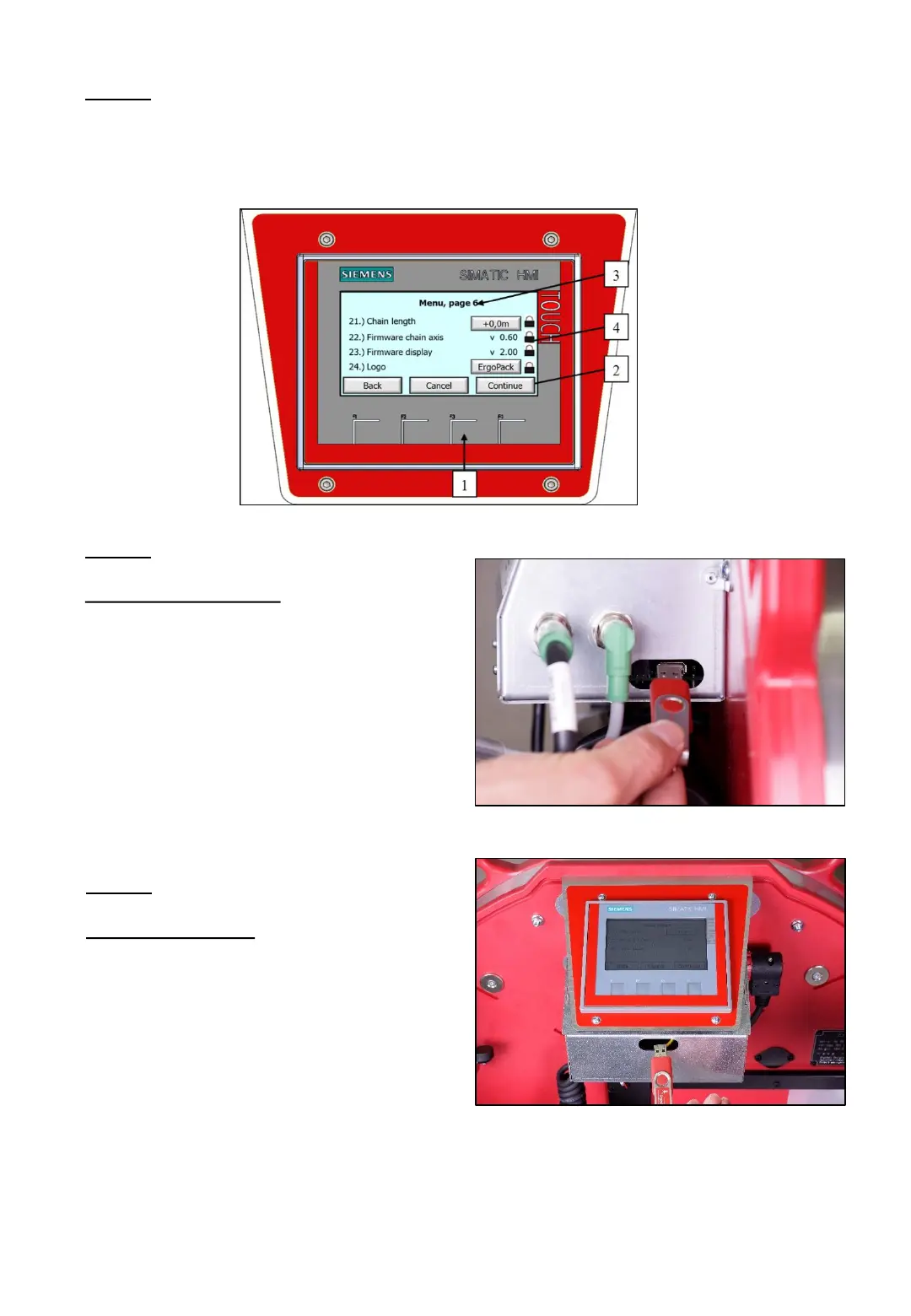
Press the „F3“ button (1) on the display and click „next“ (2) until page 6 (3) of
the menu appears. Unlock the lock (4) with the corresponding access code.
Fig. 147
5. Step
Firmware display:
After unlocking, insert the USB
stick with the current firmware
into the USB port of the control
unit „display“ and start the
update by confirming with „OK“.
Proceed further as described on
page 87.
4. Step
Firmware chain axis:
After unlocking, insert the USB
stick with the current firmware
into the USB port of the control
unit „joystick“ and start the
update by confirming with „OK“.
As soon as the update was
finished, the new version will be
shown on the display!
Fig. 148
Fig. 149



 To Next Page