BPage22 BEA--220265-EN-04
CCDarraycameraOptoLineOL80..
7.8.2 Template calibration
Templatecalibrationisdesignedforcameraimplementationinlami-
nationprocesses.Withtemplatecalibration,theresolutionoftwo
cameras(aswithstandardcalibration)andthedistanceofthecam-
erastooneanothermaybesimultaneouslycalibrated.
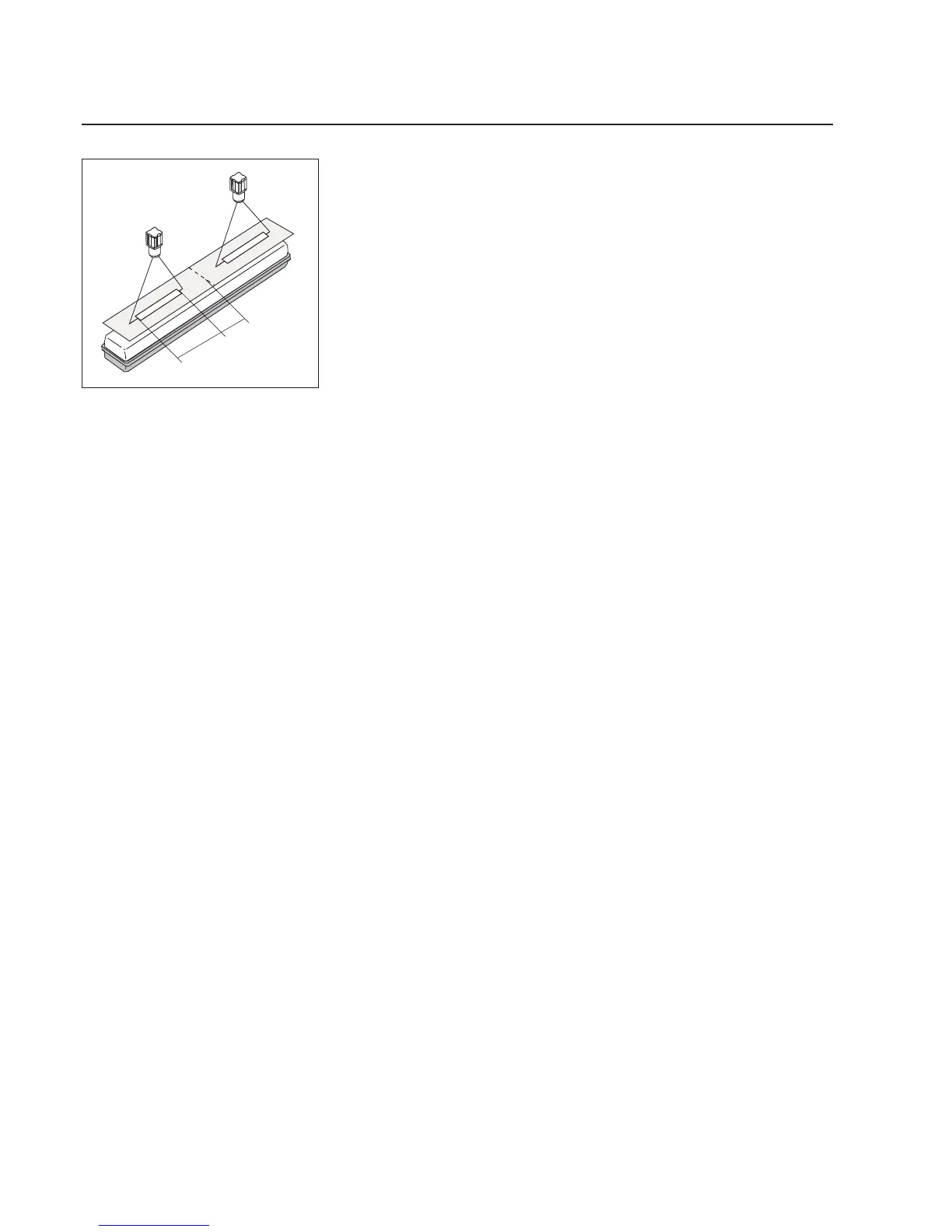
Calibrationtemplate,E+Lmat.no.226896consistsofametalstrip
withtwoslots.Forcalibrationpurposesthecenterofthetemplate
mustbealignedaccordingtoafreelyselectedreferencepoint,e.g.
themachinecenter.Onesloteachmustbelocatedinthemeasuring
rangeofeachcamera.
➜Aligntemplate.
➜Callupthesetupeditor.
➜Calibratetherstcameraasfollows:
➜Enterthecameradevicenumberinparameter0.
➜Enterthecameragroupnumberinparameter1.
➜Checkparameter17.Toassurethatthecameramaybecorrectly
calibrated,itisimportantthattherightlensfocaldistanceisset:
1=24mm(OL8024)
2=28mm(OL8028)
3=50mm(OL8050)
➜Enterthelengthofthecalibratingtemplateslotinparameter18.
➜Enterthedistanceoftheslot(inneredge)tothereferencepoint,
e.g.machinecenterinparameter19.
➜Calibration:entera7inparameter3forthispurpose,thenchange
parametertoinitiatethecalibrationroutine.Duringcalibration,the
twohalvesoftheLEDbarontheCCDcameraashalternately
(approx.5secs).Duringcalibration,thetworedLEDsonthesen-
sorkeyofE+LcommanddeviceDO10..lightup.
- Ifcalibrationisnotsuccessful,everysecondLEDonthecamera
LEDbarashes.Inaddition,anerrormessageisdisplayedinpa-
rameter5.
- Ifcalibrationissuccessful,aresetisinitiatedautomatically.Then
theLEDbaronthearraycameraindicatesthepositionoftheweb
inthemeasuringrange.ThetworedLEDsonthesensorkeyof
E+LcommanddeviceDO10..goout.
Duringcalibration,thedistanceofthecameratothereference
pointiscalculatedandstoredinparameters23and24asthe
"mountposition".
➜Calibratethesecondcameraastherst.
➜Waitapprox.1minuteaftercalibrationuntilsetupmodeisquitau-
tomatically.Thecamerasarenowreadyforoperation.
Length
Distanceto
referencepoint
TemplatecalibrationwithE+Ltemplate
(mat.no.226896)



 To Next Page