BEA--220265-EN-04 BPage23
CCDarraycameraOptoLineOL80..
7.9 Width measuring function
calibration
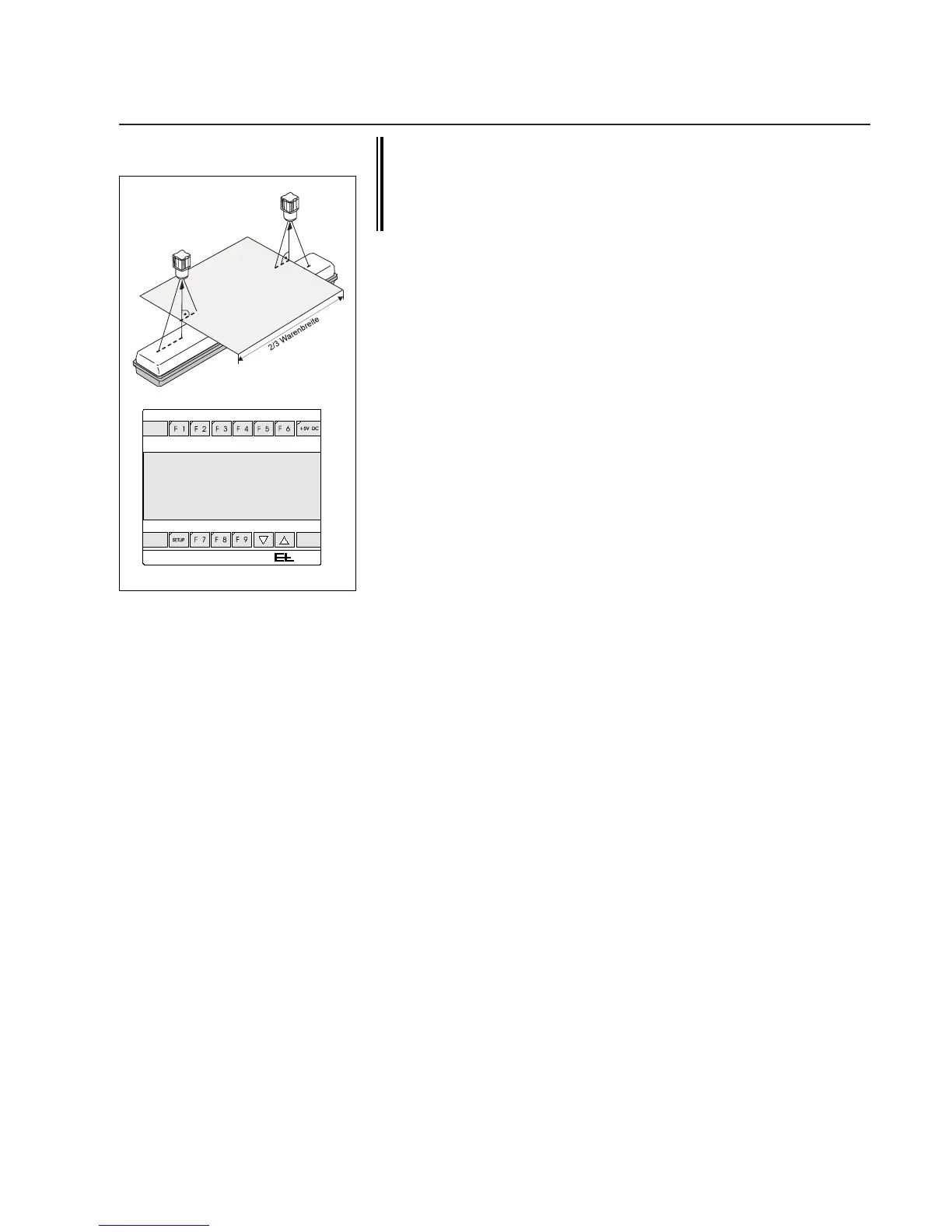
If the web width is measured by two cameras, the distance
between these two must be calibrated once each camera has
been calibrated individually.
Calibration can only be performed on command station
DO 002.
Atemplateisrequiredtocalibratethewidthmeasuringfunction.Itis
insertedinthemeasuringrangeofbothcamerasinplaceoftheweb.
Seetheillustrationonleft.Thetemplatemustbeonthesamelevel
thattheweb,subsequently,willrunon.
➜Insertthetemplateinbothcameravisualranges.
➜Callupthesetupeditor.
➜EnterthedevicenumberofoperatorpanelRT4051inpara-
meter0.ThisoperatorpanelisapartofremotedisplayDO002.,
theaddressisspeciedintheblockdiagramonsystemscong-
uredbyE+L.
➜EntertheoperatorpanelRT4051groupnumberinparameter1.
➜Entervalue2forwidthmeasuringinparameter6(centerbetween
twocontrastingedges).
➜Measurethewidthofthetemplateinmillimeters.Deductthevalue
fromthewidthindicatedonremotedisplayDO002..
Example: width displayed 150
measuredtemplatewidth 100
offset -50
➜Entertheoffsetinparameter9(e.g. -50).
➜Value"1"forthewebwidthmustbesetinparameter10.Ifthisis
notthecase,enter"1".
➜Entera1(reset)inparameter3,thenchangeparameterstoiniti-
ateareset.
The width measuring function is now ready for operation.
7.10.1 Camera mounting position
OnafewapplicationswithcameraOL80..,e.g.widthmeasurements
orlaminatingprocesses,thecameramountingpositionisrequired.
Themountingpositionisthedistancefromthecameracentertoa
xedreferencepointinamachine,e.g.themachinecenter.
Themountingpositionmaybetransmittedbythecamera,anE+L
interfaceDI..oranE+LmoduleDM...Ifthecameraistosendthe
mountingposition,proceedasfollows.
➜Checkthemountingpositioninparameter23.Withtemplatecali-
bration,themountingpositioniscalculatedduringthecalibration
processandwritteninparameter23.Withstandardcalibration,
thedistancemustbeenteredmanuallyinparameter23.
7.10 Perform application-
dependent settings
0.0.0.1.7.
0.1.0.0.0.
Calibratedistanceofcamerastoone
another



 To Next Page