EasyManua.ls Logo

ESAB 200i - User Manual

ESAB 200i
254 pages
Print Icon
To Next Page IconTo Next Page
Loading...
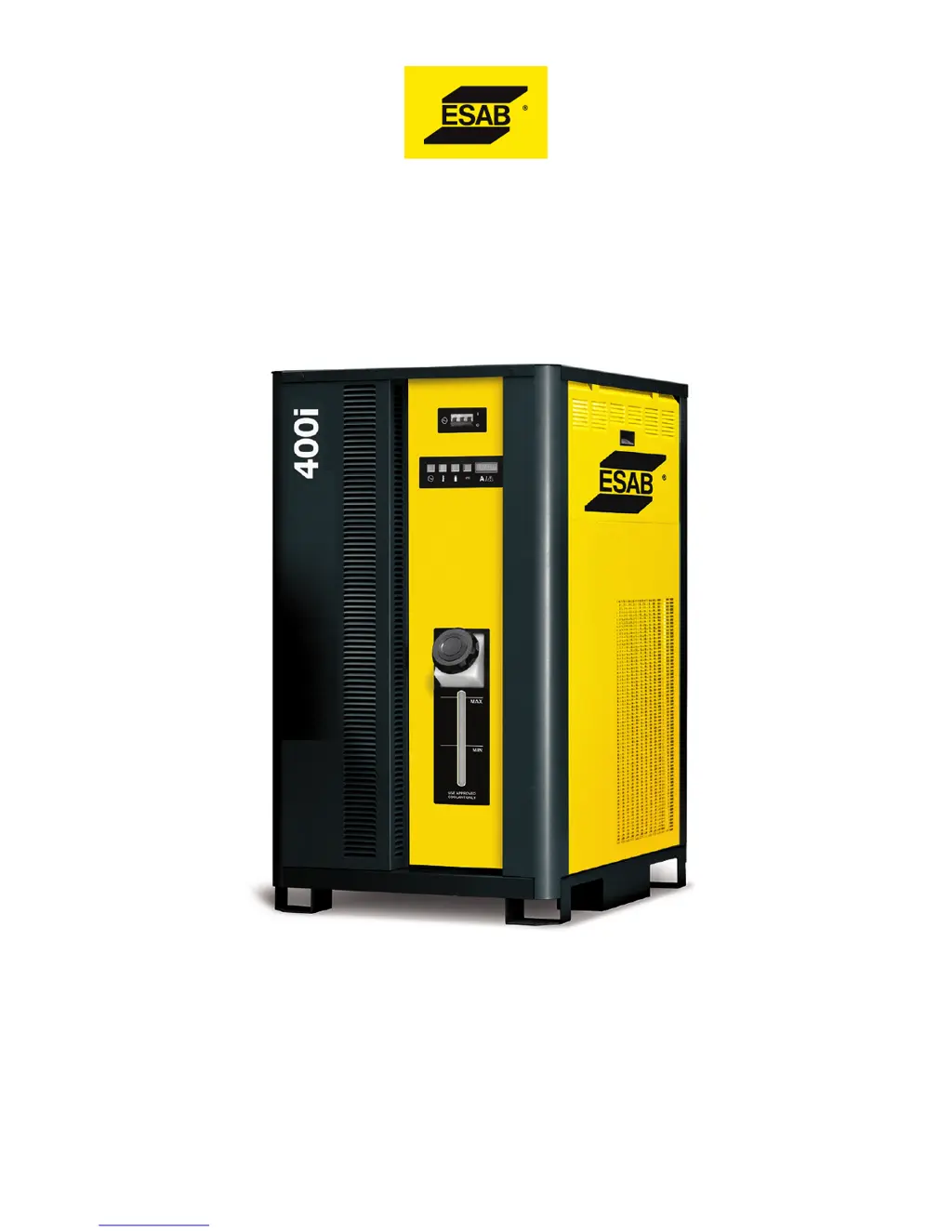
100i, 200i, 300i, and 400i
Plasma Systems
Instruction Manual
Article Number: 0560956430
Revision Date: May 13, 2016
Revision Number: AB
Language: ENG

Table of Contents

Other manuals for ESAB 200i

Questions and Answers

  • M
    Melissa MitchellSep 7, 2025
    What to do if the ESAB 200i displays 'Inverter 3A Output Current High'?
    • W
      Wesley HarveySep 7, 2025
      If the ESAB Welding System displays 'Inverter 3A Output Current High', it indicates that the plasma work current is high during cutting and attributed to Inverter Module 3 Section A output being high. If the problem persists, replace Inverter Module 3.
  • M
    Michael HarrisAug 25, 2025
    What to do if the ESAB Welding System shows 'Plasma Disabled'?
    • C
      Cynthia LopezAug 25, 2025
      If the ESAB Welding System indicates 'Plasma Disabled', check if 'Plasma Enable Off' is activated or disabled via external software (CNC). Also, verify that the CCM TB1-1&2 jumper is present and that the 40-circuit ribbon cable from the Relay PCB to the CCM is connected and not defective.
  • O
    Oscar WolfAug 25, 2025
    What causes ESAB 200i Welding System to show 'Pilot Ignition Failure'?
    • K
      Krista MorrowAug 26, 2025
      If you're experiencing 'Pilot Ignition Failure' with your ESAB Welding System, it could be due to worn torch consumable parts. Ensure the correct process is selected, or manual settings, including the current control setting, match the consumables. Also, check for high plasma pressure, a defective arc starter, a defective Pilot PCB, or a defective Inverter section 1A. Verify that the ribbon cables are correctly connected on INV1 sections 1A and 1B.
  • K
    Kathryn JohnsonSep 16, 2025
    What to do if the ESAB 200i displays 'BIAS VAC Invalid'?
    • J
      Jonathan OchoaSep 16, 2025
      If the ESAB Welding System displays 'BIAS VAC Invalid', it could be due to an invalid AC voltage selection, a damaged or loose connection at J61 of the System Bias Supply, or a defective System Bias PCB. Check these components and connections.
  • M
    Morgan SmithSep 23, 2025
    How to fix coolant leaks in my ESAB Welding System?
    • J
      Jessica LarsonSep 23, 2025
      If you're experiencing coolant leaks in your ESAB Welding System: * Check for damaged or punctured coolant lines and replace them. * Ensure the supply and return hoses are not reversed. Match coolant connection colors to the arc starter fitting colors.
  • S
    Stacy BrownSep 12, 2025
    What to do if the ESAB 200i displays 'Inverter 3B Incompatible Revision'?
    • M
      martinezmarkSep 12, 2025
      If the ESAB Welding System displays 'Inverter 3B Incompatible Revision', it could indicate an unsupported inverter revision. Check the ribbon cable from CCM J36 to Inverter Module 3 Section B for damage. It's also possible that the CCM code version is incompatible with the inverter revision or model.
  • D
    Daniel JacksonSep 2, 2025
    What to do if the ESAB Welding System displays 'Inverter 2A Output Current Low'?
    • T
      Timothy MeyerSep 2, 2025
      If the ESAB Welding System displays 'Inverter 2A Output Current Low', it indicates that the plasma work current is low during cutting and attributed to Inverter Module 2 Section A output being low. Check if the inverter output is disconnected or if there is a defective ribbon cable. If the problem persists, replace Inverter Module 2.
  • L
    Lisa CookSep 3, 2025
    What to do if the ESAB 200i displays 'Inverter 2B Output Current Low'?
    • M
      Michael McdanielSep 3, 2025
      If the ESAB Welding System displays 'Inverter 2B Output Current Low', it indicates that the plasma work current is low during cutting and attributed to Inverter Module 2 Section B output being low. Check if the inverter output is disconnected or if there is a defective ribbon cable. If the problem persists, replace Inverter Module 2.
  • T
    Teresa YoungSep 23, 2025
    Why is the neon indicator not illuminated during pilot ignition in my ESAB Welding System?
    • M
      Mary BrownSep 23, 2025
      If the neon indicator is not illuminated on your ESAB Welding System, there could be several reasons: * **No 120V supply:** Check if CB4 on the plasma rear panel has tripped. Look for shorted cables, a defective circuit breaker, or a shorted ignition module input. * **Electronic Ignition module shorted input:** Replace the faulty module. * **Faulty Electronic Ignition module:** If 120 VAC is present but the neon light is not illuminated, the module is likely defective and needs replacement. * **Loose fitting(s):** Ensure all fittings are tightened. * **120V supply issues:** If CB4 hasn't tripped, check if 120V is present. If it is, there may be an open control cable. If not, there's a fault in the plasma power supply.
  • L
    Laura HallAug 29, 2025
    What does 'Work Current Too High' mean on ESAB 200i?
    • A
      Alexander NguyenAug 29, 2025
      If the ESAB Welding System displays 'Work Current Too High', it means the work lead current detected is greater than 16% above the process setting. Possible causes include a defective HCT1 work lead current sensor or Relay PCB, or a defective CCM.

Summary

SECTION 1: SAFETY

1.01 Safety Precautions - ENGLISH

Essential safety precautions for English-speaking users.

1.02 Précautions de sécurité - FRENCH CANADIAN

Safety precautions provided in French Canadian for user protection.

ELECTRICAL SHOCK

EQUIPMENT MAINTENANCE

DANGER

SECTION 2: SPECIFICATIONS

2.06 Specifications & Electrical Requirements

Technical specifications and electrical requirements for different system amperages.

2.09 Gas Requirements

Specifies the required gases, quality, pressure, and flow rates for system operation.

SECTION 3: INSTALLATION

3.01 Installation Requirements

Outlines electrical, gas, and water supply requirements for installation.

3.07 Lift the Power Supply

Provides instructions and warnings for safely lifting the power supply unit.

3.08 Connect Input Power and Ground Cables

Step-by-step guide for connecting input power and system ground cables.

3.09 Connect Work Cable and Pilot and Negative Leads

Instructions for connecting the work cable, pilot, and negative leads.

3.10 Ground Connections

Procedures for establishing proper grounding to minimize EMI and ensure safety.

3.11 Connect Coolant Leads

Instructions for connecting the color-coded coolant hoses to the power supply.

3.24 Connecting Torch

Step-by-step instructions for connecting the plasma torch assembly to the leads.

3.25 Install Consumable Torch Parts

Procedure for installing torch consumables to ensure proper operation and seating.

SECTION 4: OPERATION

4.01 Power Supply Control Panel

Explains the indicators and functions on the power supply control panel.

4.02 System Operation

Contains operating information specific to the power supply, including startup sequences.

4.03 CCM Status Codes

Lists and explains CCM status codes indicating active faults or conditions.

4.06 Remote Arc Starter Trouble Shooting

Troubleshooting guide for common symptoms and causes related to the Remote Arc Starter.

SECTION 5: MAINTENANCE

5.01 General Maintenance

Periodic checks recommended for power supply maintenance to ensure performance.

5.02 External Coolant Filter Cleaning Procedure

Steps for cleaning the external coolant filter to maintain optimal coolant flow efficiency.

5.03 Coolant Replacement Procedure

Detailed steps for draining and replacing the coolant in the system.

SECTION 6: REPLACEMENT ASSEMBLIES & PARTS

SECTION 7: TORCH MAINTENANCE

7.01 Consumable Removal

Procedure for removing consumables from the torch cartridge assembly.

7.04 Torch Consumables Installation

Steps for installing torch consumables to ensure proper operation and seating.

7.05 Coolant Leak Trouble-Shooting

Troubleshooting guide for identifying and resolving coolant leaks from the torch head.

SECTION 8: TORCH OPERATION

8.01 Standard Cutting Up To 100 Amp

Cutting data for mild steel, O2 plasma/shield, up to 100 amps.

8.02 Bevel and Robotic Cutting Up To 100 Amp

Cutting data for bevel and robotic operations up to 100 amps.

8.03 Standard Cutting 150 - 200 Amp

Cutting data for mild steel, O2 plasma/shield, 150-200 amps.

8.04 Robotic and Bevel Cutting 150 - 200 Amp

Cutting data for robotic and bevel operations, 150-200 amps.

8.05 Standard Cutting 250 - 300 Amp

Cutting data for mild steel, O2 plasma/shield, 250-300 amps.

8.06 Robotic and Bevel Cutting 250 - 300 Amp

Cutting data for robotic and bevel operations, 250-300 amps.

8.07 Standard Cutting 400 Amp

Cutting data for mild steel, O2 plasma/shield, 400 amps.

8.08 Robotic and Bevel Cutting 400 Amp

Cutting data for robotic and bevel operations, 400 amps.

8.10 Torch Consumables Installation

Procedure for installing consumables into the torch cartridge assembly.

ESAB 200i Specifications

General IconGeneral
Input Voltage230 V
Current Range5 - 200 A
Input Current16 A
Output Current Range5 - 200 A
Efficiency85%
ProcessMMA/TIG

Related product manuals