EasyManua.ls Logo

ESAB Rogue ET 200iP - User Manual

ESAB Rogue ET 200iP
26 pages
Print Icon
To Next Page IconTo Next Page
Loading...
Rogue
Instruction manual
0463 769 001 GB 20210224
Valid for: HA027-xxxx-xxxx
ET 200iP

Questions and Answers

Summary

SAFETY

Meaning of Symbols

Explains the meaning of danger, warning, and caution symbols used in the manual.

Safety Precautions

Outlines general safety precautions for operating the equipment and workplace requirements.

Personal Safety Equipment

Lists recommended personal safety equipment and precautions for use.

General Operation Precautions

Details general safety measures, including electrical work and fire safety.

Electrical Hazards

Warns about electric shock and electromagnetic field (EMF) hazards.

Health Hazards from Fumes and Gases

Highlights hazards from fumes and gases and recommends ventilation.

Physical Hazard Warnings

Alerts to hazards from arc rays, noise, moving parts, fire, and hot surfaces.

Operational Warnings and Disclaimers

Lists malfunction advice, intended use, and specific operational warnings.

Disposal and Accessory Information

Provides notes on equipment disposal and ESAB accessories.

INTRODUCTION

Equipment

Lists the components included with the Rogue ET 200iP power source.

TECHNICAL DATA

Technical Data Overview

Provides detailed technical specifications for the Rogue ET 200iP.

Insulation, Enclosure, and Application Classes

Explains insulation class, enclosure class (IP code), and application class symbols.

Duty Cycle and Mains Supply Specs

Defines duty cycle and specifies minimum short circuit power for mains supply.

INSTALLATION

Location and Lifting Instructions

Provides guidance on positioning the power source and details safe lifting procedures.

Mains Supply Connection

Explains how to connect the power source to the mains supply and fuse requirements.

Generator Supply and Regulatory Notes

Provides notes on using generators and regulatory compliance for power supply.

OPERATION

Overview and Initial Safety

General safety instructions for handling the equipment before use.

Connections and Control Devices

Identifies and describes the various connections and control elements on the unit.

Connecting Welding and Return Cables

Explains how to properly connect welding and return cables to the power source.

Power On;Off and Fan Control

Instructions for turning the unit on/off and explanation of the fan control feature.

Thermal Protection and MMA Features

Describes thermal protection and introduces MMA welding and Arc Force.

TIG, HF Welding, and VRD Features

Details TIG welding, HF start, and VRD function.

Setting Panel Overview

Details the functions of the setting panel controls and indicators.

Remote Control Operation

Explains how to connect and use the remote control for the power source.

MAINTENANCE

Routine Maintenance Schedule

Outlines a schedule for routine maintenance tasks and checks.

Cleaning Instructions and Precautions

Provides instructions on how to clean the equipment safely, including precautions.

TROUBLESHOOTING

MMA Welding Problems

Lists common MMA welding issues and their corrective actions.

TIG Welding Problems

Lists common TIG welding issues and their corrective actions.

Common Operational Issues

Provides checks for no arc, interrupted current, and thermal protection trips.

ORDERING SPARE PARTS

Service and Parts Caution

Emphasizes that repairs must be done by authorized personnel using genuine parts.

DIAGRAM

Electrical Schematic Diagram

Presents the electrical schematic diagram for the unit.

ORDERING NUMBERS

Product and Manual Ordering Information

Lists ordering numbers for the power source and instruction manual.

ACCESSORIES

TIG Torch and Accessory Listings

Lists available TIG torches and related accessories.

Summary

SAFETY

Meaning of Symbols

Explains the meaning of danger, warning, and caution symbols used in the manual.

Safety Precautions

Outlines general safety precautions for operating the equipment and workplace requirements.

Personal Safety Equipment

Lists recommended personal safety equipment and precautions for use.

General Operation Precautions

Details general safety measures, including electrical work and fire safety.

Electrical Hazards

Warns about electric shock and electromagnetic field (EMF) hazards.

Health Hazards from Fumes and Gases

Highlights hazards from fumes and gases and recommends ventilation.

Physical Hazard Warnings

Alerts to hazards from arc rays, noise, moving parts, fire, and hot surfaces.

Operational Warnings and Disclaimers

Lists malfunction advice, intended use, and specific operational warnings.

Disposal and Accessory Information

Provides notes on equipment disposal and ESAB accessories.

INTRODUCTION

Equipment

Lists the components included with the Rogue ET 200iP power source.

TECHNICAL DATA

Technical Data Overview

Provides detailed technical specifications for the Rogue ET 200iP.

Insulation, Enclosure, and Application Classes

Explains insulation class, enclosure class (IP code), and application class symbols.

Duty Cycle and Mains Supply Specs

Defines duty cycle and specifies minimum short circuit power for mains supply.

INSTALLATION

Location and Lifting Instructions

Provides guidance on positioning the power source and details safe lifting procedures.

Mains Supply Connection

Explains how to connect the power source to the mains supply and fuse requirements.

Generator Supply and Regulatory Notes

Provides notes on using generators and regulatory compliance for power supply.

OPERATION

Overview and Initial Safety

General safety instructions for handling the equipment before use.

Connections and Control Devices

Identifies and describes the various connections and control elements on the unit.

Connecting Welding and Return Cables

Explains how to properly connect welding and return cables to the power source.

Power On;Off and Fan Control

Instructions for turning the unit on/off and explanation of the fan control feature.

Thermal Protection and MMA Features

Describes thermal protection and introduces MMA welding and Arc Force.

TIG, HF Welding, and VRD Features

Details TIG welding, HF start, and VRD function.

Setting Panel Overview

Details the functions of the setting panel controls and indicators.

Remote Control Operation

Explains how to connect and use the remote control for the power source.

MAINTENANCE

Routine Maintenance Schedule

Outlines a schedule for routine maintenance tasks and checks.

Cleaning Instructions and Precautions

Provides instructions on how to clean the equipment safely, including precautions.

TROUBLESHOOTING

MMA Welding Problems

Lists common MMA welding issues and their corrective actions.

TIG Welding Problems

Lists common TIG welding issues and their corrective actions.

Common Operational Issues

Provides checks for no arc, interrupted current, and thermal protection trips.

ORDERING SPARE PARTS

Service and Parts Caution

Emphasizes that repairs must be done by authorized personnel using genuine parts.

DIAGRAM

Electrical Schematic Diagram

Presents the electrical schematic diagram for the unit.

ORDERING NUMBERS

Product and Manual Ordering Information

Lists ordering numbers for the power source and instruction manual.

ACCESSORIES

TIG Torch and Accessory Listings

Lists available TIG torches and related accessories.

Overview

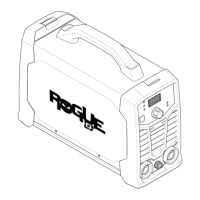
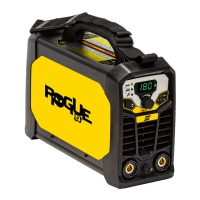
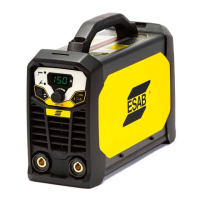
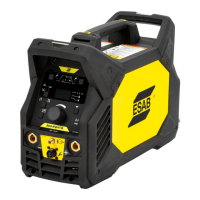
The ESAB Rogue ET 200iP is an inverter-based power source designed for various welding applications, including Manual Metal Arc (MMA) welding, Tungsten Inert Gas (TIG) welding, and High-Frequency TIG (HF TIG) welding. This versatile machine is suitable for both industrial and domestic environments, though users in residential locations should be aware of potential radio interference.

Function Description

The Rogue ET 200iP serves as a robust and reliable power source for arc welding. It is designed to provide stable current for melting electrodes or tungsten, facilitating the joining of metal workpieces. The unit automatically adjusts to the supplied input voltage, ensuring consistent performance. A key feature is its energy-saving mode, which minimizes power consumption when the unit is idle.

For MMA welding, also known as stick welding, the machine melts a coated electrode, and the coating forms a protective slag over the weld. The power source needs to be supplemented with a welding cable with an electrode holder and a return cable with a clamp for this process. The connection polarity for MMA welding depends on the type of electrode used, and this information is typically found on the electrode packaging.

For TIG welding, the Rogue ET 200iP initiates an arc from a non-consuming tungsten electrode to melt the metal of the workpiece. Shielding gas protects both the weld pool and the electrode. To perform TIG welding, additional equipment is required, including a TIG torch with a gas valve, an argon gas cylinder, an argon gas regulator, and a tungsten electrode. The unit supports two TIG start methods: Live TIG and HF TIG. Live TIG involves placing the tungsten electrode against the workpiece and then lifting it away to strike the arc at a limited current level. HF TIG, on the other hand, strikes the arc using a spark from the tungsten electrode to the workpiece when the electrode is brought closer and the torch trigger is pressed.

The machine incorporates a Voltage Reduction Device (VRD) function, which ensures that the open-circuit voltage does not exceed 35 V when welding is not being carried out, enhancing safety. A lit VRD indicator on the panel confirms this function is active.

Usage Features

The Rogue ET 200iP is designed for ease of use with several integrated features that enhance welding performance and control.

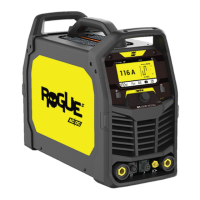
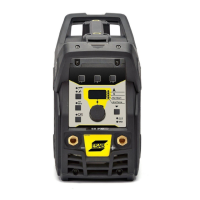
  • Setting Panel: The front panel provides intuitive controls for various welding parameters. It includes an overheating indicator, a display for showing settings, a VRD function indicator, trigger mode indicator, pulse mode indicator, and a frequency indicator. There are also buttons for options and process selection, along with a welding current control knob that doubles as an advanced feature control knob. Dedicated indicators for MMA, TIG Live, and TIG HF modes simplify process selection.
  • Process Selection: Users can easily switch between TIG HF, TIG Live, and MMA modes using the process selection button. This button also allows for navigation and parameter selection within the menus.
  • Advanced Features (TIG HF or TIG Live mode): By pressing the process selection button for 3 seconds, users can access an advanced feature menu. Here, the welding current control knob is used to adjust values for:
    • Gas pre-flow time (PREG 0 - 5 s)
    • Start current (IGNA 10 - 100%)
    • Up-slope time (SLPU 0 - 10 s)
    • Down-slope time (SLPD 0 - 10 s)
    • End current (FINA 10 - 100%)
    • Gas post-flow time (POSG 0.5 - 15 s)
    • Background current (BKGA 10 - 100%)
  • Advanced Features (MMA mode): In MMA mode, the advanced feature menu allows adjustment of:
    • Hot start (HOTS -10 - +10)
    • Arc force (ARCF -10 - +10)
    • Cellulose electrode (CELL On / Off)
  • Options Button: The options button provides access to settings for:
    • Trigger mode (2-stroke / 4-stroke)
    • Pulse mode (On / Off)
    • Frequency (0.2 - 500 Hz), available only when Pulse mode is ON.
  • Hot Start: This function temporarily increases the current at the beginning of the weld, reducing the risk of insufficient fusion and electrode sticking or scratching. This feature is exclusive to MMA welding.
  • Arc Force: The arc force function controls how the current changes in response to variations in arc length during MMA welding. A low value provides a calm arc with minimal spatter, while a high value results in a hotter, more "digging" arc.
  • Remote Control: The unit supports remote control connectivity. When a remote control is plugged into the front socket, it automatically activates. The maximum current setting of the power source will be governed by the front panel control, regardless of the remote control device's setting.
  • Fan Control: The ET 200iP features a "fan as needed" function, which automatically switches the cooling fan off when not required. This minimizes power consumption and reduces the ingress of contaminants like dust into the power source, thereby extending its lifespan.
  • Thermal Protection: The power source is equipped with thermal protection to prevent overheating. If the unit overheats, welding is stopped, an overheating indicator illuminates on the panel, and an error message appears on the display. The protection automatically resets once the temperature has sufficiently decreased.

Maintenance Features

Regular maintenance is crucial for ensuring the safe, reliable, and long-lasting operation of the Rogue ET 200iP.

  • Routine Maintenance Schedule: A recommended maintenance schedule is provided, with checks to be performed prior to every use, every 3 months, and every 6 months.
    • Before Each Use: Users should verify that the product and cables are not damaged and that the torch is clean and undamaged.
    • Every 3 Months: This involves checking and replacing unreadable labels, cleaning weld terminals, and checking/replacing weld cables.
    • Every 6 Months: The internal components of the equipment should be cleaned using dry compressed air at reduced pressure.
  • Cleaning Instructions: To maintain performance and extend the lifetime of the power source, regular cleaning is mandatory. The frequency of cleaning depends on the welding process, arc time, and working environment.
    • Safety First: Before any cleaning, the mains supply must be disconnected. Cleaning procedures should be carried out in a suitable, prepared workspace. During cleaning, it is essential to wear recommended personal safety equipment, including earplugs, safety glasses, masks, gloves, and safety shoes.
    • Internal Cleaning: To clean the interior, the enclosure should be opened, and a vacuum cleaner used to remove accumulated dirt, metal filings, slag, and loose material. It is important to keep the shunt and lead screw surfaces clean, as accumulated foreign material can reduce the welder's output welding current.
  • Authorized Service: Any repair or electrical work should only be performed by an authorized ESAB service technician using original ESAB spare and wear parts. Unauthorized repairs will invalidate the warranty.
  • Troubleshooting Guide: The manual includes a troubleshooting section to help users identify and resolve common issues before contacting a service technician. This covers problems related to MMA welding, TIG welding, no arc, and frequent thermal protection trips, offering corrective actions for each.

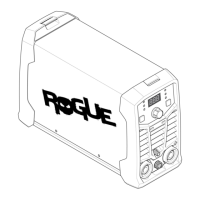
ESAB Rogue ET 200iP Specifications

General IconGeneral
Frequency50/60 Hz
Output Current Range5-200 A
Duty Cycle60% at 200 A
TIG ModeYes
Protection ClassIP23
Power Factor0.99
Efficiency85%
AC Balance30-70%
Phase1-phase
Welding ProcessesTIG, MMA
Cooling MethodFan Cooled
TIG IgnitionHigh-Frequency

Related product manuals