EasyManua.ls Logo

ESAB 200i - User Manual

ESAB 200i
254 pages
Print Icon
To Next Page IconTo Next Page
Loading...
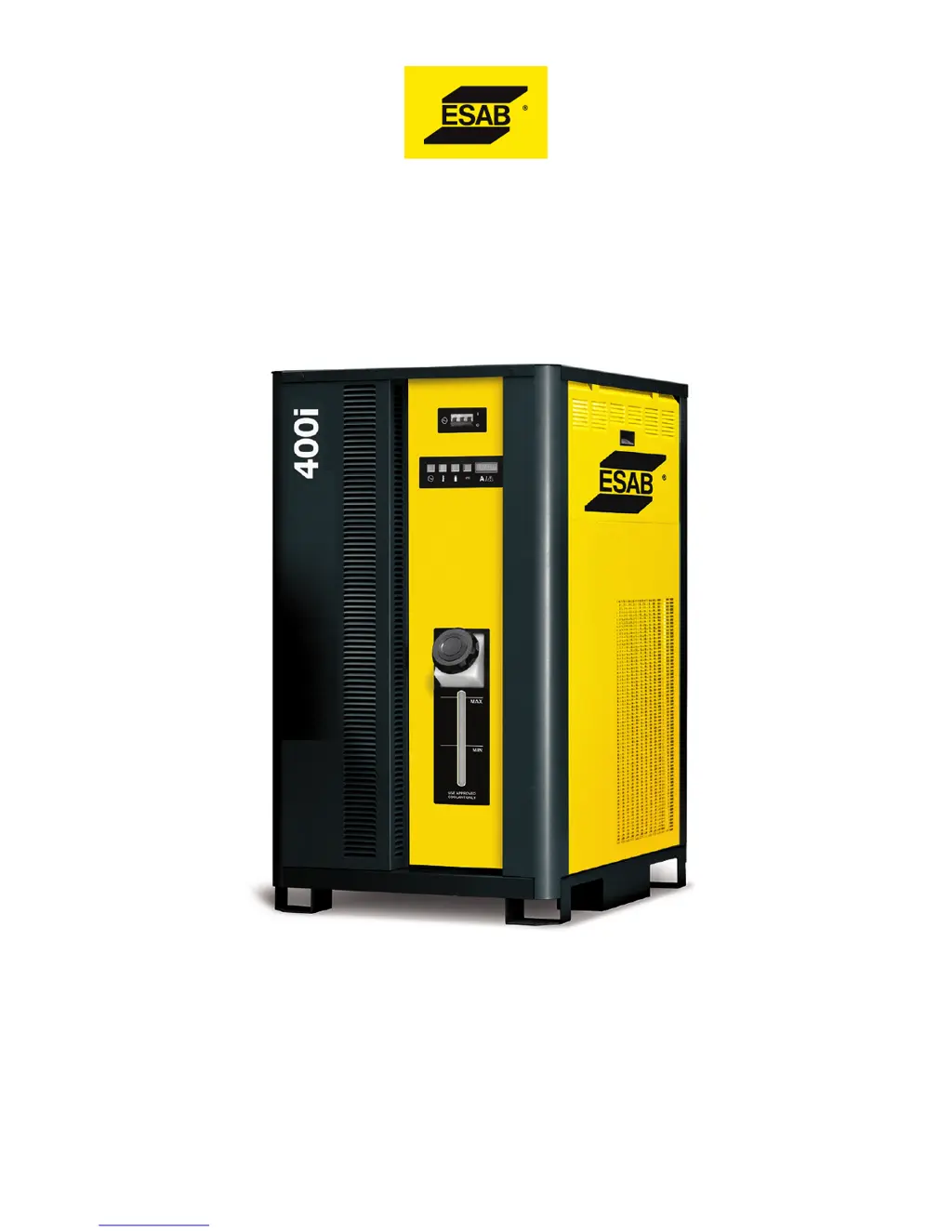
100i, 200i, 300i, and 400i
Plasma Systems
Instruction Manual
Article Number: 0560956430
Revision Date: May 13, 2016
Revision Number: AB
Language: ENG

Table of Contents

Other manuals for ESAB 200i

Questions and Answers

  • A
    Alexis MartinezAug 26, 2025
    Why ESAB 200i Welding System has 'Lost Pilot'?
    • M
      Mary MckinneyAug 27, 2025
      The 'Lost Pilot' error on your ESAB Welding System could be due to worn torch consumable parts or plasma pressure being too high. Ensure the cut process or current control setting matches the consumables.
  • J
    James ChavezAug 27, 2025
    What to do if ESAB 200i Welding System shows 'Pilot Timeout, no Transfer'?
    • D
      Dana FrenchAug 27, 2025
      If the ESAB Welding System displays 'Pilot Timeout, no Transfer', it means the system did not transfer from the pilot arc to the cutting arc within 0.085 seconds (SW8-1 OFF) or 3 seconds (SW8-1 ON). This could be due to the standoff being too high, a void in the work under the torch, the wrong cut process selected, or incorrect manual settings such as current control set too low or wrong gas pressure. Check these settings and conditions.
  • J
    Jerry ClarkAug 27, 2025
    What to do if the ESAB Welding System shows 'Transfer Lost'?
    • M
      Michelle QuinnAug 27, 2025
      If the ESAB Welding System displays 'Transfer Lost', it means the arc was transferred to the work but then went out while Start was still active. This can happen if the arc loses contact with the work (e.g., running off the edge or over a hole), the standoff is too high, or the cut process or manual settings (current control, gas pressures) do not match the consumables. Verify these conditions and settings.
  • B
    Brian RichardsAug 28, 2025
    What does 'Unexpected current in work lead' mean on ESAB 200i Welding System?
    • B
      Briana MedinaAug 28, 2025
      If your ESAB Welding System reports 'Unexpected current in work lead', it indicates that there is current above 8A in the work lead prior to pilot ignition or transfer. This can be caused by a negative lead short to ground or the arc starter chassis, a defective HCT1 work lead current sensor, or a defective Relay PCB.
  • S
    Scott WoodAug 28, 2025
    What does 'Unexpected current in pilot circuit' mean on ESAB Welding System?
    • J
      Janice MoyerAug 28, 2025
      If the ESAB Welding System displays 'Unexpected current in pilot circuit', it means the current is above 6A in the pilot circuit prior to ignition. This can be caused by wrong or mismatched consumables causing a tip-electrode short, a pilot lead shorted to negative in the torch tube, a defective Relay PCB, a defective Pilot PCB, or a possible shorted torch. Check these components and connections.
  • L
    Laura HallAug 29, 2025
    What does 'Work Current Too High' mean on ESAB 200i?
    • A
      Alexander NguyenAug 29, 2025
      If the ESAB Welding System displays 'Work Current Too High', it means the work lead current detected is greater than 16% above the process setting. Possible causes include a defective HCT1 work lead current sensor or Relay PCB, or a defective CCM.
  • L
    Lisa TurnerAug 29, 2025
    What does 'Work Current Too Low' mean on ESAB 200i?
    • K
      Kelly MartinAug 29, 2025
      If the ESAB Welding System displays 'Work Current Too Low', it means the work current detected is more than 16% below the process setting. This can be caused by a defective HCT1 work lead current sensor or Relay PCB, or a possible defective pilot PCB (shorted IGBT).
  • N
    nancy00Aug 30, 2025
    What does 'Tip Saver Fault' mean on ESAB 200i Welding System?
    • A
      adamsbrianAug 30, 2025
      The 'Tip Saver Fault' on the ESAB Welding System indicates that the tip remained in contact with the work for more than 15 seconds.
  • J
    Jamie DunnAug 30, 2025
    Why ESAB 200i shows 'Tip to Electrode voltage fault'?
    • H
      hmcdonaldAug 30, 2025
      The 'Tip to Electrode voltage fault' on your ESAB Welding System could be caused by worn-out torch consumable parts, wrong consumables installed (causing a tip to electrode short), an incorrect process selected, or wrong manual settings for plasma gas or cutting current. Other possible causes include a leak in the plasma hose to the torch, a defective Pilot PCB, or a shorted torch body. The suggested solution is that the tip voltage is too close to the electrode voltage.
  • J
    Joseph BradshawAug 25, 2025
    What to do if the ESAB Welding System shows 'Missing AC Phase'?
    • C
      Cassandra LewisAug 25, 2025
      If the ESAB Welding System displays a 'Missing AC Phase' error, the possible causes include a blown wall fuse, a blown unit fuse F1 or F2 on the rear panel, a bad power cable connection, or a defective System Bias PCB. Check these components to resolve the issue.

Summary

SECTION 1: SAFETY

1.01 Safety Precautions - ENGLISH

Essential safety precautions for English-speaking users.

1.02 Précautions de sécurité - FRENCH CANADIAN

Safety precautions provided in French Canadian for user protection.

ELECTRICAL SHOCK

EQUIPMENT MAINTENANCE

DANGER

SECTION 2: SPECIFICATIONS

2.06 Specifications & Electrical Requirements

Technical specifications and electrical requirements for different system amperages.

2.09 Gas Requirements

Specifies the required gases, quality, pressure, and flow rates for system operation.

SECTION 3: INSTALLATION

3.01 Installation Requirements

Outlines electrical, gas, and water supply requirements for installation.

3.07 Lift the Power Supply

Provides instructions and warnings for safely lifting the power supply unit.

3.08 Connect Input Power and Ground Cables

Step-by-step guide for connecting input power and system ground cables.

3.09 Connect Work Cable and Pilot and Negative Leads

Instructions for connecting the work cable, pilot, and negative leads.

3.10 Ground Connections

Procedures for establishing proper grounding to minimize EMI and ensure safety.

3.11 Connect Coolant Leads

Instructions for connecting the color-coded coolant hoses to the power supply.

3.24 Connecting Torch

Step-by-step instructions for connecting the plasma torch assembly to the leads.

3.25 Install Consumable Torch Parts

Procedure for installing torch consumables to ensure proper operation and seating.

SECTION 4: OPERATION

4.01 Power Supply Control Panel

Explains the indicators and functions on the power supply control panel.

4.02 System Operation

Contains operating information specific to the power supply, including startup sequences.

4.03 CCM Status Codes

Lists and explains CCM status codes indicating active faults or conditions.

4.06 Remote Arc Starter Trouble Shooting

Troubleshooting guide for common symptoms and causes related to the Remote Arc Starter.

SECTION 5: MAINTENANCE

5.01 General Maintenance

Periodic checks recommended for power supply maintenance to ensure performance.

5.02 External Coolant Filter Cleaning Procedure

Steps for cleaning the external coolant filter to maintain optimal coolant flow efficiency.

5.03 Coolant Replacement Procedure

Detailed steps for draining and replacing the coolant in the system.

SECTION 6: REPLACEMENT ASSEMBLIES & PARTS

SECTION 7: TORCH MAINTENANCE

7.01 Consumable Removal

Procedure for removing consumables from the torch cartridge assembly.

7.04 Torch Consumables Installation

Steps for installing torch consumables to ensure proper operation and seating.

7.05 Coolant Leak Trouble-Shooting

Troubleshooting guide for identifying and resolving coolant leaks from the torch head.

SECTION 8: TORCH OPERATION

8.01 Standard Cutting Up To 100 Amp

Cutting data for mild steel, O2 plasma/shield, up to 100 amps.

8.02 Bevel and Robotic Cutting Up To 100 Amp

Cutting data for bevel and robotic operations up to 100 amps.

8.03 Standard Cutting 150 - 200 Amp

Cutting data for mild steel, O2 plasma/shield, 150-200 amps.

8.04 Robotic and Bevel Cutting 150 - 200 Amp

Cutting data for robotic and bevel operations, 150-200 amps.

8.05 Standard Cutting 250 - 300 Amp

Cutting data for mild steel, O2 plasma/shield, 250-300 amps.

8.06 Robotic and Bevel Cutting 250 - 300 Amp

Cutting data for robotic and bevel operations, 250-300 amps.

8.07 Standard Cutting 400 Amp

Cutting data for mild steel, O2 plasma/shield, 400 amps.

8.08 Robotic and Bevel Cutting 400 Amp

Cutting data for robotic and bevel operations, 400 amps.

8.10 Torch Consumables Installation

Procedure for installing consumables into the torch cartridge assembly.

ESAB 200i Specifications

General IconGeneral
Input Voltage230 V
Current Range5 - 200 A
Input Current16 A
Output Current Range5 - 200 A
Efficiency85%
ProcessMMA/TIG

Related product manuals