EasyManua.ls Logo

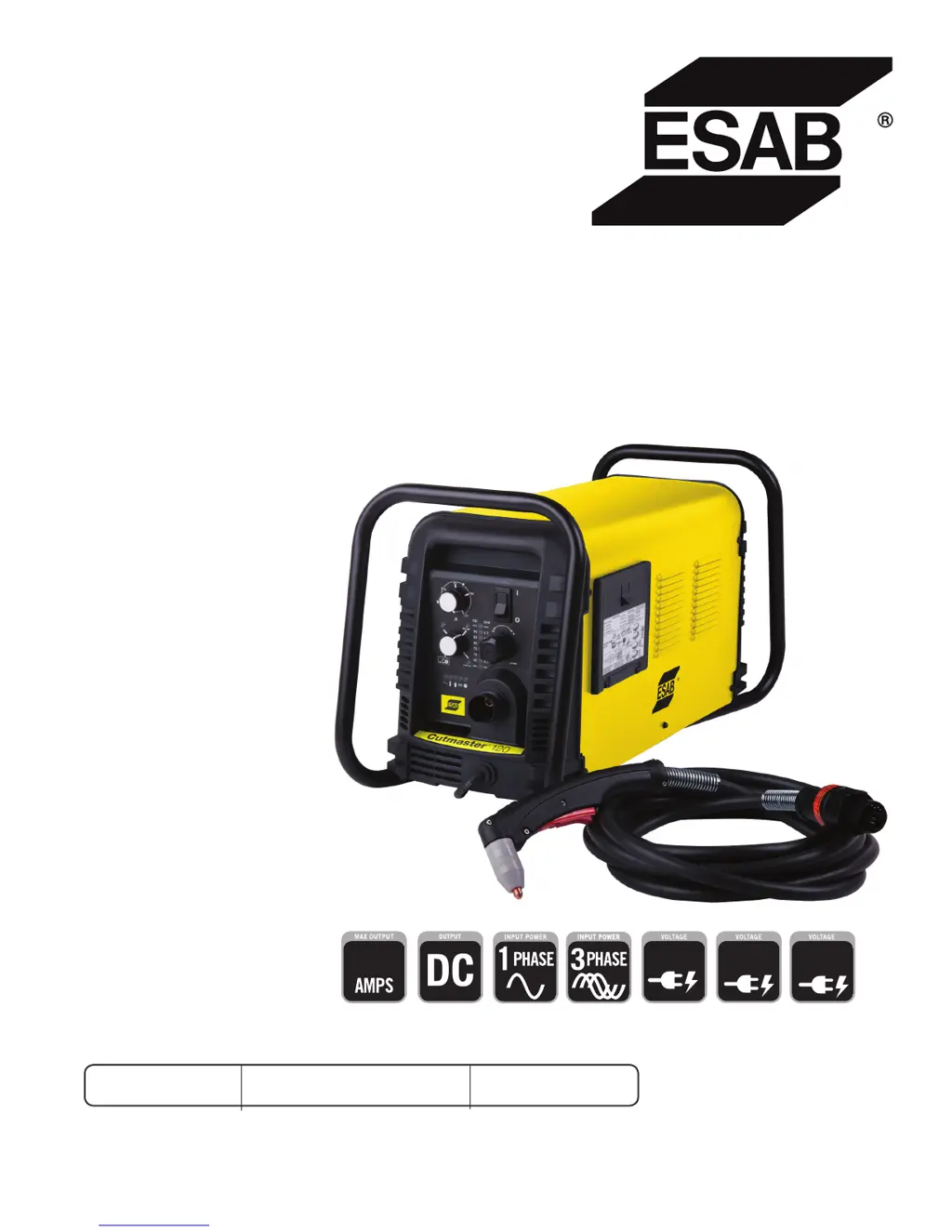
ESAB Cutmaster 120 - User Manual

ESAB Cutmaster 120
76 pages
Print Icon
To Next Page IconTo Next Page
Loading...
120
Art # A-12769_AB
208/230V
400V
460V
Revision: AB Issue Date: April 15, 2015 Manual No.: 0-5380
ESAB Cutmaster
®
120
PLASMA CUTTING SYSTEM
SL100 1Torch™
Operating
Manual
esab.com.br

Table of Contents

Questions and Answers

  • M
    Margaret HensleySep 23, 2025
    Why is the torch cutting diminished on my ESAB Welding System?
    • A
      Andrea PollardSep 23, 2025
      If the torch cutting is diminished on your ESAB Welding System, consider these potential causes: * The current setting may be incorrect. Check and adjust to the proper setting. * The torch consumables may be worn. Check and replace as needed. * There may be a poor work cable connection to the work piece. Check the connection of the Work Lead to the work piece. * The torch might be moving too fast. Reduce the cutting speed. * There might be excessive oil or water in the torch. Refer to "Check air quality" in section 3 Torch. * There may be failed components in the unit. Return to an authorized service center for repair.
  • J
    Jill HuynhAug 25, 2025
    What to do if FAULT and 70 PSI indicators are flashing on ESAB Cutter?
    • M
      Martin HollowayAug 25, 2025
      If the FAULT and 70 PSI indicators are flashing on your ESAB Cutter, check the following: * Ensure the shield cup is snug (hand tighten it). * Verify the torch ATC is securely fastened to the unit. * There may be a problem in the torch and leads PIP circuit (replace the torch and leads). If the issue persists, it could be due to failed components in the unit.
  • M
    michaelsandersAug 25, 2025
    Why are the FAULT and 75 PSI indicators flashing on my ESAB Cutmaster 120?
    • M
      matthewbrockAug 26, 2025
      If the FAULT and 75 PSI indicators are flashing on your ESAB Cutter, it could be due to several reasons: * The start signal is active when the ON/OFF SWITCH is turned to the ON position. Start can be active if the hand torch switch or hand pendant switch is held closed, or if the CNC START signal is active low (release the START signal source). * There's a problem in the torch and leads switch circuit (replace the torch and leads). If the issue persists, it may indicate failed components in the unit.
  • W
    William WardAug 28, 2025
    What to do if TEMPERATURE indicator is ON and FAULT indicator is flashing on ESAB Cutmaster 120 Cutter?
    • A
      ashleyrosarioAug 28, 2025
      If the TEMPERATURE indicator is ON and the FAULT indicator is flashing on your ESAB Cutter, it could be due to: obstructed air flow through or around the unit or the unit's duty cycle has been exceeded (allow unit to cool). If the problem persists, it may be due to failed components in the unit.
  • S
    Sandra BlairSep 23, 2025
    What to do if nothing happens when torch switch is closed on my ESAB Welding System?
    • A
      Amy MooreSep 23, 2025
      If nothing happens when the torch switch or remote switch is closed (or the CNC START signal is active) with no gas flow and the DC LED OFF on your ESAB Welding System, it could be due to: * A problem in the torch and leads switch circuit (Remote pendant switch circuit). Take the Torch and Leads (Remote Pendant) to an Authorized Repair Facility. * The CNC Controller device not providing a Start signal. Contact the Controller manufacturer. * Failed components in the unit. Return to authorized service center for repair or replacement.
  • C
    Cory HowellNov 26, 2025
    What does it mean when the FAULT and 85 PSI indicators are flashing on my ESAB Cutmaster 120?
    • F
      fgregoryNov 26, 2025
      If the FAULT and 85 PSI indicators are flashing on your ESAB Cutter, here are some things to check: * Ensure the upper O-Ring on the torch head is in the correct position (remove the shield cup from the torch and correct the O-Ring position if necessary). * The torch starter cartridge may be stuck (turn OFF the power supply, bleed down the system pressure, remove the shield cup, tip, and starter cartridge; check the starter cartridge lower end fitting for free movement, and replace it if it doesn't move freely). * Inspect torch consumable parts and replace if necessary. * The torch may be shorted (replace the torch and leads). * A temporary short may be indicated by 5 blinks per second (release the torch switch and reactivate). If the issue persists with a standard rate of blin...
  • J
    Janice LiuSep 10, 2025
    How to fix ESAB Cutmaster 120 if ON / OFF Switch is ON but the A/C Indicator does not light?
    • B
      bridgetwalshSep 10, 2025
      If the ON / OFF Switch is ON but the A/C Indicator does not light, try the following: - Turn the primary power disconnect switch to the ON position. - Have a qualified person check the primary fuses/breakers, and connect the unit to a known good primary power receptacle. - Replace the fuse. If the fuse blows again, return the unit to an authorized service center for repair or replacement.
  • C
    Claire OwenSep 12, 2025
    How to troubleshoot an ESAB Welding System when the ON/OFF switch is ON, but the A/C Indicator does not light?
    • R
      Roy GregorySep 12, 2025
      If the ON/OFF switch is in the ON position, but the A/C indicator light doesn't illuminate on your ESAB Welding System, here's what to check: 1. Ensure the primary power disconnect switch is in the ON position. 2. Have a qualified person check the primary fuses/breakers. Also, try connecting the unit to a known good primary power receptacle. 3. Replace the internal fuse. If it blows again, return the unit to an authorized service center. 4. If none of the above steps work, there may be faulty components in the unit. In that case, return it to an authorized service center for repair or replacement.
  • S
    Stephanie SullivanSep 4, 2025
    What to do if GAS LED is OFF, and FAULT and MIN pressure indicators are flashing on ESAB Cutter?
    • N
      nicholas05Sep 4, 2025
      If the GAS LED is OFF, and the FAULT and MIN pressure indicators are flashing: - Connect the gas supply to the unit. - Turn the gas supply ON. - Set the air supply inlet pressure to the unit to 120 psi. - Adjust the regulator to set the air pressure.
  • K
    Kimberly FosterSep 2, 2025
    What to do if fault and 85 PSI indicators are flashing on my ESAB Cutmaster 120?
    • A
      Andrew JohnsonSep 2, 2025
      If the fault and 85 PSI indicators are flashing, you can try the following: - Remove the shield cup from the torch and check the upper O-ring position, correcting it if necessary. - Turn OFF the power supply, bleed down the system pressure, then remove the shield cup, tip, and starter cartridge. Check the starter cartridge lower end fitting for free movement and replace it if it doesn't move freely. - Inspect the torch consumable parts and replace them if necessary. - Release the torch switch and reactivate it.

Summary

ESAB Cutmaster 120 Plasma Cutting System

SECTION 1: SAFETY

1.0 Safety Precautions

Details crucial safety measures, personal protective equipment, and general precautions to ensure safe operation.

Critical Safety Warnings

SECTION 2 SYSTEM: INTRODUCTION

How To Use This Manual

Explains how to navigate and interpret the operating manual, including understanding warnings and notes.

Power Supply Specifications

Input Wiring Specifications

SECTION 2 TORCH: INTRODUCTION

Torch Specifications

Details technical specifications for torch configurations, lead lengths, parts, and cooling methods.

SECTION 3 SYSTEM: INSTALLATION

Unpacking and Lifting

Guides on unpacking the system components and details safe handling and lifting precautions for the power supply.

Gas Connections and Filters

SECTION 3 TORCH: INSTALLATION

Torch Connections

Instructs on how to properly connect the ESAB SL100 torch to the power supply unit.

SECTION 4 SYSTEM: OPERATION

Front Panel Controls; Features

Identifies and describes the main controls, indicators, and their functions on the front panel of the plasma cutting system.

Operation Preparations and Checks

Torch Parts Selection and Connection

Guides on selecting and connecting the correct torch parts for optimal cutting performance.

Cutting Operation Procedures

Cutting Modes and Arc Control

Explains different cutting modes (RUN, RAPID AUTO RESTART, LATCH) and how to initiate and maintain the cutting arc.

Torch Operation Details

Torch Parts Selection and Cut Quality

Guides on selecting torch parts and explains factors affecting cut quality.

Gouging Operation

Torch Consumable Parts Selection

Recommended Cutting Speeds (Exposed Tip)

Recommended Cutting Speeds (Shielded Tip)

SECTION 5 SYSTEM: SERVICE

5.01 General Maintenance

Outlines the general maintenance schedule and tasks required for the plasma cutting system.

Basic Troubleshooting Guide

SECTION 5 TORCH: SERVICE

5 T.01 General Maintenance

Provides guidance on cleaning the torch and lubricating O-rings for optimal performance.

SECTION 6: PARTS LISTS

Ordering Information

Provides instructions on how to order replacement parts by catalog number and includes return policy information.

APPENDIX 1: SEQUENCE OF OPERATION (BLOCK DIAGRAM)

APPENDIX 4: TORCH CONNECTION DIAGRAMS

APPENDIX 5: SYSTEM SCHEMATIC, 208;460 V UNITS

ESAB Cutmaster 120 Specifications

General IconGeneral
BrandESAB
ModelCutmaster 120
CategoryCutter
LanguageEnglish

Related product manuals