www.escene.ru
Escene Communication
Understanding Phone Screen Features
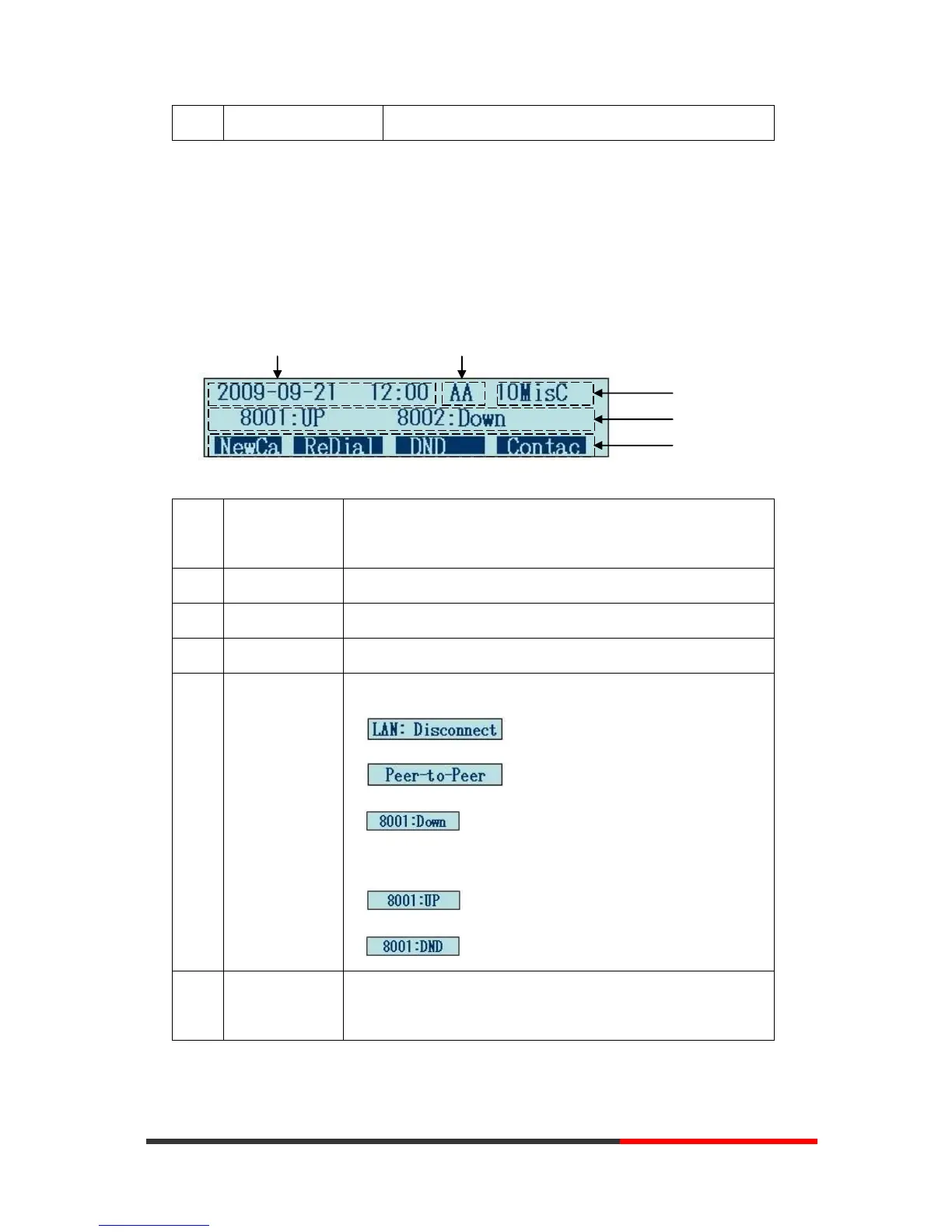
This is what your main phone screen might look like:
Figure 3.3 LCD of SayHi ES320/ES330
Show current time and date.
Enabled Auto-answer, displays “AA”
Show the number of missed calls.
Show the phone line status:
1) : Disconnect into network.
2) : Only Peer-to-Peer call.
3) : Network connected normal, but the line is
not successfully registered.
4) : Network is OK and the line is available.
5) : Line is turned on DND.
Each displays a softkey function (displayed on your phone
screen), and the function is different when menu changes.



 To Next Page