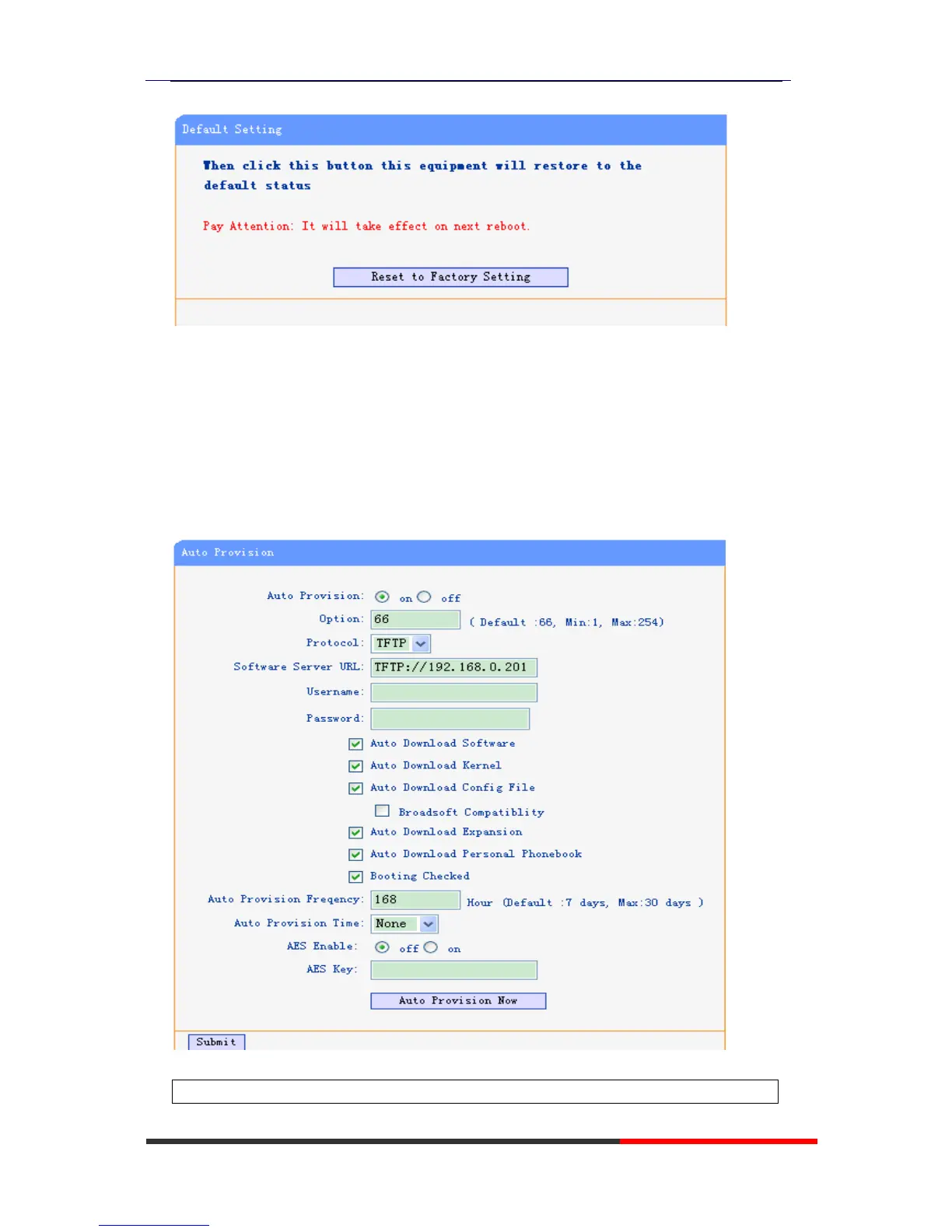
Press the ‘Reset to Factory Setting’ option,the phone will load to factory default setting on
next reboot.
Auto Provision
when you open the auto provision function,the phone will auto provision if the phone
detect a higher software or kernel which are put on the software server .the detail
information about auto provision you can see the appendix.
When use auto provision, you can set several parameters as follow:



 To Next Page