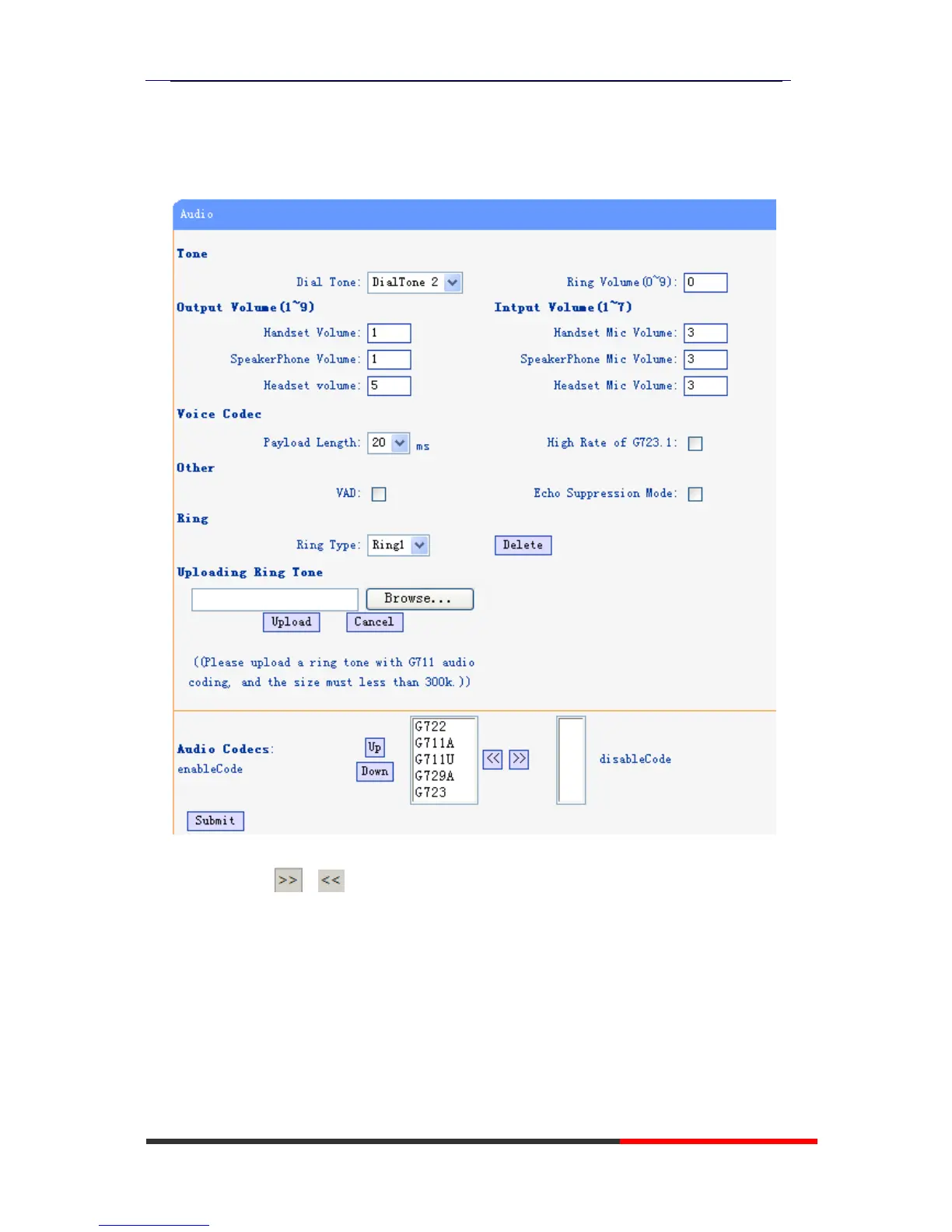
You can enable/disable the desired codecs via Web interface. Please contact your system
administrator for more details about the codecs.
To enable/disable the codecs:
1) Choose Audio-> Audio Codecs
2) Use the navigation keys to highlight the desired one in the Enabled/Disable Codecs list,
and press the / to move to the other list.
3) Choose Submit to save the change.
Of course, you can control the voice bulk in this choose.



 To Next Page