ES320 IP-Phone
www.escene.ru
Escene Communication
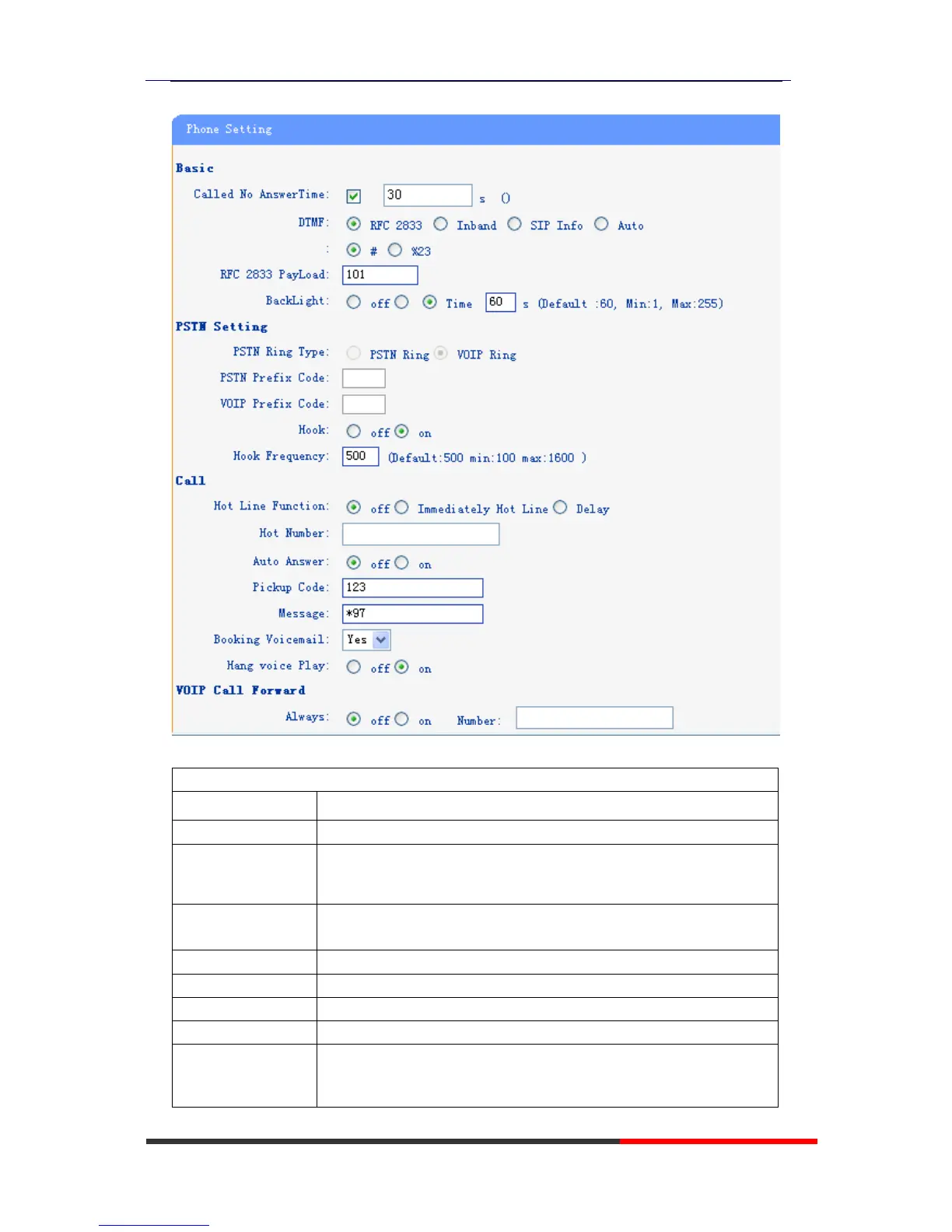
When used Phone Setting option,you can set several parameters as follow:
The DTMF transmitted mode,include RFC 2833,Inband,SIP Info
The backlight of the phone LCD
The mode of set time for phone,include SNTP/SIP
Server/PSTN/Manual
Enable/disable the DST for the phone
You can use 24 hour time format or 12 hour time format
You can select different time zone for the phone
This used to manual set time for the phone
The qos priority,support diff-serv and precedence
When select on,then you can capture the phone’s packet use
notebook which connect to pc port of the phone



 To Next Page