3. Modify the LDAP password
Access to the install path,open the file names slapd.conf,find the
command
rootpw secret
Please modify it to the password you want to set.
rootpw escene
5.2.2
R
un
sl
apd
se
r
ve
r
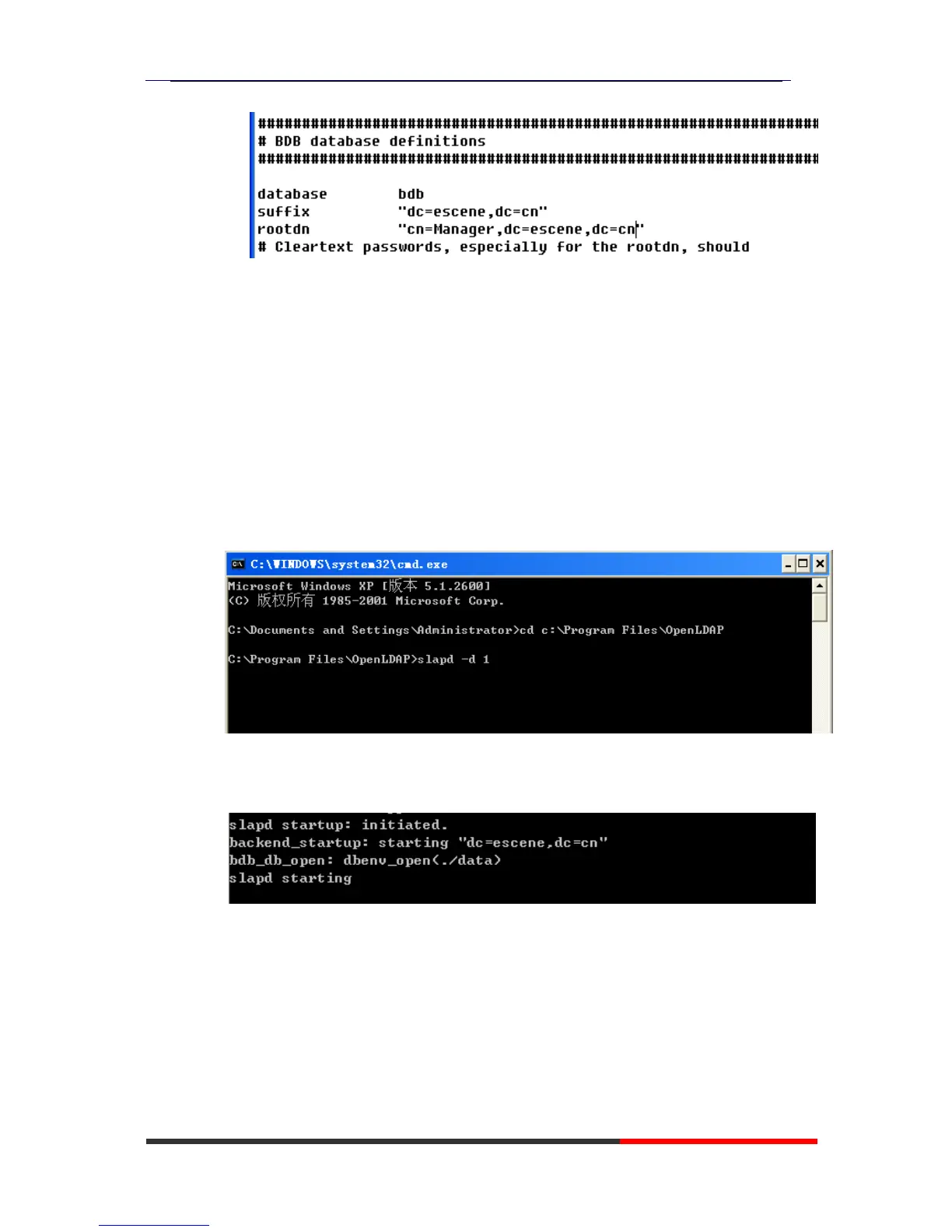
Cmd to OpenLDAP’s install path,for example,”cd c:\Program
Files\OpenLDAP” , then run the command “slapd –d 1”
If run the server successfully,you can find the command of “slapd
starting”
NOTE:
Please do not close this window to make sure the LDAP Server keep
running.
5.2.3 A
dd
co
n
t
a
c
t
Create a plain text named “escene.ldif” in install path.
Then put the content like following:
dn: dc=escene,dc=cn



 To Next Page