Problem 11: DC Motor Speed Controller not functioning
Cause Corrective Action
No output, the
power indicator
LEDs Off
• Turn the system on by supplying 12 VDC to the ECMS.
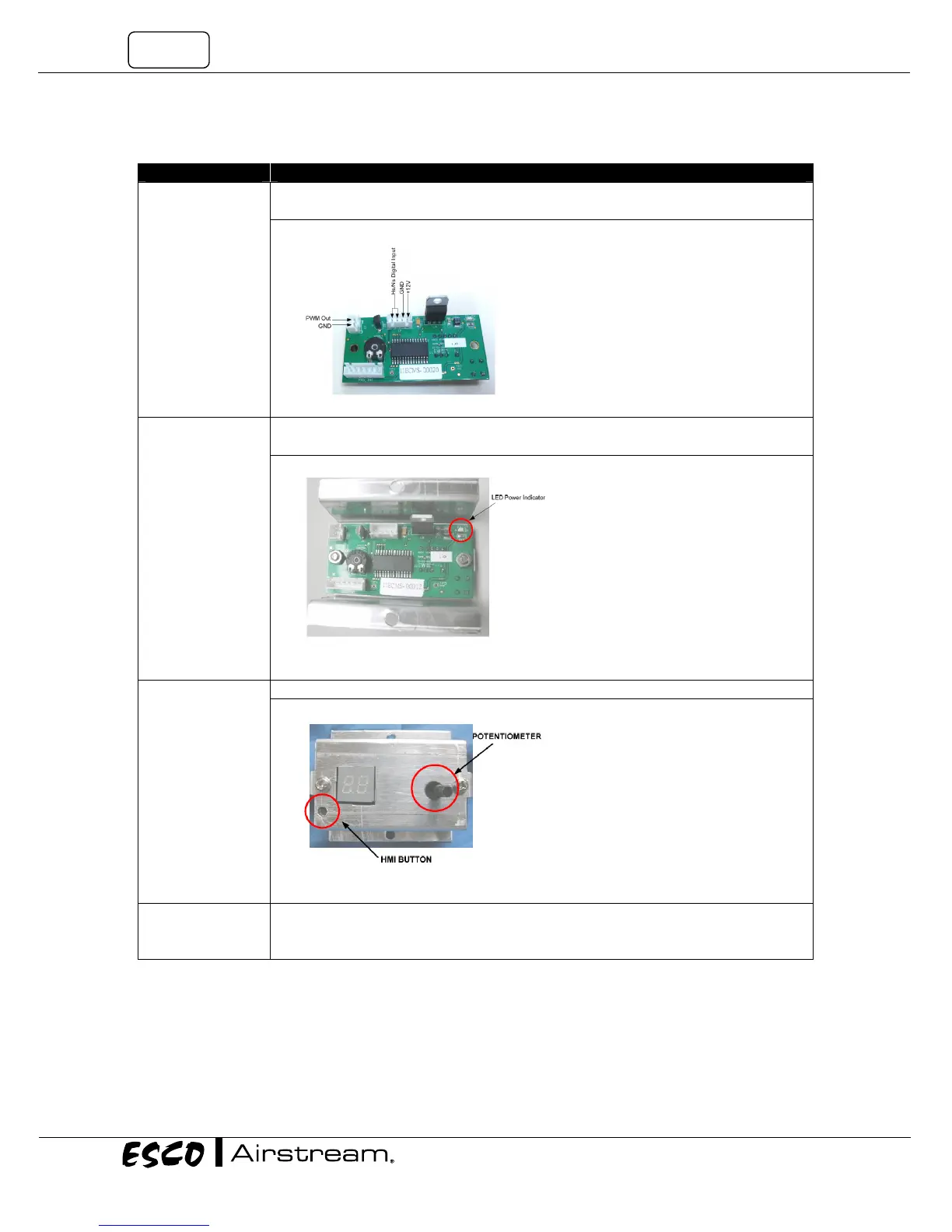
• Replace the ECMS with a new one (Figure 11.1 )
Figure 11.1 ECMS
No output, but the
power indicator
LEDs On
• Make sure that the correct DC line voltage is connected properly and turned on.
•
Replace the ECMS with a new one.
Figure 11.2 ECMS showing the power indicator
The output voltage
cannot be adjusted
by turning the
potentiometer
• Replace the ECMS with a new one.
Figure 11.3 ECMS showing potentiometer and HMI button
The half speed
mode cannot
activated
• Make sure both of the digital input has been shorted. You can check the continuity of
digital input by Multimeters.
• Replace the ECMS with a new one.


 To Next Page