POWER
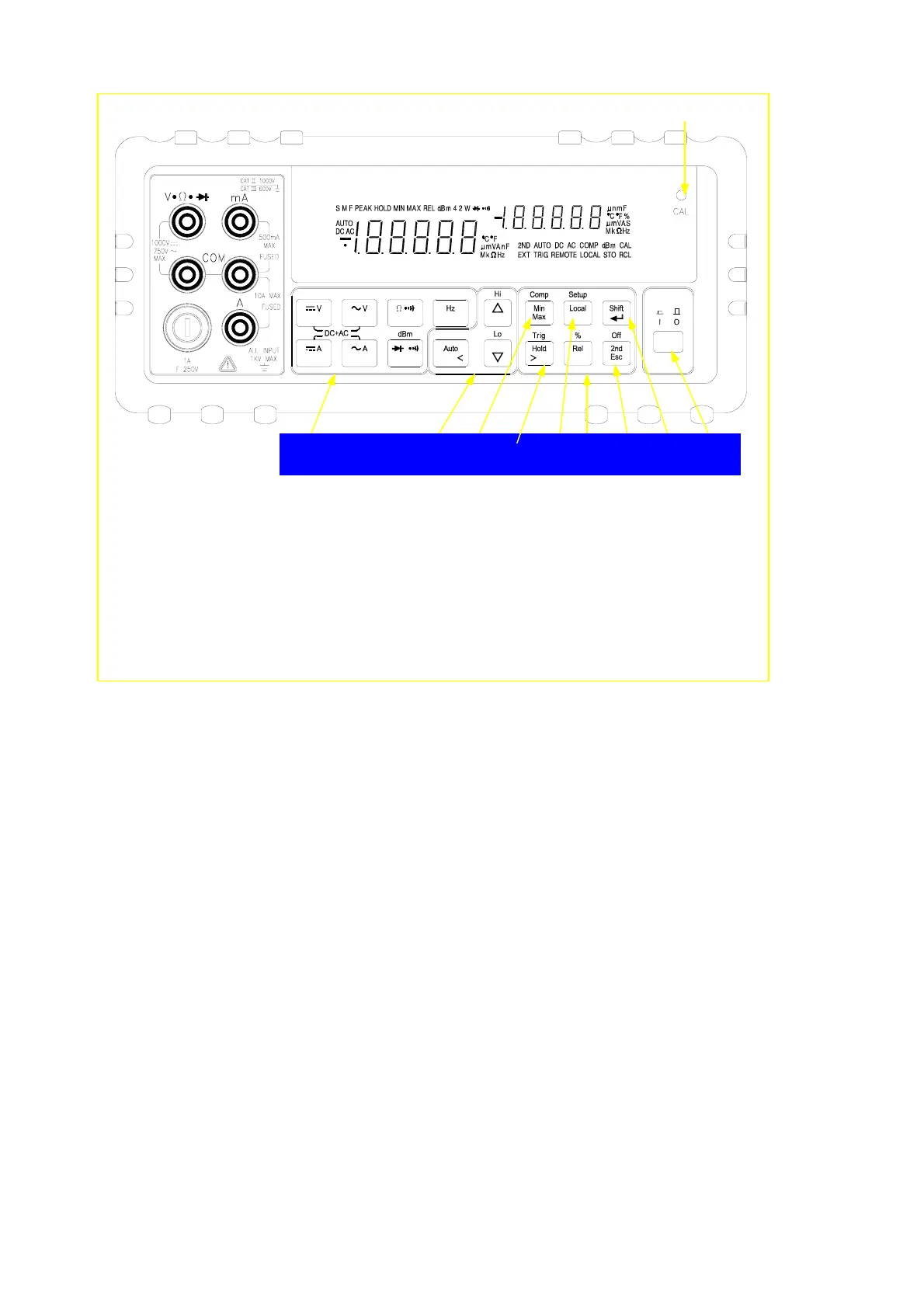
1. Power Switch 6. 2
nd
Display Selection / Escape key
2. Measurement Function Selection 7. Local / Setup key
3. Range Selection 8. Dynamic Recording / Comparator
4. Calibration Mode Button 9. Arithmetic Function Selection
5. Shift / Enter key 10. Hold / Trigger key
Figure 3-3 Front Panel Pushbuttons
2 3 8 10 7 9 6 5 1
24


 To Next Page