11
English
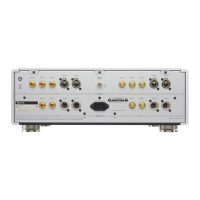
B Digital audio input (DIGITAL IN) connectors
Use these to input digital audio.
They can be connected to the digital output connectors of
appropriate audio devices.
Use commercially-available cables for the following
connections.
XLR: XLR digital cable
RCA: RCA coaxial digital cable
OPTICAL: optical digital cable (TOS)
o They can receive signals that are 32–192kHz and 16/24-bit.
C Analog audio input (LINE IN) connectors
Connect the analog audio output connectors of Super Audio
CD players, DVD players, cassette decks, tuners and other equip-
ment to these connectors.
Connect an R connector on this unit to the right (R) connector of
an output device and the corresponding unit L connector to the
corresponding left (L) connector of the output device.
Use commercially-available cables for the following
connections.
XLR: XLR cables
RCA: RCA cables
D TRIGGER connectors
These connectors are for controlling power.
Do not connect anything to these connectors when not using
them.
E Remote control input (RS-232C) connector
This control connector is for use by professionals (custom
installers).
F SIGNAL GND grounding terminal
The audio quality might be improved by connecting this
grounding terminal to an amplifier or other device that is con-
nected to this unit.
o This is not a safety grounding terminal.
G 10MHz IN CLOCK connector
Input 10MHz clock synchronization signals through the 10MHz
IN CLOCK connector.
To use clock synchronization, connect the clock output connec-
tor of the device outputting the clock signal to the 10MHz IN
CLOCK connector on this unit. Then, set the clock (CLK>) setting
to IN (page25).
Use a commercially-available BNC coaxial cable for
connection.
o BNC coaxial cables with 50Ω or 75Ω impedance can be used.


 To Next Page