EasyManua.ls Logo

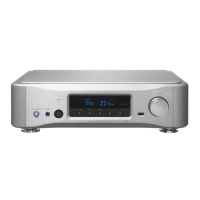
Esoteric N-05XD - User Manual

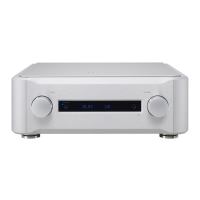
Esoteric N-05XD
40 pages
Print Icon
To Next Page IconTo Next Page
Loading...
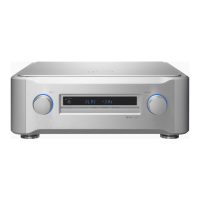
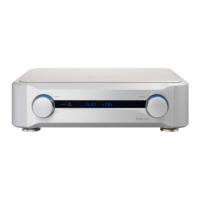
N-05XD
D01385421A
OWNER’S MANUAL.....................3
MODE D’EMPLOI .......................37
MANUAL DEL USUARIO ...........71
Network DAC/Preamp

Table of Contents

Question and Answer IconNeed help?

Do you have a question about the Esoteric N-05XD and is the answer not in the manual?

Summary

Important Safety Instructions

General Safety Warnings and Precautions

Essential safety precautions regarding handling, electrical hazards, and environmental exposure.

Battery and Environmental Safety

Battery Precautions and Disposal Guidelines

Guidelines for safe battery usage, handling, and responsible disposal for compliance.

Radio Transmitter Compliance and Exposure

USA, Canada, and EU Radio Regulations

Details compliance with FCC, Industry Canada, and EU directives for radio transmission and exposure.

Initial Setup and Operation Precautions

Included Accessories and Safe Operation

Lists supplied accessories, explains pinpoint feet, and outlines general safe operation guidelines.

Amplifier Connectivity

Connection Precautions and Analog Outputs

Safety tips for amplifier connections and details on analog audio output options (XLR, RCA, ESLA).

ES-LINK Analog Connections

Overview and Amplifier Connection Methods

Explains ES-LINK Analog transmission and guides connection to integrated and power amplifiers.

Connecting Source Devices

Digital, Analog Inputs, Clock Sync, and Control

Guides for connecting various digital/analog audio sources, clock sync, and RS-232C control inputs.

Network and USB Device Connectivity

ETHERNET, USB Ports, Power, and Maintenance

Instructions for connecting to networks, USB devices, power, and the software maintenance port.

Network Connection Examples

NAS, Wi-Fi, and Smartphone Setup Illustration

Illustrates a typical network setup using NAS, Wi-Fi router, and a smartphone for control.

Remote App and USB Playback

Remote App Download and USB Playback

Instructions for downloading the ESOTERIC Sound Stream app and playing audio files via USB.

Headphone Connection

Connecting Headphones

Guides for connecting both unbalanced (1/4") and balanced (4-pin XLR) headphones.

Remote Control Usage and Installation

Remote Operation Precautions and Battery Installation

Guidelines for effective remote control use, signal range, and battery installation.

Remote Control Functions Overview

Core Buttons, Network;DAC Controls, and Playback Functions

Explains primary buttons, network/DAC controls, and media playback functions (play, stop, skip, pause).

Dimmer and Specific Remote Controls

Dimmer Adjustment and AMP;Mute Controls

Instructions for adjusting display brightness and using AMP section, volume, and mute controls.

Main Unit Controls and Indicators

Front Panel Components Overview

Identifies and describes buttons, jacks, indicators, and the display on the main unit's front panel.

Basic Unit Operation Steps

Power On, Volume, Output, and Input Selection

Guides for turning the unit on, minimizing volume, selecting audio output, and choosing input sources.

Bluetooth Wireless Technology Details

Usage Notes, Security, and Supported Codecs

Covers usage distance, compatibility, security, and lists supported audio codecs for Bluetooth transmission.

Bluetooth Device Pairing and Audio Output

Pairing and Connecting Bluetooth Devices

Step-by-step instructions for pairing a new Bluetooth device with the unit.

Outputting Audio from Paired Devices

Guides on how to play audio from a successfully paired Bluetooth device.

USB DAC Functionality and Setup

Supported OS, Driver Installation, and Playback App

Lists compatible OS, guides driver installation, and provides info on the HR Audio Player and DSD settings.

Playing Audio Files via USB

USB Connection and Playback Procedures

Procedures for connecting the unit to a computer via USB and starting audio file playback.

Setting Mode Configuration

Changing Settings and Remote AMP Button Configuration

How to enter setting mode, change parameters, and configure remote control AMP buttons.

MENU 1: Audio and Clock Settings

L;R Balance, Input Gain, and Clock Sync

Settings for adjusting audio balance, input gain, and external clock synchronization.

MENU 1: Display and Power Settings

Volume Display, Output Connectors, Dimming, and Power Saving

Options for volume display units, output connectors, automatic display dimming, and power saving.

MENU 2: Signal Processing Settings

PCM Filters, ΔΣ Frequency, Analog FIR, and ETHERNET LED

Configuration for PCM digital filters, modulator frequency, analog FIR filter, and Ethernet port LED.

MENU 2: Network, Bluetooth, and Firmware

Network Power, Bluetooth Standby, Firmware Versions, and MENU 3 Access

Settings for network power, Bluetooth standby, firmware versions, and accessing MENU 3.

MENU 3: Output Level and Throughput Settings

Analog Output Level and Throughput Configuration

Settings for analog audio output level and configuring input connectors for signal throughput.

MENU 3: Control and Signal Output Settings

Mute Level, RS-232 C, AMP Buttons, and Trigger Output

Configuration for mute level, RS-232C input, remote AMP buttons, and trigger signal output.

MQA Technology and Unit Maintenance

MQA Audio Format Explained and Cleaning Instructions

Explanation of MQA audio technology and guidelines for safely cleaning the unit's exterior.

Troubleshooting Guide

Common Issues: General, Clock Sync, Network, and USB Problems

Solutions for issues like no power, unresponsiveness, noise, clock sync errors, network playback, and USB connection problems.

Bluetooth Troubleshooting and Factory Reset

Bluetooth Connection Issues and Factory Reset Procedure

Troubleshooting Bluetooth connection problems and the procedure to restore factory default settings.

Product Specifications: Audio Inputs and Clock

Digital, Analog Inputs, and Clock Specs

Detailed technical specifications for various audio input types, including digital, analog, and clock inputs.

Product Specifications: Outputs and General Details

Headphone Outputs, Bluetooth, and General Specs

Technical details on headphone outputs, Bluetooth functionality, power, dimensions, weight, and environmental limits.

Dimensional Drawings

Unit Dimensions and Foot Placement Diagram

Visual representation of the unit's physical size and foot placement.

Summary

Important Safety Instructions

General Safety Warnings and Precautions

Essential safety precautions regarding handling, electrical hazards, and environmental exposure.

Battery and Environmental Safety

Battery Precautions and Disposal Guidelines

Guidelines for safe battery usage, handling, and responsible disposal for compliance.

Radio Transmitter Compliance and Exposure

USA, Canada, and EU Radio Regulations

Details compliance with FCC, Industry Canada, and EU directives for radio transmission and exposure.

Initial Setup and Operation Precautions

Included Accessories and Safe Operation

Lists supplied accessories, explains pinpoint feet, and outlines general safe operation guidelines.

Amplifier Connectivity

Connection Precautions and Analog Outputs

Safety tips for amplifier connections and details on analog audio output options (XLR, RCA, ESLA).

ES-LINK Analog Connections

Overview and Amplifier Connection Methods

Explains ES-LINK Analog transmission and guides connection to integrated and power amplifiers.

Connecting Source Devices

Digital, Analog Inputs, Clock Sync, and Control

Guides for connecting various digital/analog audio sources, clock sync, and RS-232C control inputs.

Network and USB Device Connectivity

ETHERNET, USB Ports, Power, and Maintenance

Instructions for connecting to networks, USB devices, power, and the software maintenance port.

Network Connection Examples

NAS, Wi-Fi, and Smartphone Setup Illustration

Illustrates a typical network setup using NAS, Wi-Fi router, and a smartphone for control.

Remote App and USB Playback

Remote App Download and USB Playback

Instructions for downloading the ESOTERIC Sound Stream app and playing audio files via USB.

Headphone Connection

Connecting Headphones

Guides for connecting both unbalanced (1/4") and balanced (4-pin XLR) headphones.

Remote Control Usage and Installation

Remote Operation Precautions and Battery Installation

Guidelines for effective remote control use, signal range, and battery installation.

Remote Control Functions Overview

Core Buttons, Network;DAC Controls, and Playback Functions

Explains primary buttons, network/DAC controls, and media playback functions (play, stop, skip, pause).

Dimmer and Specific Remote Controls

Dimmer Adjustment and AMP;Mute Controls

Instructions for adjusting display brightness and using AMP section, volume, and mute controls.

Main Unit Controls and Indicators

Front Panel Components Overview

Identifies and describes buttons, jacks, indicators, and the display on the main unit's front panel.

Basic Unit Operation Steps

Power On, Volume, Output, and Input Selection

Guides for turning the unit on, minimizing volume, selecting audio output, and choosing input sources.

Bluetooth Wireless Technology Details

Usage Notes, Security, and Supported Codecs

Covers usage distance, compatibility, security, and lists supported audio codecs for Bluetooth transmission.

Bluetooth Device Pairing and Audio Output

Pairing and Connecting Bluetooth Devices

Step-by-step instructions for pairing a new Bluetooth device with the unit.

Outputting Audio from Paired Devices

Guides on how to play audio from a successfully paired Bluetooth device.

USB DAC Functionality and Setup

Supported OS, Driver Installation, and Playback App

Lists compatible OS, guides driver installation, and provides info on the HR Audio Player and DSD settings.

Playing Audio Files via USB

USB Connection and Playback Procedures

Procedures for connecting the unit to a computer via USB and starting audio file playback.

Setting Mode Configuration

Changing Settings and Remote AMP Button Configuration

How to enter setting mode, change parameters, and configure remote control AMP buttons.

MENU 1: Audio and Clock Settings

L;R Balance, Input Gain, and Clock Sync

Settings for adjusting audio balance, input gain, and external clock synchronization.

MENU 1: Display and Power Settings

Volume Display, Output Connectors, Dimming, and Power Saving

Options for volume display units, output connectors, automatic display dimming, and power saving.

MENU 2: Signal Processing Settings

PCM Filters, ΔΣ Frequency, Analog FIR, and ETHERNET LED

Configuration for PCM digital filters, modulator frequency, analog FIR filter, and Ethernet port LED.

MENU 2: Network, Bluetooth, and Firmware

Network Power, Bluetooth Standby, Firmware Versions, and MENU 3 Access

Settings for network power, Bluetooth standby, firmware versions, and accessing MENU 3.

MENU 3: Output Level and Throughput Settings

Analog Output Level and Throughput Configuration

Settings for analog audio output level and configuring input connectors for signal throughput.

MENU 3: Control and Signal Output Settings

Mute Level, RS-232 C, AMP Buttons, and Trigger Output

Configuration for mute level, RS-232C input, remote AMP buttons, and trigger signal output.

MQA Technology and Unit Maintenance

MQA Audio Format Explained and Cleaning Instructions

Explanation of MQA audio technology and guidelines for safely cleaning the unit's exterior.

Troubleshooting Guide

Common Issues: General, Clock Sync, Network, and USB Problems

Solutions for issues like no power, unresponsiveness, noise, clock sync errors, network playback, and USB connection problems.

Bluetooth Troubleshooting and Factory Reset

Bluetooth Connection Issues and Factory Reset Procedure

Troubleshooting Bluetooth connection problems and the procedure to restore factory default settings.

Product Specifications: Audio Inputs and Clock

Digital, Analog Inputs, and Clock Specs

Detailed technical specifications for various audio input types, including digital, analog, and clock inputs.

Product Specifications: Outputs and General Details

Headphone Outputs, Bluetooth, and General Specs

Technical details on headphone outputs, Bluetooth functionality, power, dimensions, weight, and environmental limits.

Dimensional Drawings

Unit Dimensions and Foot Placement Diagram

Visual representation of the unit's physical size and foot placement.

Esoteric N-05XD Specifications

General IconGeneral
TypeNetwork DAC / Preamplifier
Analog OutputsXLR, RCA
DSD SupportDSD512
Digital InputsEthernet
Analog InputsRCA
Headphone Output6.3mm
Supported Audio FormatsDSD, FLAC, ALAC, WAV, AIFF, MP3, AAC
DAC ChipES9038PRO
Network FeaturesEthernet, Wi-Fi
Frequency Response5Hz
Total Harmonic Distortion0.0007% (1kHz)
Dimensions445mm x 131mm
PCM Support44.1/48/88.2/96/176.4/192/352.8/384kHz (16/24/32-bit)

Related product manuals