12
Setup Steps
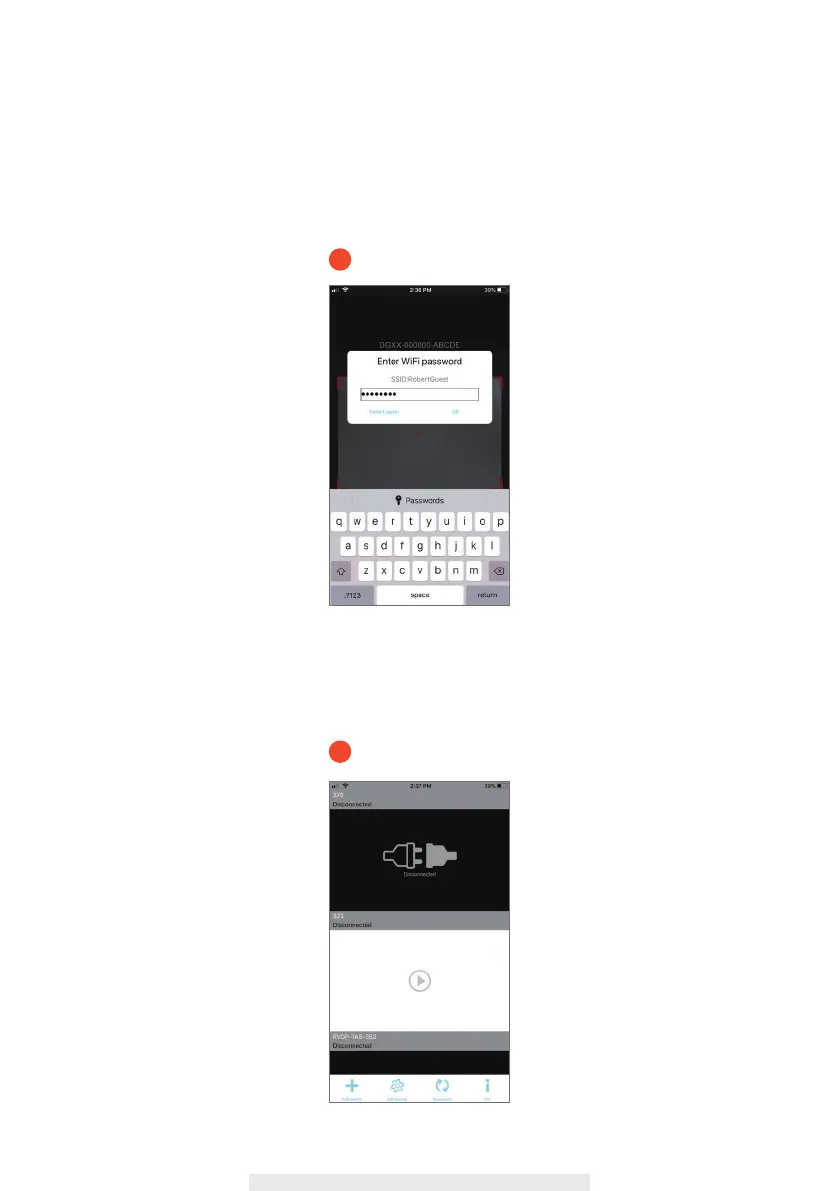
9. Please check the Wi-Fi SSID is correct and enter the password, then press “OK”.
After pressing OK, your mobile phone will transfer the Wi-Fi setup information to your
wireless hub via ultrasonic. You will hear a voice prompt “Receive Router Setup
Information”.
10. It takes approximately 2 mins for wireless hub to connect to your home router. You will hear
a voice prompt “Router Connection Successful” once it’s connected.
9
10



 To Next Page