18
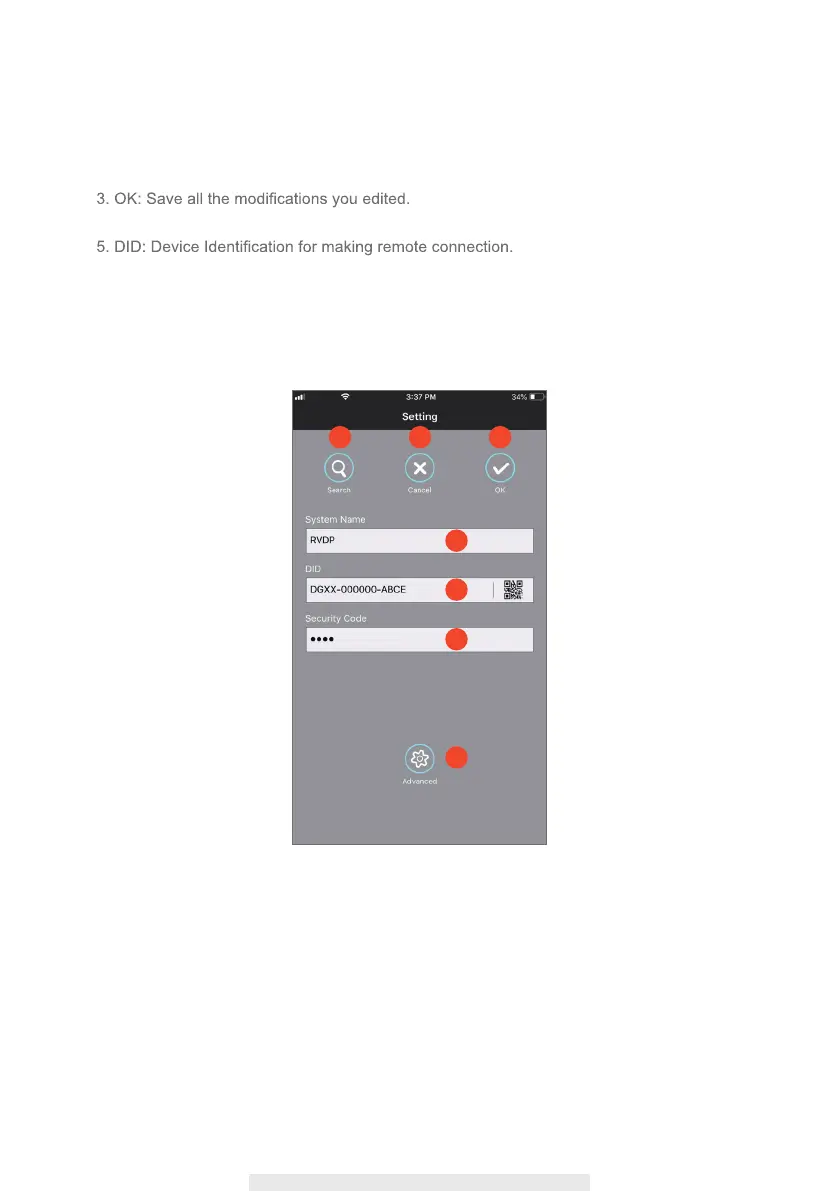
Edit Setting
_
Basic Setting
1. Search: Auto search for available devices under your LAN (Local Area Network).
2. Cancel: Back to previous step.
4. System Name: Name your device.
6. Security Code: Password for remote access to device.
7. Advanced: Access to advance setting, Admin Password is required.
(Default Admin Password is “123456”)
1
4
5
6
7
2 3



 To Next Page