16
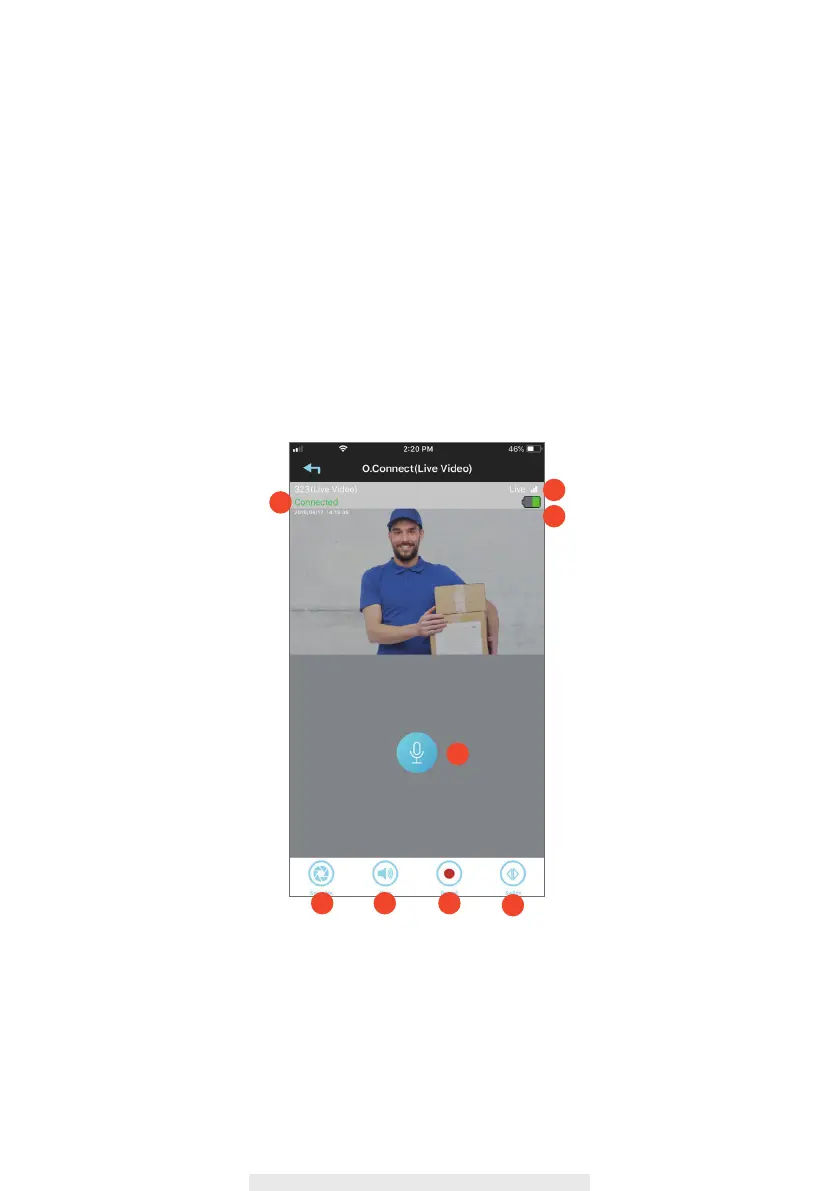
Live View
1. Connection status of the Wireless HUB
.
2. RSSI between Wireless HUB and end device. (Received Signal Strength Indication)
3. Remaining Battery Indication: It turns to Red, while battery is below 15% of power.
4. Talk: Tap to enable the audio transmmition from smart phone to end device.
5. Snapshot: Tap to take snapshot of the live video. The captured snapshots will store in your
mobile device.
6. Mute/Unmute: Mute or unmute the live audio.
7. Record: Record a short video clip. Your video is automatically saved to the camera's internal
SD card memory.
8. Switch: This function in only available when two devices be paired with wireless hub.
Tap to switch the live view of device.
4
5
4
6 7
8
1
2
3



 To Next Page