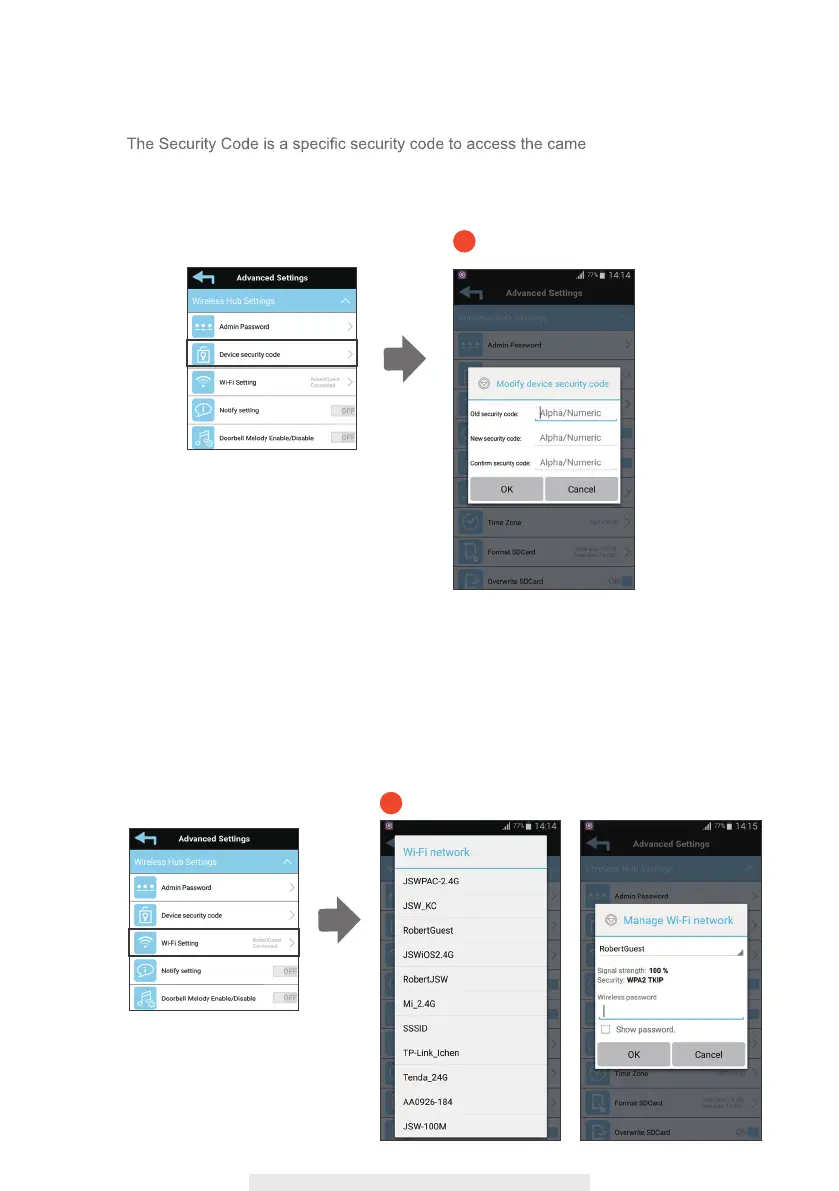
(1-4) Wi-Fi Setting
The Wi-Fi setting allows you to choose the wireless connection and setup the Wi-Fi
environment.
When you tap the “Manage Wi-Fi network” button, the system automatically scans the
nearby network and shows the available Wi-Fi routers in the drop-down list. Choose
the appropriate Wi-Fi router and enter the Wi-Fi router password if necessary. Due to
security concerns, it is suggested to use the WPA/WPA2/ WPA2-PSK protocol for Wi-Fi
network.
1-4
(1-3) Device Security Code
ra. The default password
of the camera is 123456, you can enter character a~z, A~Z, 0~9, “_”, “-“ with max 31
characters. Please use this function to change the default password into your personal
security code.
1-3
24



 To Next Page