21
4. FILLING THE WATER HEATER
NOTICE: Remain close to the water heater during the filling process to avoid any potential damage due to
faulty installation or maintenance. It is normal to see a small amount of water in the overflow line during the
fill process.
NOTICE: In case an external leak detector is installed, do not switch it on until the filling cycle is completed
and the drain pan is dry
1. Open the shut-o valve on the cold water supply
line.
2. Make sure the water heater is electrically supplied.
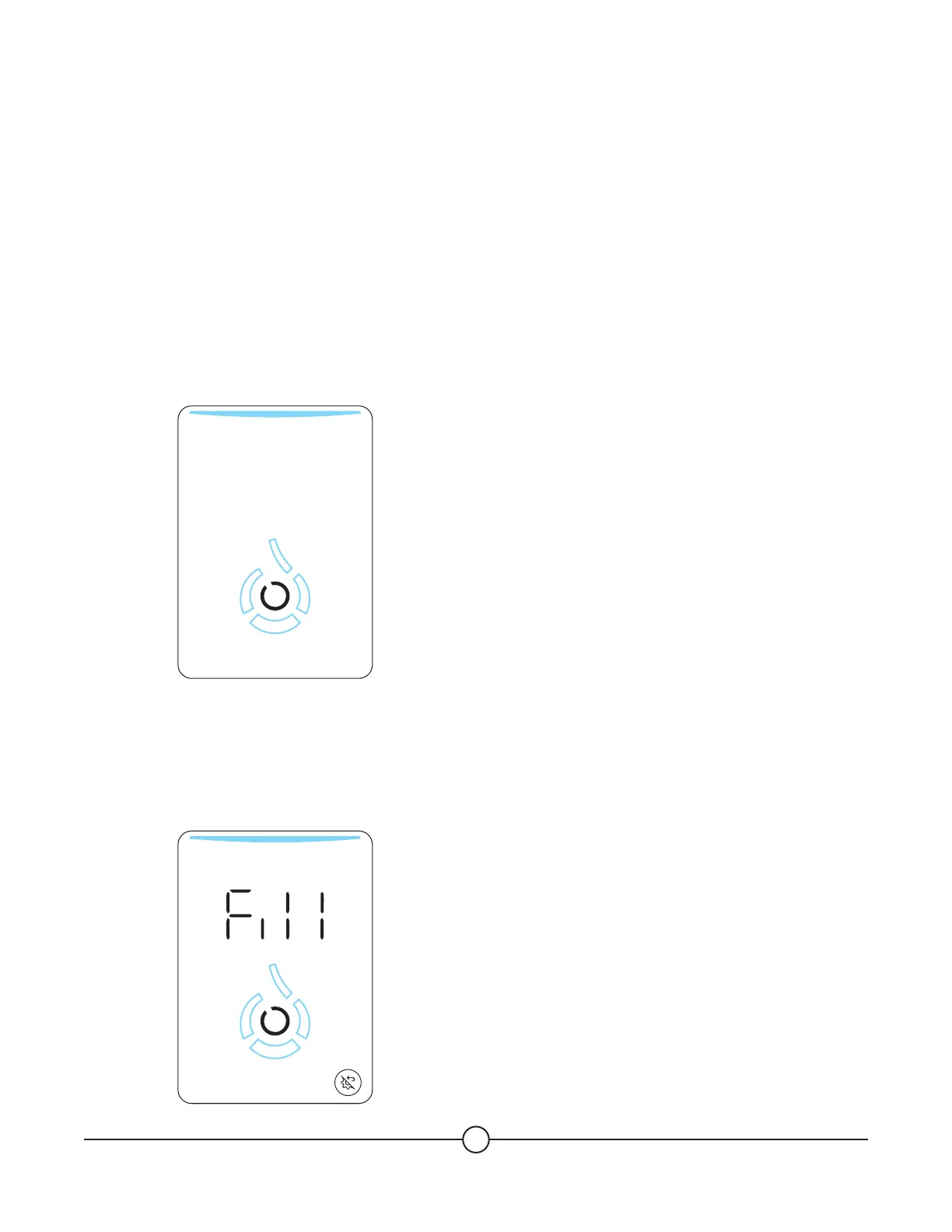
The unit will turn on and a white circle will appear
in the center (the (Confirm) button).
3. Press the (Confirm) button to activate the
touchscreen. The word “Fill” will appear. The unit
will then try one short 30-second filling attempt
and will wait 30 minutes for further instructions.
If no action is performed meantime the warning
code 225 will be displayed.
SMART
4. Press the (Confirm) button to start the filling
process. The unit will start filling automatically. The
water drop icon animation will light up during this
process. Once the correct water level is reached,
the unit will automatically stop the filling process.
5. If you need to stop the filling process, press the
(Confirm) button. The unit will automatically stop.
If the minimum water level needed for operation
has not been reached, the word “Fill” will appear
again. Restart step 4 to resume filling the unit.
NOTICE: Unlike traditional storage water heaters,
the Essency water heater doesn’t require to open
any hot water fixture for the filling process.
Opening the cold water supply shuto valve is
sucient.


 To Next Page