35
PARAMETER SETTINGS
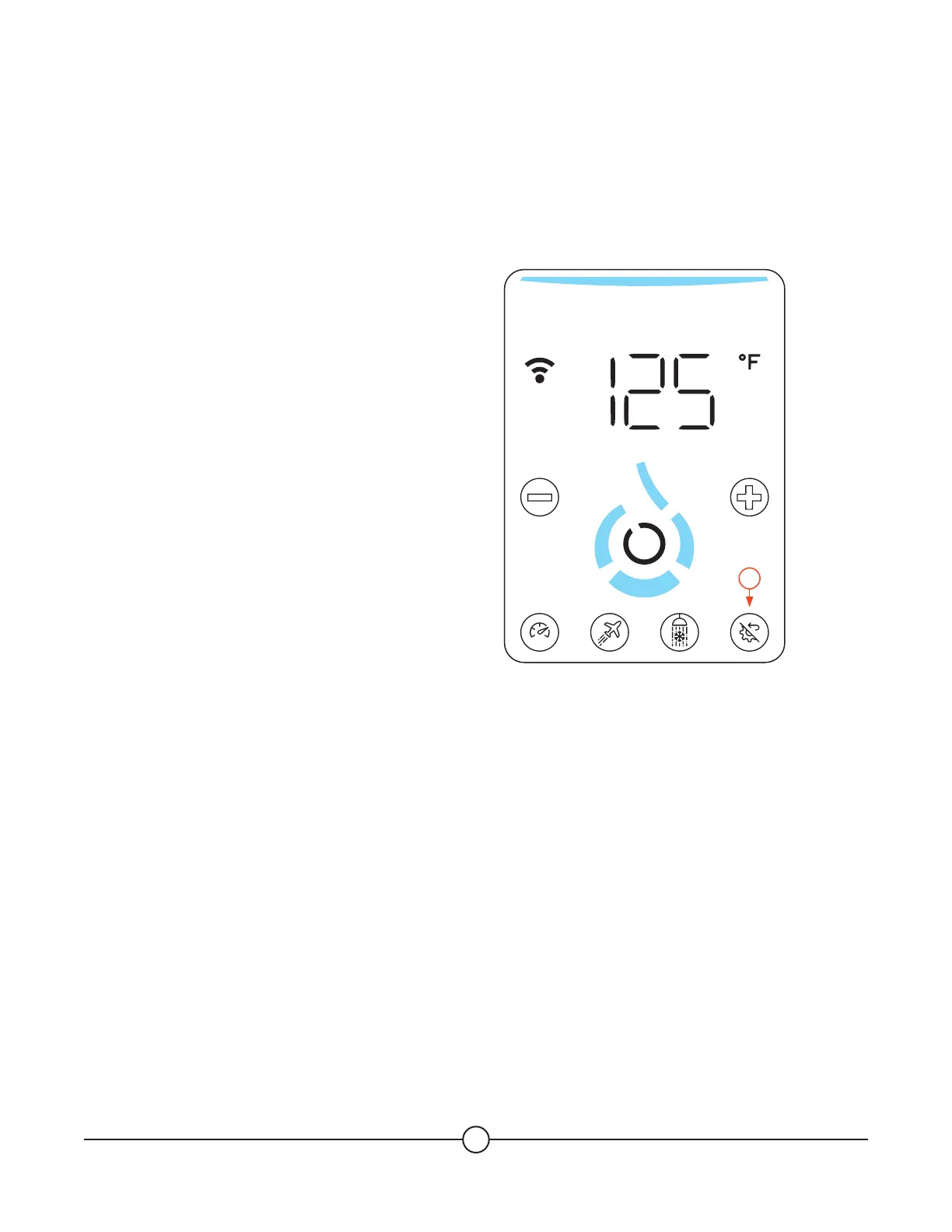
To explore the useful menus, make a long press on the (Multi Function) button (B4) for 2 seconds (1).
You can navigate through the menus described below by using (+) and (-) button, validate with the (Confirm)
button, and go back with short tap on the (Multi Function) button.
Settings (shown as SEt)
ú Connection (shown as Con)
On (shown as on)
O (shown as oFF)
Pairing (PAir)
ú Unit (shown as Unit)
Temperature (shown as tENp)
Flow Rate (shown as FLoV)
ú Reboot (shown as rbt)
ú Software Version (shown as Soft)
ú Software Update (shown as UPd)
ú Options (shown as Opt)
Disable the battery (shown as bAtt)
History (shown as Hist)
Service (shown as SrV)
ú Info (shown as Info)
See next page
ú Maintenance (shown as NAint)
See next page
ú Test (shown as tESt)
Self-test on heating elements (shown as St)
Options (shown as OpT)
ú Disable the battery (shown as bAtt)
In the Service menu, through the Info section, you will be able to check the status of the sensors and
actuators of your water heater.
Through the Maintenance section, you can also activate the actuators. These options allow you to perform a
self-diagnostic of your water heater for troubleshooting if needed.
1
SMART


 To Next Page