31
HEATING MODES
SMART
This is the default mode in which the water heater
operates. In Smart mode the electronic control
system will automatically manage the 2 heating
elements, according to the quantity of hot water
used, so as to optimize delivery and consume the
least amount of energy. In Smart mode the set
temperature of the upper element is 150 °F, whereas
the lower element will heat between 110 °F and
150°F.
Smart is the recommended mode for families of 4 or
5 with average water use, and will allow for a FHR of
up to 80 gallons.
HEAT+
The Heat+ mode optimizes performance over energy
savings, allowing the water heater to produce larger
quantities of hot water. In Heat+ mode, both heating
elements will heat up to 160°F. This mode allows the
water heater to deliver, in the same conditions as the
FHR test, 100 gallons of hot water.
CUSTOM (Available in future update)
The Custom mode allows you to program a typical
weekly cycle of use: you can select the Smart mode
or Heat+ mode for a certain period of time by one
hour increments, depending on your hot water
requirements.
NOTICE: Never switch off the water heater.
If the water heater is not going to be used for a
period of time please use the vacation temporary
function (see page 33).
TO SELECT A HEATING MODE:
HEAT+ CUSTOM SMART
1
2
3
4
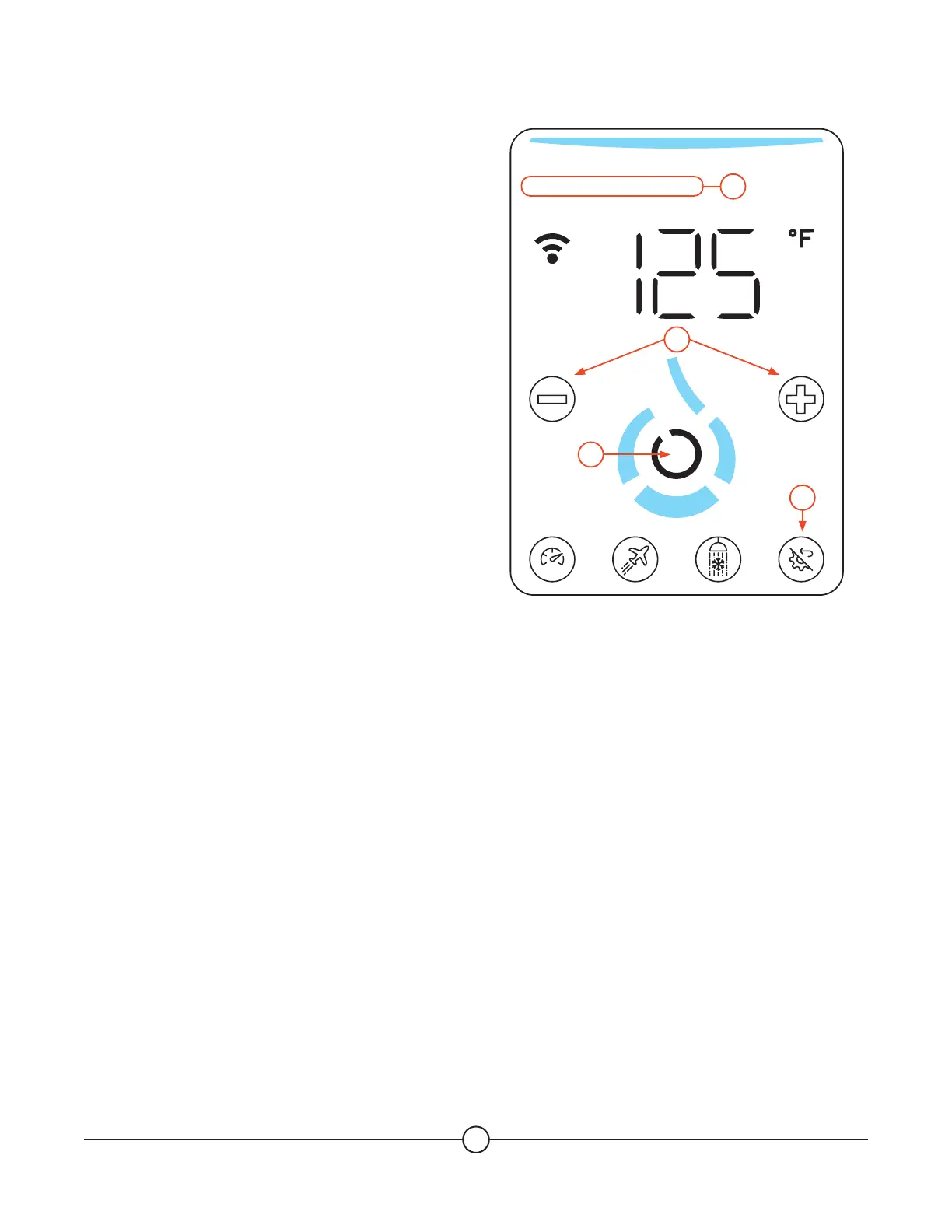
1. Quickly tap on the (Multi Function) button.
2. Press (+) or (-) to navigate between the 3 modes
(Smart / Heat+ / Custom). The selected mode will
blink.
3. Press the (Confirm) button to confirm the
selected mode.
4. Once the heating mode is selected, the
homepage will appear following your choice.


 To Next Page