20
8.3. Factory settings
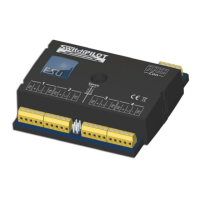
The four transistor outputs 1 to 4 react ex works to the turnout
numbers 1 to 4 with all outputs set to single pulse mode with 520
msec pulse duration. Address „1“ belonges to the SwitchPilot.
The servo outputs 5 – 6 are deactivated ex works. There is no
second address to be allocated.
8.4. Programming addresses with the programming button
You may program the addresses with the help of the program-
ming button without any complicated procedure on the program-
ming track. We recommend to proceed as follows:
You must use this method if you work with a Märklin® Motorola®
central unit (6021, Central Station®) or if you want to change
the addresses of the turnouts after installation of the decoder on
your layout.
8.4.1. First address for outputs 1 – 4
1. Select the turnout number on your digital system that you
want to assign to the first output of your SwitchPilot. Proceed
as per the instructions of your handheld throttle or your com-
mand station as if you wanted to switch the respective turnout
(for ECoS users: refer to chapter 13 in the ECoS manual).
2. Turn on the power supply of your layout.
3. Press the programming button and hold it long enough until
(after about two seconds) the LED blinks as follows: short, pau-
se, short, pause, and so on.
4. You may now release the button, the decoder is in learning mode.
5. Now switch the turnout you have selected in step 1 on your
handheld controller or your command station. It is immaterial
whether you switch from “straight” to “diverging route” or vice
versa.
6. Once the decoder has “understood” the address it will confirm
this by lighting up the LED for one second.
7. Then the SwitchPilot goes back to the normal operating mode
and the LED extinguishes.
Should you have programed another turnout instead of the first
one of the group of four the correct group will be automatically
detected and programed.
8.4.2. Second address for outputs 5 - 6
The second address is used for the (servo) outputs 5 and 6. Always
select turnout numbers at the beginning of a group of four, e.g.:
1 and 2, 5 and 6, 9 and 10, 13 and 14, etc.
1. Select the turnout number with your digital system that you
would like to assign to output 5 (first servo). Proceed as per
the instructions of your handheld controller or your command
station as if you wanted to switch this particular turnout
2. Turn on the power for your layout.
3. Press the programming button and hold it down until (after
about four seconds) the LED blinks as follows: short, short,
pause, short, short, pause, and so on.
4. Then you may release the button; the decoder is now in learning
mode.
5. Switch the turnout you have selected in step 1 with your hand
held or the command station. It is immaterial if you switch from
“straight” to “diverging route” or vice versa.
6. If the decoder has “understood” the address it confirms this by
the LED lighting up for about one second.
7. The SwitchPilot then goes back to the normal operating mode and the
LED extinguishes.
9. Parameters of the transistor outputs
In order to set the parameters of the transistor outputs 1 to 4 each
is assigned to a configuration-CV: CV 3 is responsible for output
1, CV 4 for output 2, CV 5 for output 3 and CV 6 for output 4.
9.1. Configuration of an output with variable duration (k83)
Write the value 0 in the appropriate CV. The output will then be-
have as follows: the output is active as long as the corresponding
button on the control panel is pressed. Once you release the but-
ton the output will switch off immediately. This is useful for un-
couplers amongst others.
Factory settings


 To Next Page