Navis 100 Installation Guide 5
Channel Settings for RGBW Luminaires
The channel rotary switch on RGBW luminaire assigns the luminaire to a
control channel from the control source. (In the F-Drive series of drivers,
the Chroma Card is the control source.)
When you daisy-chain multiple RGBW luminaires, you must assign each
luminaire in the wiring run to a unique channel. Each luminaire will
respond to output signals that are sent from the control source on the
channel to which the luminaire is assigned. See the RDM information in
the installation manual for your F-Drive series driver for information
about configuring control channels.
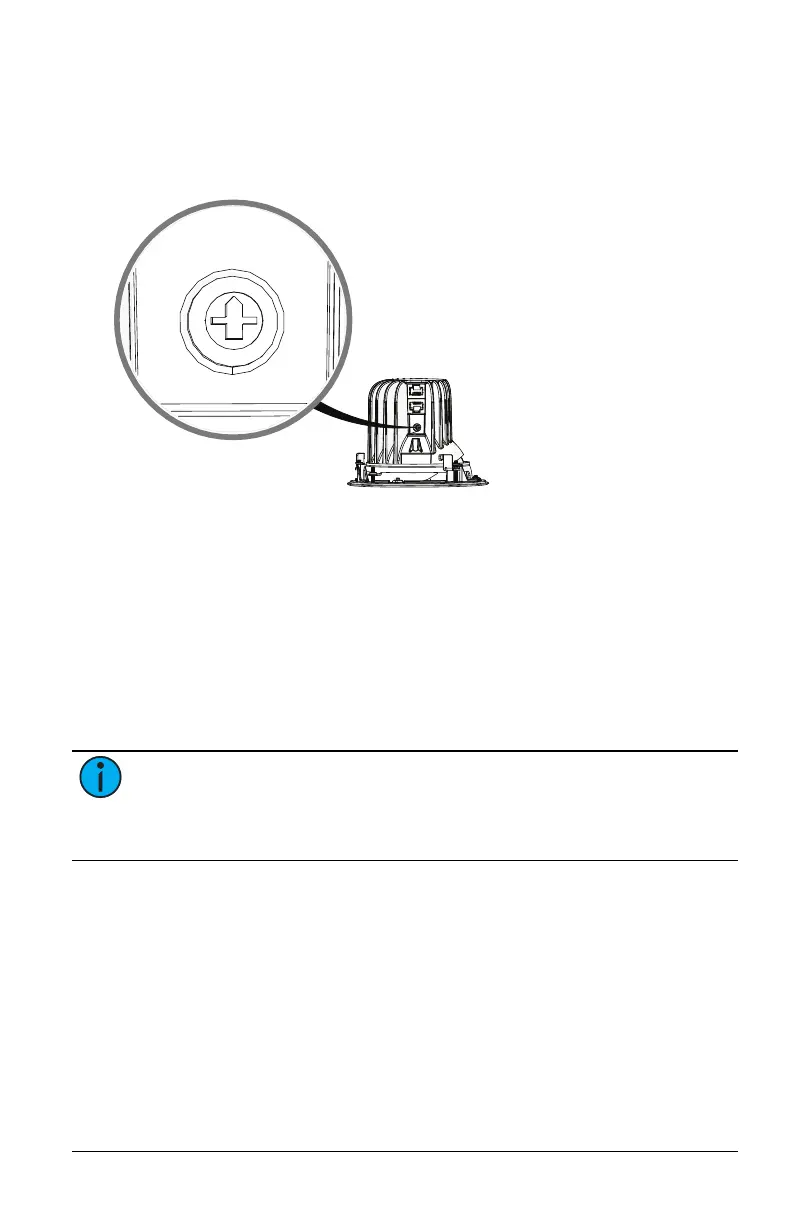
To set the channel on an RGBW luminaire, use a small flatblade
screwdriver to turn the rotary switch so that it points to the channel
number that you want to assign to the luminaire.
Note:
If RGBW luminaires are not assigned to unique channels
when they are daisy-chained together, you will not be able to
update the firmware on the RGBW luminaires, and F-Drive Chroma
Card LEDs and RDM communication may not function correctly.



 To Next Page