47 Sensor+ Dimming System User Manual
Releasing and Securing Module Safety Stops (ESR Racks Only)
To prevent unauthorised access to rack modules
and interior wiring, Sensor+ CE Installation Racks
(ESR) are provided with module safety stops that
hold modules in place until released by a service
technician.
Step 1: Turn off rack power at the main breaker.
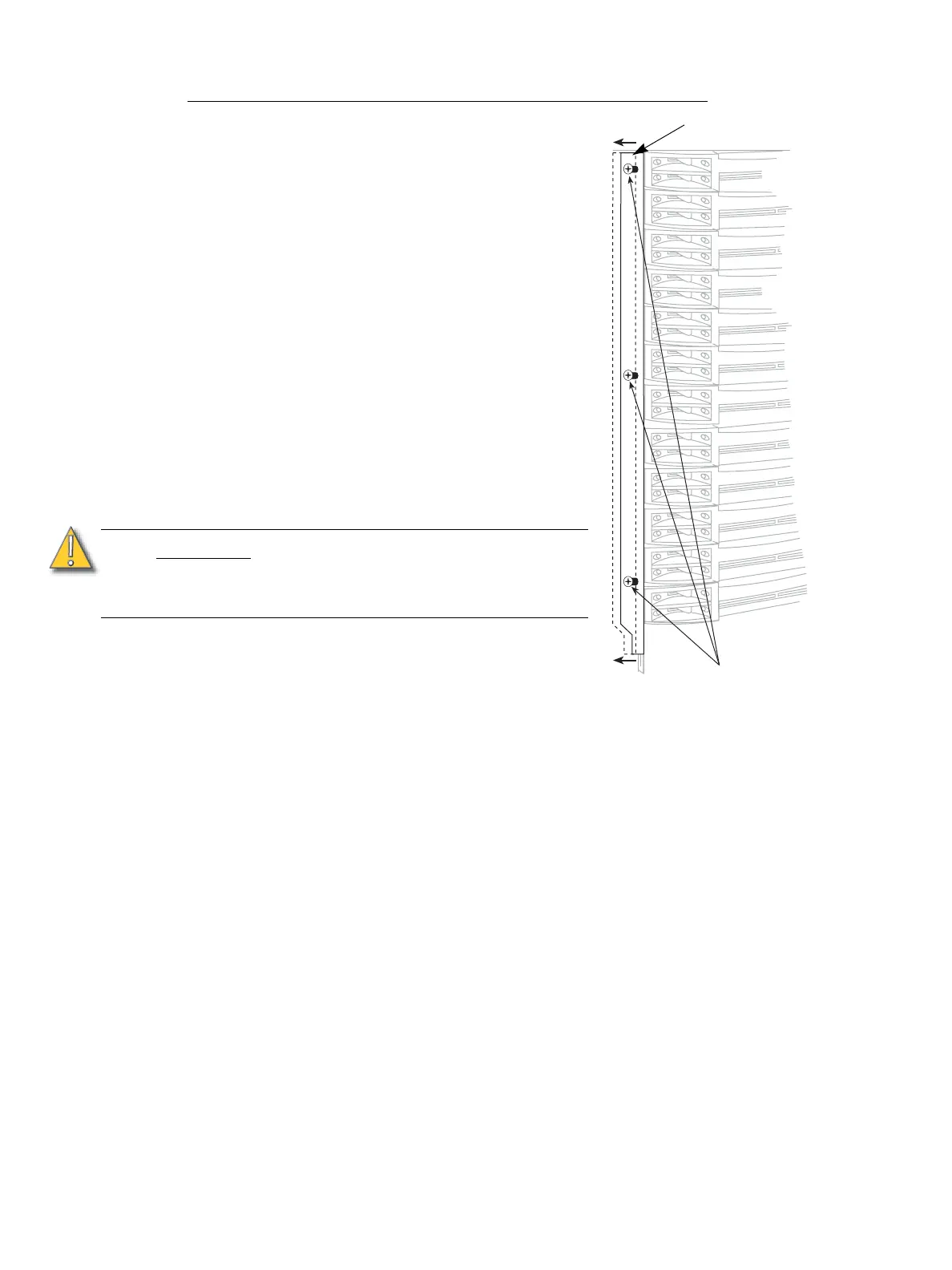
Step 2: Open the rack door. The safety stops are
along the left side of the dimmer modules.
See the illustration.
• To release the safety stop, loosen the
three safety stop securing screws and
slide the stop to the left to release the
modules. It is not necessary to
remove the stop.
• To secure the safety stop, slide it back
to the right and tighten the three safety
stop screws.
Step 3: Follow the appropriate instructions below
to remove or replace the desired dimmer
or control modules.
Remove and Replace a Dimmer or Airflow
Module:
Step 1: Turn off rack power at the main breaker, if
possible.
Step 2: Open the rack door.
Step 3: Switch the dimmer module’s circuit breaker(s) to the “off” position (breaker to the
right).
• Please see Releasing and Securing Module Safety Stops (ESR Racks Only)
above if appropriate.
Step 4: Grasp the dimmer module by the center of the main air vent.
Step 5: Pull the dimmer straight out.
Step 6: Ensure the circuit breaker(s) on the replacement module are in the “off” position.
Step 7: Insert the replacement dimmer or airflow module into the correct slot and firmly
press the module into the slot until you feel the connections seat (the module
face will be flush with the other modules).
Step 8: Switch the module’s circuit breaker(s) to the “on” position (to the left).
Step 9: Close and lock the Sensor rack door before applying power.
Remove a CEM+ Module:
Step 1: Turn off rack power at the main breaker.
Step 2: Open the rack door.
• Please see Releasing and Securing Module Safety Stops (ESR Racks Only)
above if appropriate.
CAUTION:
Operating a dimmer rack with open module
slots disrupts airflow inside the rack, which
can lead to rack overheating and
subsequent rack shutdown.
Module safety stop
Safety stop
securing screws



 To Next Page