6 Source Four User Manual
Shaping the beam
The beam can be shaped using the shutters (see Figure 1), a pattern, an optional drop-in iris, or by
rotating the barrel.
Pattern Projection
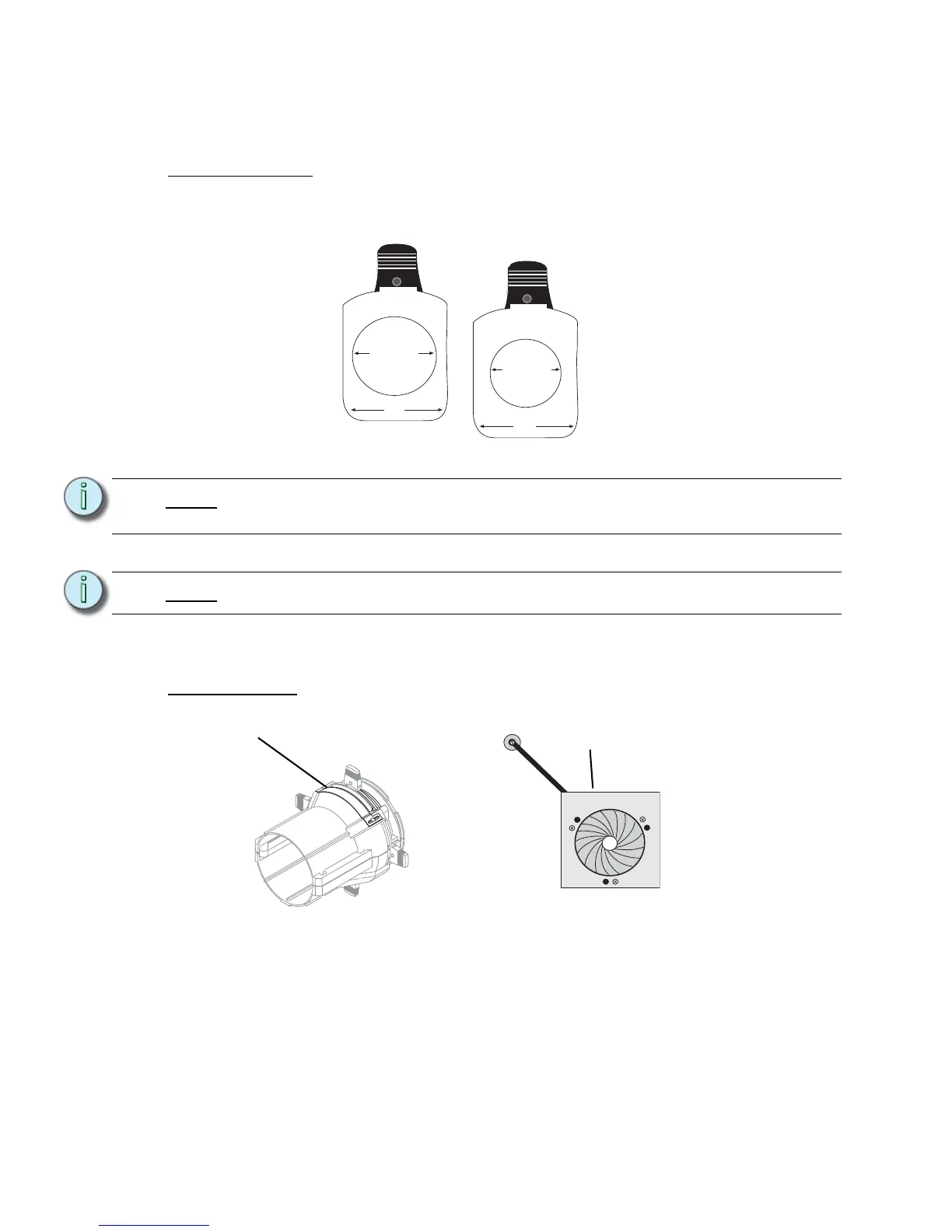
The pattern holder slot is on the top side of the barrel and in front of the shutters. It accommodates
A-size, B-size and glass pattern holders (see Figure 7).
Use an optional donut in the accessory holder to enhance pattern projection. Donut diameter range
should be 2.5” to 2.75”.
Drop-In Iris Slot
The drop-in iris slot is located on the top of the barrel and in front of the pattern holder slot. It
accommodates either a drop-in iris or a motorized pattern device. When the slot is not in use, a
small sheet metal cover secured with two Phillips screws prevents light leakage (see Figure 8).
Step 1: Use a Phillips screwdriver to loosen the screws on the drop-in iris slot cover. Do not
remove screws.
Step 2: Slide the cover completely forward to expose the slot.
Step 3: Insert the iris or motorized pattern device. For an iris, install the flat side toward the
shutters and make sure the iris handle extends from the slot.
Note:
Because the Source Four aperture is 3 inches wide, ETC recommends using A-
size patterns for maximum pattern effectiveness.
Note:
Enhanced Definition Lens Tubes (EDLT) provide for a crisper pattern projection.
3.12" Diameter
3.70"
2.75" Diameter
3.70"


 To Next Page