15
2096580-16-11/22 (translation of the original operating instructions)
Operating Instructions
Non-Contact Safety Switch CES-A-.5
EN
10. Setup
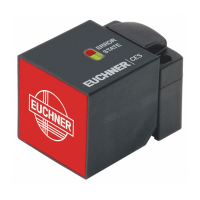
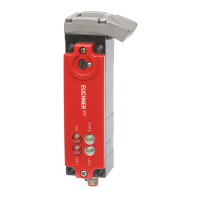
10.1. LED displays
LED Color State Meaning
STATE green
illumi-
nated
Normal operation
ashing
- Teach-in operation
(for further signal function, see chapter 11. System status table on page 17)
OUT/ERROR
yellow
illumi-
nated
Valid actuator detected
red
illumi-
nated
- Internal electronics fault
- Invalid teach-in operation
(for further signal function, see chapter 11. System status table on page 17)
10.2. Teach-in function for actuator (only for unicode evaluation)
The actuator must be assigned to the evaluation unit using a teach-in function before the system forms a functional unit.
During the teach-in operation the safety outputs are open and the door monitoring output is LOW. The system is in the safe
state.
Important!
Ì During the teach-in operation the following conditions must be met:
- No state change, e.g. opening of a safety door.
- The power supply must not be switched off.
Ì If these conditions are not met, the evaluation unit switches to the safe fault state (ERROR LED illu-
minates) and signals this operating fault with the STATE LED.
Ì The number of teach-in operations on one evaluation unit is limited to a maximum of 8.
Ì The evaluation unit can be operated only with the last actuator taught-in.
Ì An actuator that has not been subjected to teach-in will not be detected by the related read head.
Ì When the evaluation unit is switched on (operating voltage is applied), the STATE LED signals the
number of possible remaining teach-in operations (see system status table).
Ì Also after the 8th teach-in operation or if an “old” actuator is placed against the read head, the system
automatically switches to the teach-in mode. In both cases, a teach-in operation with a duration of
60 seconds is started; however, the last actuator code remains active in the memory (see system
status table) – a new code is not taught-in.
10.2.1. Carrying out teach-in for rst actuator (delivery state)
To trigger the rst teach-in operation, the user must perform the following actions in the stipulated order:
1. Start teach-in operation
- Switch on operating voltage (STATE LED ashes at approx. 4Hz)
- Close door to be monitored (the actuator must be in the actuating range of the read head)
- Teach-in operation starts (STATE LED ashes at approx. 1Hz)
- Wait for acknowledgment of the teach-in operation (STATE LED goes out after approx. 60 seconds)
2. End teach-in operation
- Interrupt operating voltage for at least 3 seconds (code for the actuator taught-in is activated)
3. Check safeguard for effectiveness




 To Next Page