
 Need help?
Do you have a question about the EUCHNER CET-AS Series and is the answer not in the manual?
Defines the purpose and coverage of the operating instructions for the safety switch.
Identifies intended users and their required expertise for handling safety components.
Explains the various symbols used throughout the document for clarity and understanding.
Lists and describes other essential documents for comprehensive user information.
Details guard locking operation for the CET3-AS model, actuated by spring force and released by power-ON.
Details guard locking operation for the CET4-AS model, actuated by power-ON and released by spring force.
Describes various operating modes and their corresponding LED and output states for system monitoring.
Explains manual guard locking release using auxiliary or key-operated mechanisms for malfunctions or emergencies.
Step-by-step guide on how to operate the auxiliary release mechanism to unlock the guard locking.
Instructions for operating the auxiliary key release for manual guard locking release when retrofitted.
Describes the emergency release function to open guards from outside the danger zone without tools.
Instructions on how to operate the emergency release mechanism to unlock the guard, typically clockwise turn.
Details the optional escape release for opening guards from within the danger zone without tools.
Step-by-step guide on how to operate the escape release mechanism by pressing the red knob.
Explains the use of a pull wire for emergency or escape release functions, depending on attachment.
Provides guidance on the correct installation and routing of the wire front release for smooth operation.
Describes the lockout bar function to prevent unintentional guard locking during maintenance.
Instructions on how to properly use and secure the lockout bar to prevent guard locking activation.
Important information regarding UL/cULus compliance and power supply requirements for safe operation.
Procedure for setting the AS-Interface address for the safety switch, enabling communication.
Guidance on configuring the safety switch's operating modes within the AS-Interface safety monitor.
Configuration details for the dual-channel dependent mode, including synchronization time requirements.
Configuration for dual-channel conditionally dependent mode, noting specific monitoring and operation conditions.
Configuration for dual-channel independent mode, highlighting limitations in detecting signal or function failures.
Explanation of AS-Interface LED status indicators and their meanings for troubleshooting communication issues.
Information on polarity protection for power supplies and general safety considerations during device faults.
Details on how to connect the guard locking control circuit for proper functionality.
Specific example connection for guard locking control using the ASi bit DO output.
Description of the signal functions indicated by the LED displays on the device for status monitoring.
Instructions for performing the teach-in function to assign actuators to the safety switch for system operation.
Step-by-step guide to conduct the actuator teach-in process, including connection and completion steps.
Procedures for verifying the correct functionality of the safety switch after installation or following any faults.
How to perform a mechanical test on the actuator movement and guard operation.
How to perform an electrical test to verify safety functions and machine start behavior.
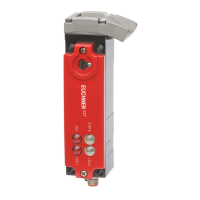
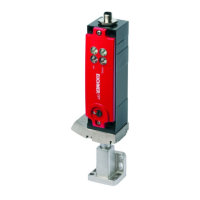
Provides detailed technical specifications and parameters for the CET.-AS-... safety switch.
Details typical system reaction times and risk times for safety outputs according to standards.
Presents dimensional drawings of the safety switch for installation planning and space requirements.
Lists detailed technical specifications and parameters for the CET-A-B actuator.
Provides dimensional drawings for the CET-A-BWK-50X actuator for installation reference.
 General
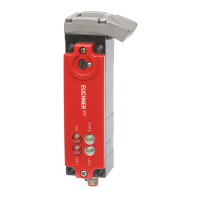
| Series | CET-AS |
|---|---|
| Actuation | Key Actuated |
| Protection Rating | IP67 |
| Type | Safety Switch |
| Safety Category | Category 4, PL e according to EN ISO 13849-1 |
| Housing Material | Plastic |
| Supply voltage | 24V DC |
| Operating Voltage | 24V DC |




 To Next Page