Operating Instructions
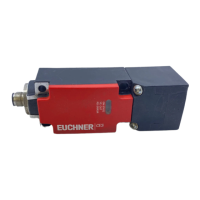
Non-Contact Safety Switch CES-A-.5
2
(translation of the original operating instructions) 2096580-16-11/22
Contents
1. About this document ............................................................................................. 4
1.1. Scope ............................................................................................................................................ 4
1.2. Target group ..................................................................................................................................4
1.3. Key to symbols ...............................................................................................................................4
1.4. Supplementary documents ..............................................................................................................4
2. Correct use .......................................................................................................... 5
3. Description of the safety function .......................................................................... 6
4. Exclusion of liability and warranty ......................................................................... 6
5. General safety precautions ................................................................................... 6
6. Function ............................................................................................................... 7
6.1. Door monitoring output ...................................................................................................................7
6.2. Switching states .............................................................................................................................7
6.3. Block diagram ................................................................................................................................8
7. Changing the approach direction .......................................................................... 9
8. Mounting ............................................................................................................ 10
9. Electrical connection .......................................................................................... 11
9.1. Notes about .........................................................................................................................12
9.2. Safety in case of faults .................................................................................................................. 12
9.3. Requirements for connecting cables ...............................................................................................12
9.4. Connector assignment of safety switch CES-A-.5 .............................................................................13
9.5. Correct connection .......................................................................................................................13
9.6. Connection example .....................................................................................................................14
10. Setup ................................................................................................................. 15
10.1. LED displays ................................................................................................................................15
10.2. Teach-in function for actuator (only for unicode evaluation) ...............................................................15
10.2.1. Carrying out teach-in for rst actuator (delivery state) .......................................................15
10.2.2. Carrying out teach-in for a new actuator...........................................................................16
10.3. Functional check ........................................................................................................................... 16
11. System status table ............................................................................................ 17




 To Next Page