EDN228
9
5.2 Settings for Microsoft Internet Explorer
To enable Remote Live View, Firmware Upgrade and ActiveX Prompt on Internet Explorer, some
settings have to be complete. Please follow the steps below:
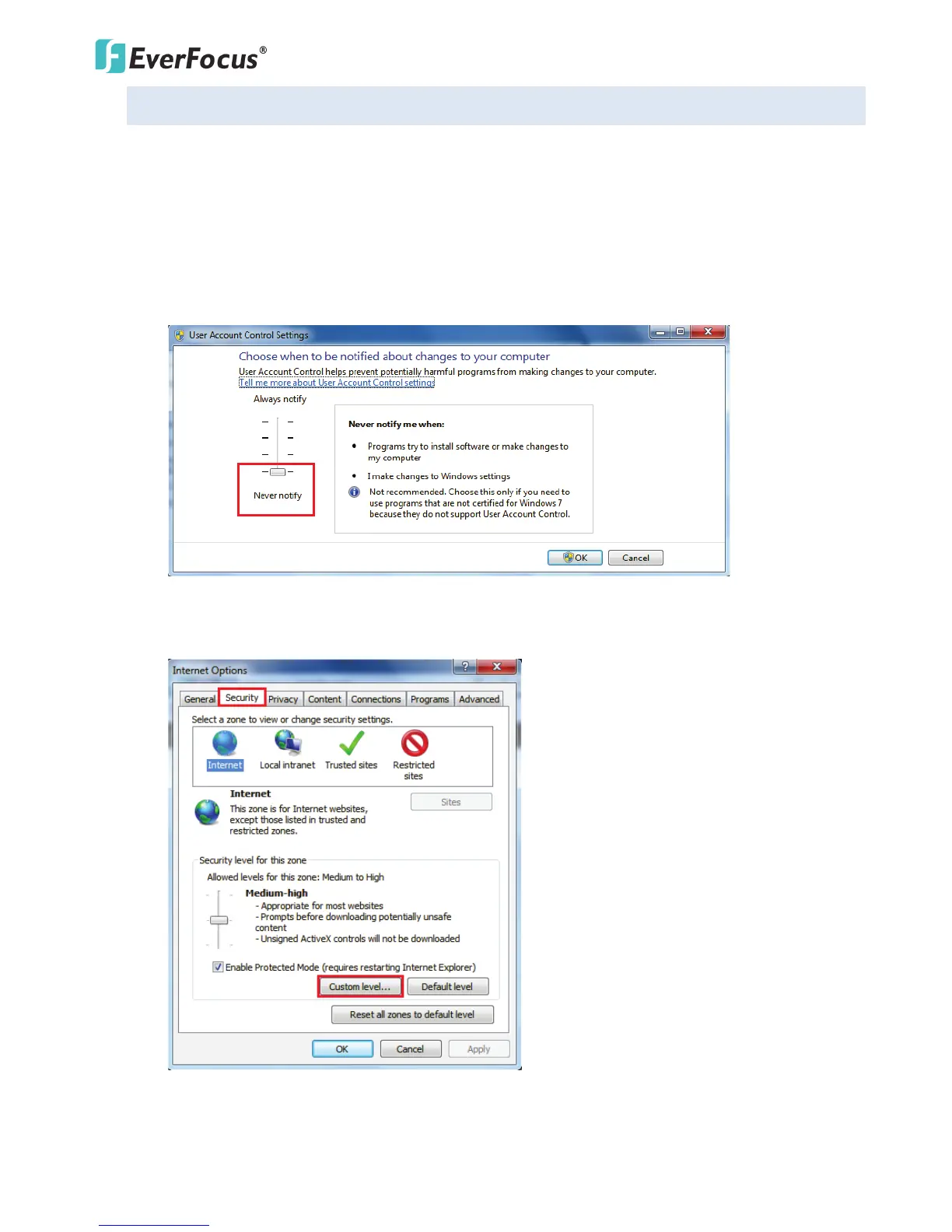
1. On the computer, click Start > Control Panel > System and Security > Action Center (click Change
User Account Control Settings), the User Account Control Settings window appears. Adjust the
slide bar to Never Notify and then click OK. Restart your computer if requested.
2. Open the Internet Explore, click Tools > Internet Options > Security Tab > Custom Level, the
Security Settings windows appears.



 To Next Page