EDN228
2
2. PhysicalDescription
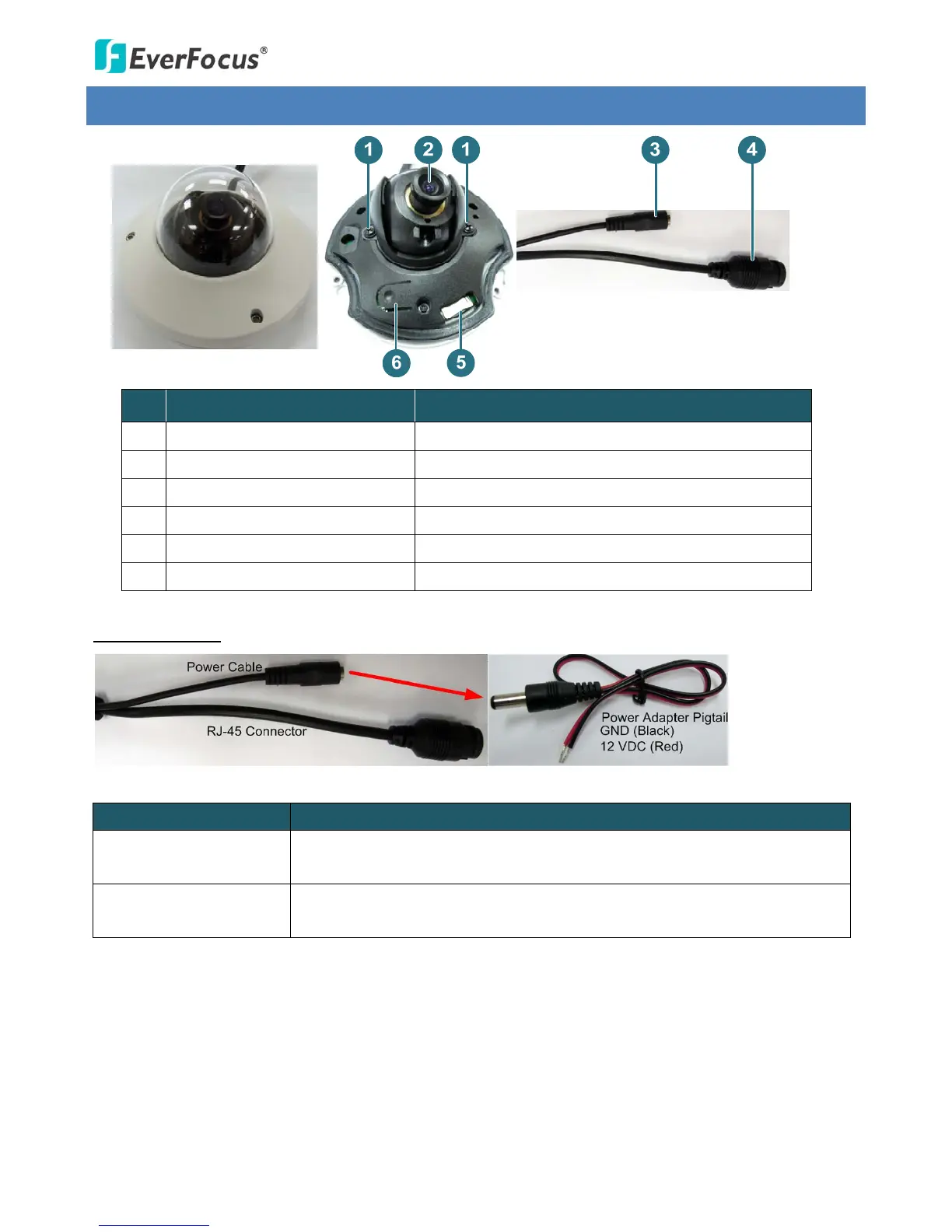
NO. ItemName Descriptions
1 FixScrews Usedtoadjustlens.
2 Lens Fixedlens.
3 12VDCable Usedtoconnecttoa12VDCpowersupply.
4 RJ‐45ConnectorCable UsedtoconnecttoaLAN/PoEcable.
5 MicroSDHC/SDXCCardSlot InsertamicroSDHC/SDXCcardhere.
6 ResetButton Pressthebuttontoresetthecamera.
CableConnection
CableName Description
PowerCable
Connectstothe12VDCpowersource.Youcanoptionallyusethesupplied
PowerAdapterPigtailorapoweradapter.
PowerAdapterPigtail
ConnectsoneendtothePowerCable,andtheotherendtothe12VDC
powersource(blackwiretogroundend;redtopositiveend).



 To Next Page