EDN228
72
B. Enabling the Multicast Function
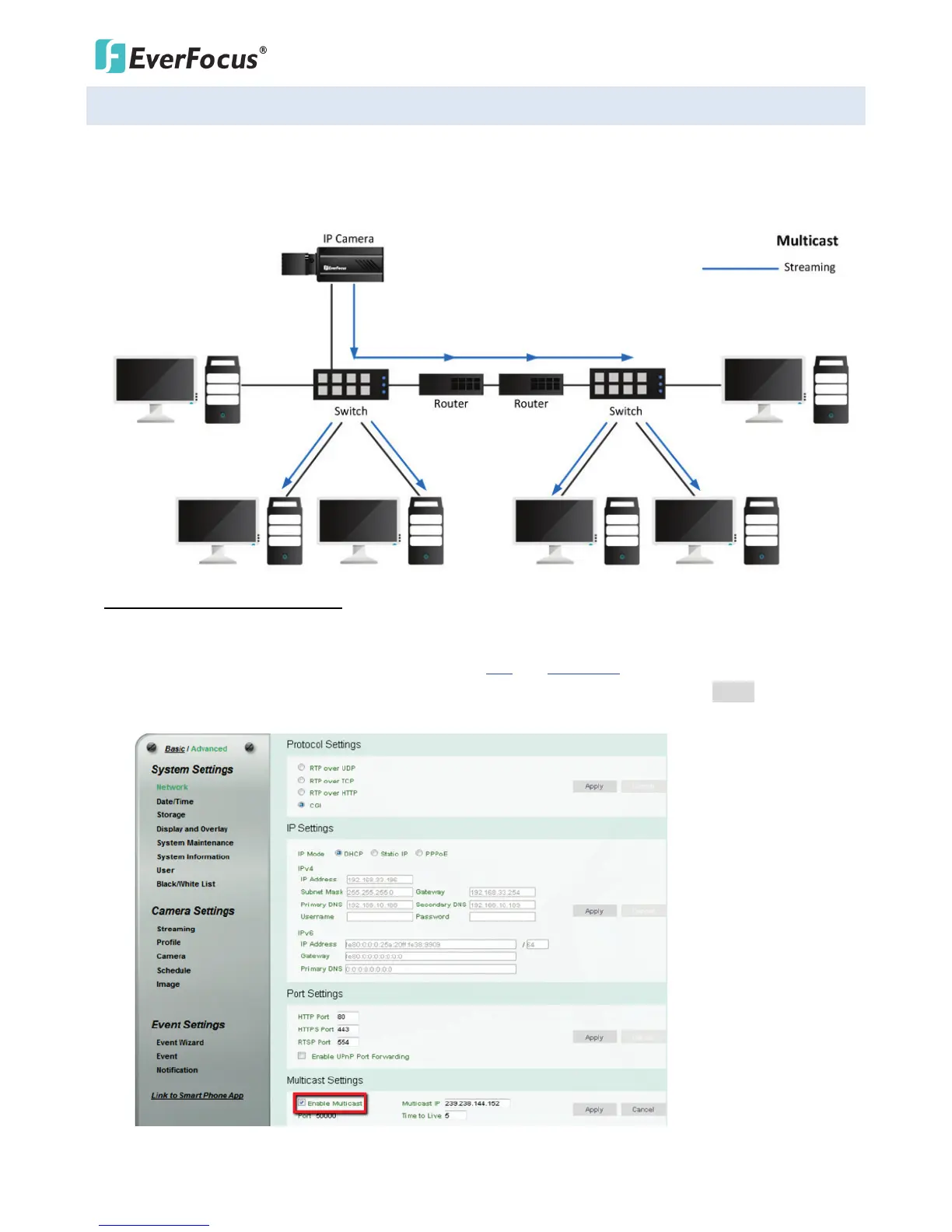
The Multicast Function is a technique for one-to-many communication over an IP infrastructure in a
network that is designed to share IP camera loading and reduce network bandwidth. Note that for this
function to work, the router / switch must support multicast function.
To enable the Multicast Function:
1. Complete the installation of the IP cameras, routers/ switches and computers (refer to diagram above).
2. Install VLC and Wireshark in your computer. Click VLC and Wireshark to download.
3. Access to the Web UI of the IP camera to enable the Multicast function. Click the Apply button to save
the setting. (Advanced tab > Network> Multicast Settings> Enable Multicast)



 To Next Page