EDN228
53
7.2.5 Image
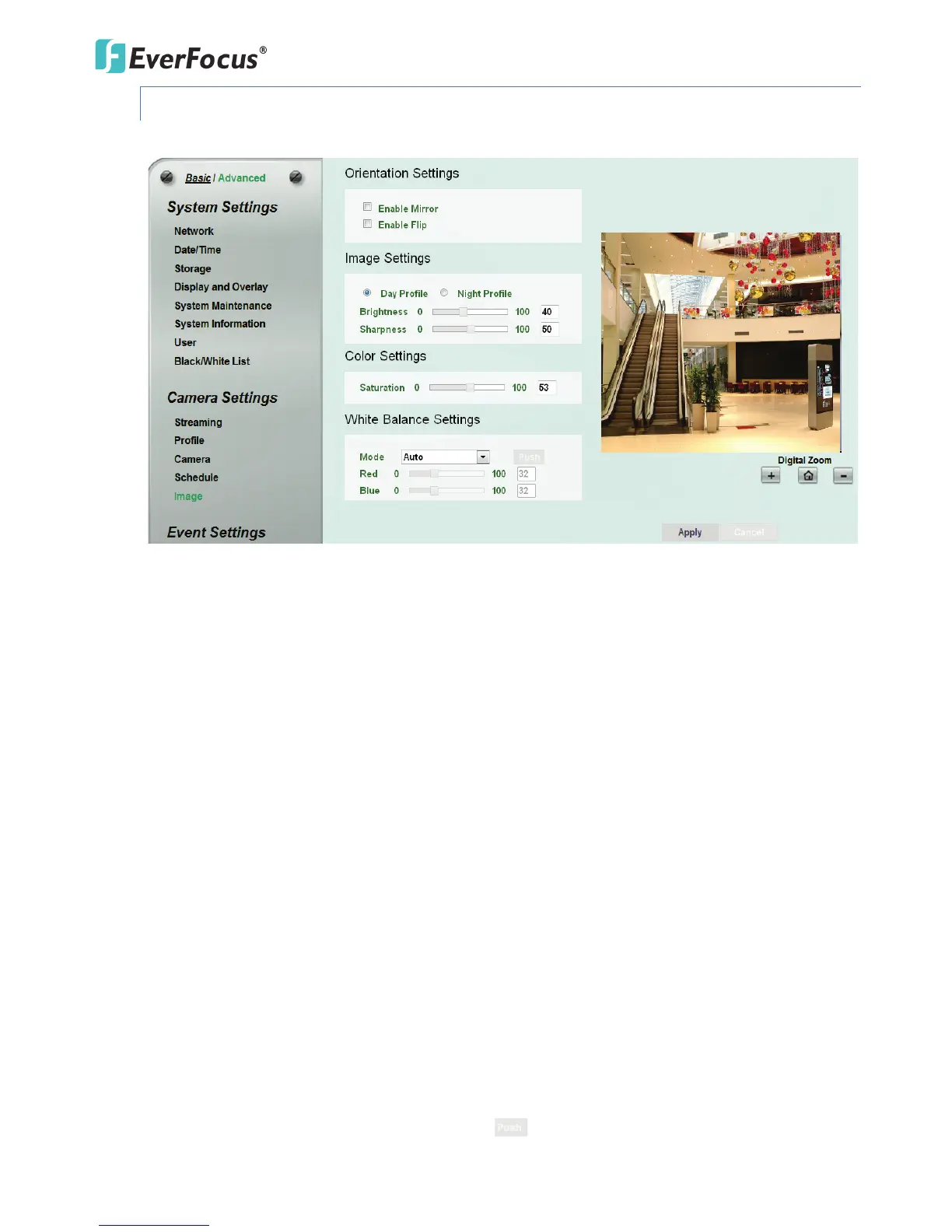
This function can only be set up in the Advanced tab.
【Orientation Settings】
Enable Mirror: Check the box to enable the mirror function. The image will be rotated
horizontally around a vertical axis.
Enable Flip: Check the box to enable the flip function. The image will be rotated vertically
around a horizontal axis.
【Image Settings】Select Day Profile or Night Profile and then adjust the slide bars below to
configure the Brightness and Sharpness for daytime or nighttime.
【Color Settings】Slide the bar to adjust the saturation.
【White Balance Settings】Select a mode that delivers the best image quality for the camera’s light
environment.
Auto: Select to let the camera automatically adjust the White Balance. In the Auto mode the
camera computes the white balance value output using color information from the entire screen.
It outputs the proper value using the color temperature radiating from a black subject based on
a range of value from 3000 to 7500K.
Manual: Select to adjust the Red and Blue values yourself in the fields below this field.
One Push: Select to enable the Push button next to the Mode drop-down field.



 To Next Page