EDN228
37
7.1.5 System Maintenance
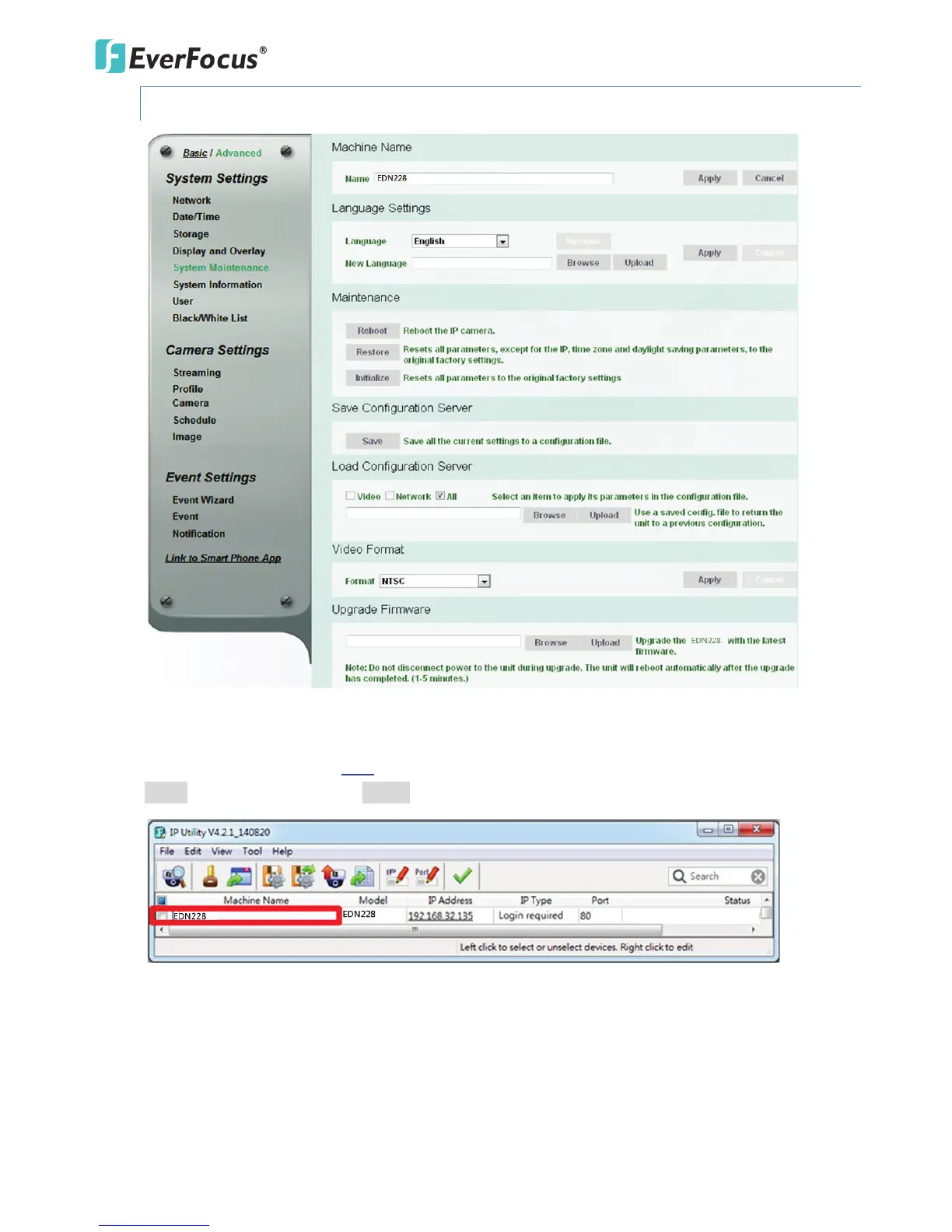
【Machine Name】If required, enter a new name for the machine. This name will be visible in the
Machine Name field of the IP Utility software, which is included in the software CD or from the
Website of EverFocus (click here to download. Please refer to 5. Accessing the User Interface). Click
Apply to apply the changes or Cancel to cancel the changes and return to the previous settings.
【Language Settings】Select the language to be displayed on the Web interface of the IP camera. The
default language is English.
To add a new language not listed in the current Language list, click the Browse button to locate the
new language file (.evb) on your computer and then click the Upload button. Updated language files
might be available on the manufacturer’s website. Contact your vendor if required.



 To Next Page